Reviewable proposals
AI-assisted planning
The coordinator reviews the proposed changes before publishing.
For schedulers
AI-assisted scheduling for home care — compare unassigned visits, client-facing time, and travel time before a planner publishes
Your organisation's permissions and rules govern who sees and changes the plan. Review trust and data protection
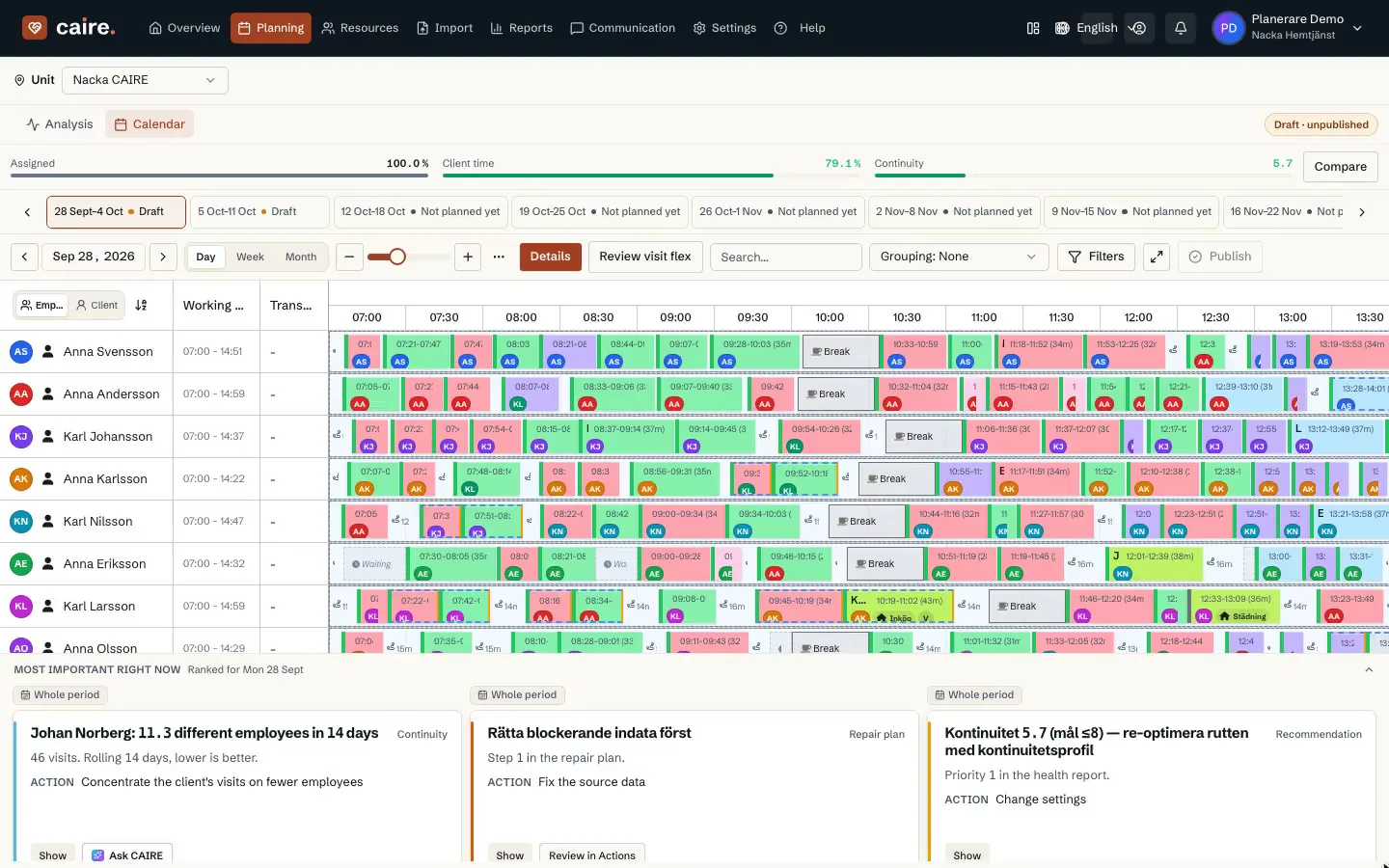
The calendar shows visit placement. The result selector provides access to different planning results for the period.
The coordinator reviews the proposed changes before publishing.
Planning starts from the same visits, staff, and constraints.
An assistant that works alongside the coordinator.
Sick calls, last-minute changes, and constant phone calls create stressful mornings
Complex matching of staff to clients considering skills, travel time, and preferences
Always putting out fires instead of working proactively with long-term planning
Caire proposes replacements when staff call in sick; the planner reviews competence and availability before applying the change
Compare recorded demand and unused hours in planner-reviewed staffing candidates
The assistant keeps repetitive planning work visible and reviewable.
Notifications follow the planner's approval and publication of a schedule change
Panic when staff call in sick · Frantically calling for substitutes · Manual schedule redistribution · Risk of errors and double bookings · Overtime costs and staff stress
Planner records the changed input · CAIRE prepares eligible cover options · Planner reviews route and continuity trade-offs · Staff are informed after approval and publication
From standing data to a published schedule: Caire prepares candidates and diagnostics; the planner reviews and publishes.
Planner workflow: Caire prepares candidates and evidence; Anna reviews and approves before publication
Anna builds standing data in Caire, then reviews comparable schedule candidates and their diagnostics
A care assistant calls in sick — CAIRE flags the impact and shows what needs covering
The system recalculates and proposes how to redistribute visits; Anna reviews and publishes before anything goes live
Anna sees care time, efficiency and continuity against goals — and the next suggested improvement
Values appear on your completed runs in the product
Travel-time trade-off
Shown after your run
Continuity measure
Shown after your run
Overtime measure
Shown after your run
Admin-time measure
Shown after your run
Views from the planner: calendar, run measures and comparison of proposals.
The calendar shows visit placement. The result selector provides access to different planning results for the period.
See visits, travel time, and staff load before approving a candidate.
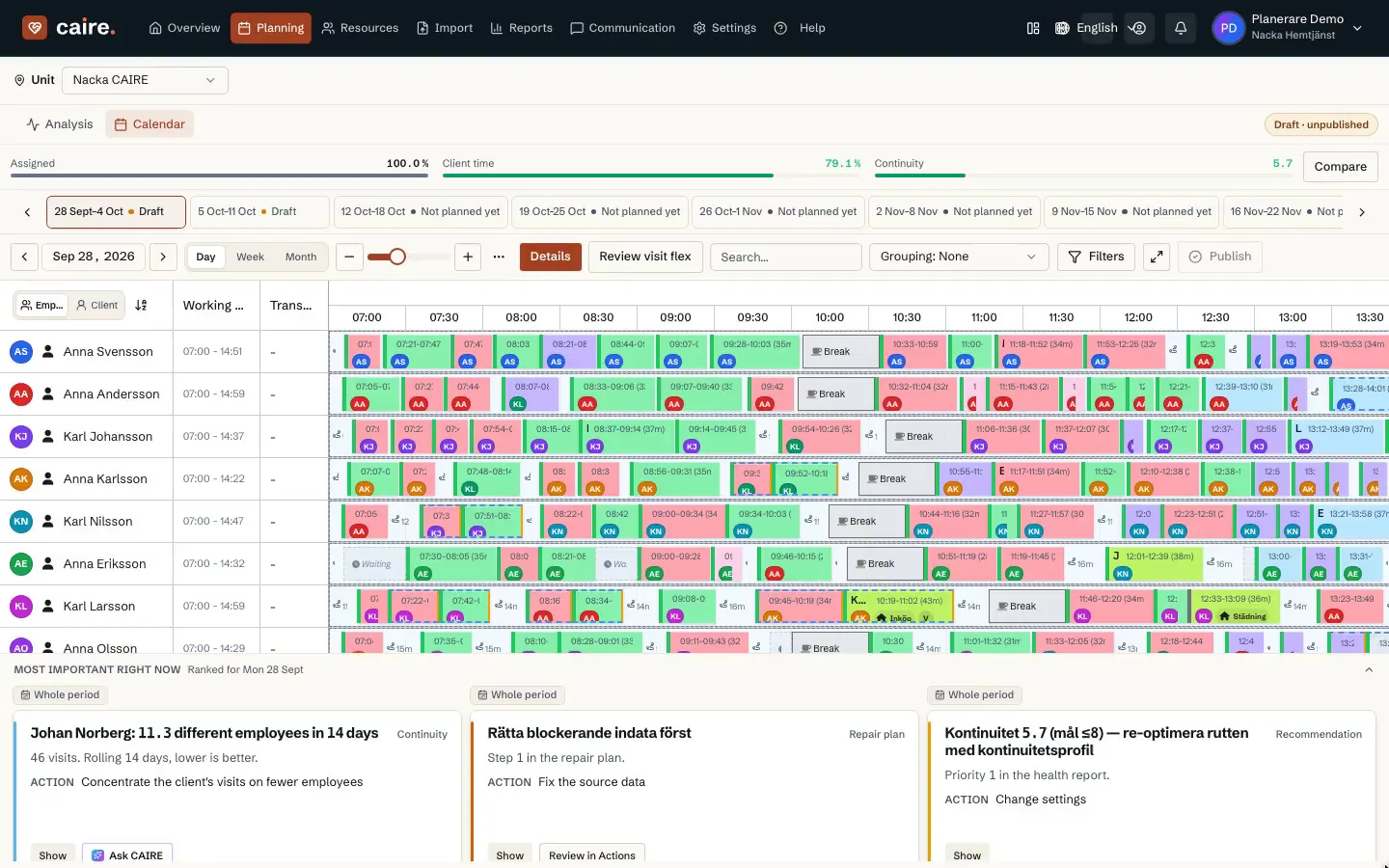
The analysis view shows planning metrics and their explanations. Compare metrics within the same period using the same definitions.
Care time, travel, continuity, and unassigned visits come from the same run.
The results view shows calculation status and available candidates. A candidate and its results belong to a defined period.
Choose between efficiency, continuity, and cost priorities — the planner publishes.
Weight efficiency, continuity, and cost for each solve. Live numbers always come from your completed runs.
Caire updates configured visit planning automatically. Decisions requiring authority or professional approval retain their approval steps.
Compare workload distribution and schedule predictability per run, then follow up coordinator, staff, and client experience separately after publication.
Review continuity alongside travel and staffing before approving a proposal.
The planner remains in control of every operational change.
The assistant presents concrete changes instead of a black-box result.
See strategic materials for decision-makers and calculate your ROI at Sveriges Hemtjänst.
Start with the reports you can already export. Review the baseline and specific findings with Caire before taking the next planning step.
Create an account, accept the terms, the privacy policy and the DPA, and upload your schedule from Carefox or Alfa eCare Welfare. Caire then analyses it.
One analysis of a selected period per organisation, including one optimisation with calendar, comparison and diagnostics for available results. Upgrade for ongoing planning. A paid pilot is a separate choice.