1
Care plan
Care needs and preferences become the basis of planning.
Care plan
OverviewNeedsGoals and activitiesTimes and preferences
Client · example
Eva Karlsson
Personal care
Meals
Social connection

Technology with heart for home care
Automatic visit planning, an AI assistant you can type or talk to, and apps that connect the working day. Caire works from care needs and keeps visits, staffing and routes updated as circumstances change.
Start with a complimentary analysis. One period and one optimisation included.
More time for what matters.
From care needs to a reassuring day
The care plan is the starting point. Caire connects visits, shifts and routes, even when the day changes.
Care needs and preferences become the basis of planning.
Personal care
Meals
Social connection
Visits and shifts are planned together, with the person in mind.
Review important proposals. Publish the plan and keep it current.
Workflow illustration. A person reviews care requirements and important proposals. Field updates keep published plans current within your rules.
Every plan starts with a person.
How Caire worksFrom Sunday evening to Monday morning
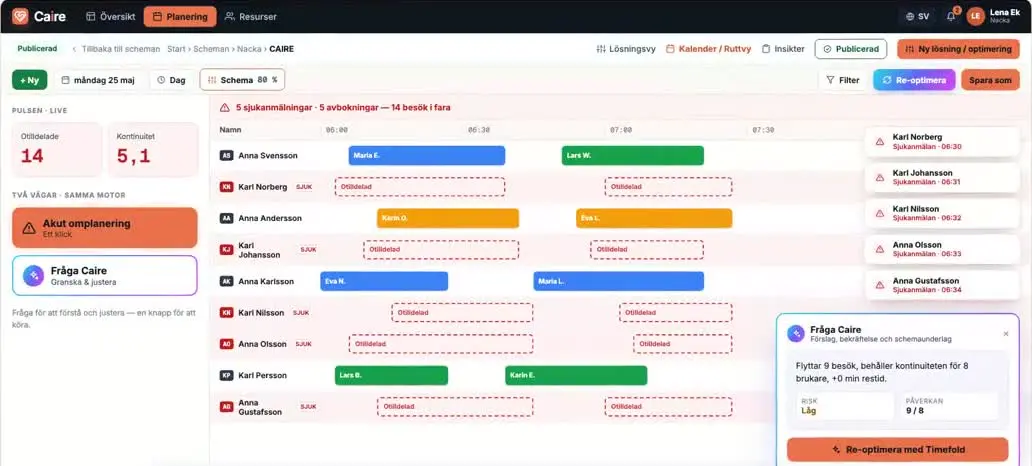
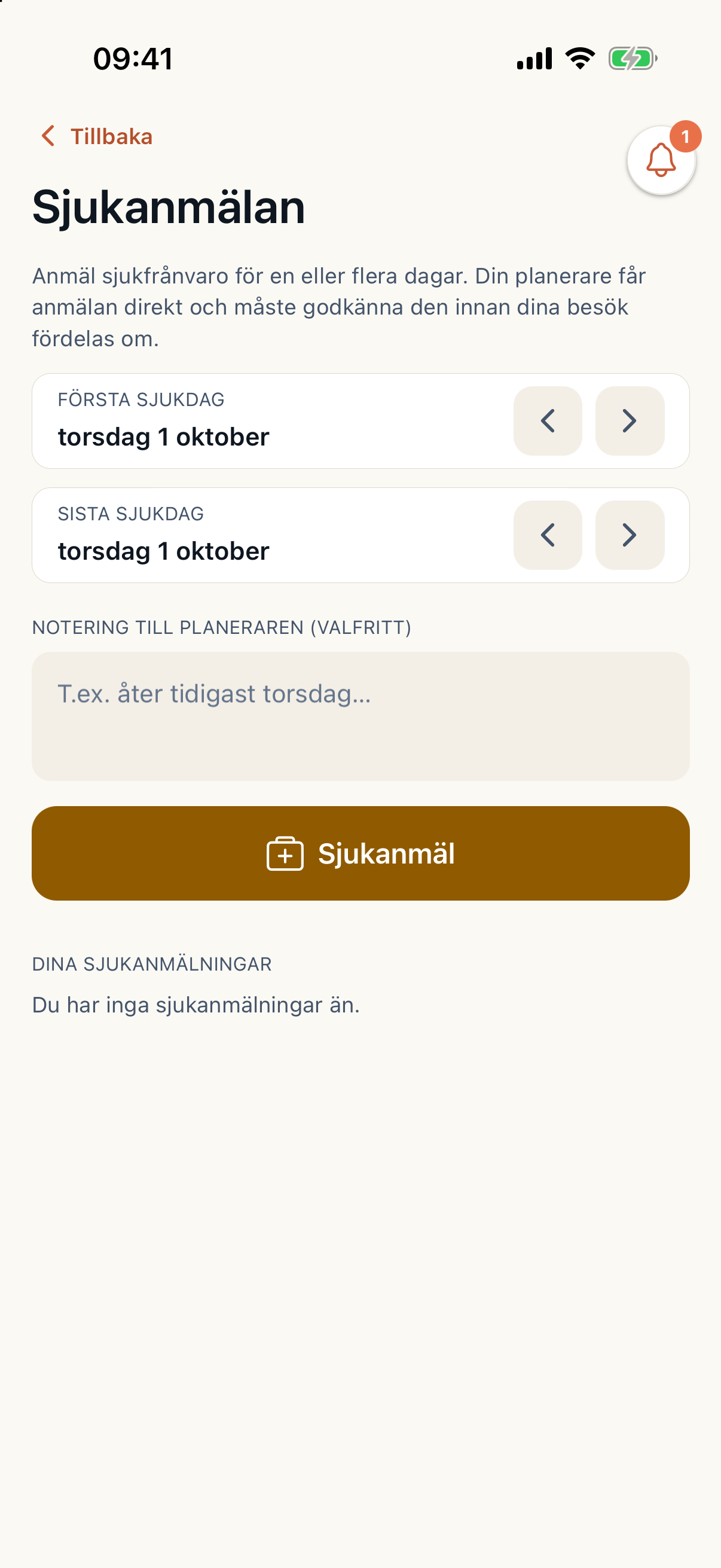
A Sunday-evening sick report can be handled before Monday’s first visit. The planner sees what is complete and what still needs attention.
Caire identifies the affected visits and shifts.
Caire proposes a replacement from availability, skills and continuity. The planner reviews the proposal, or uses the organisation’s pre-approved rules.
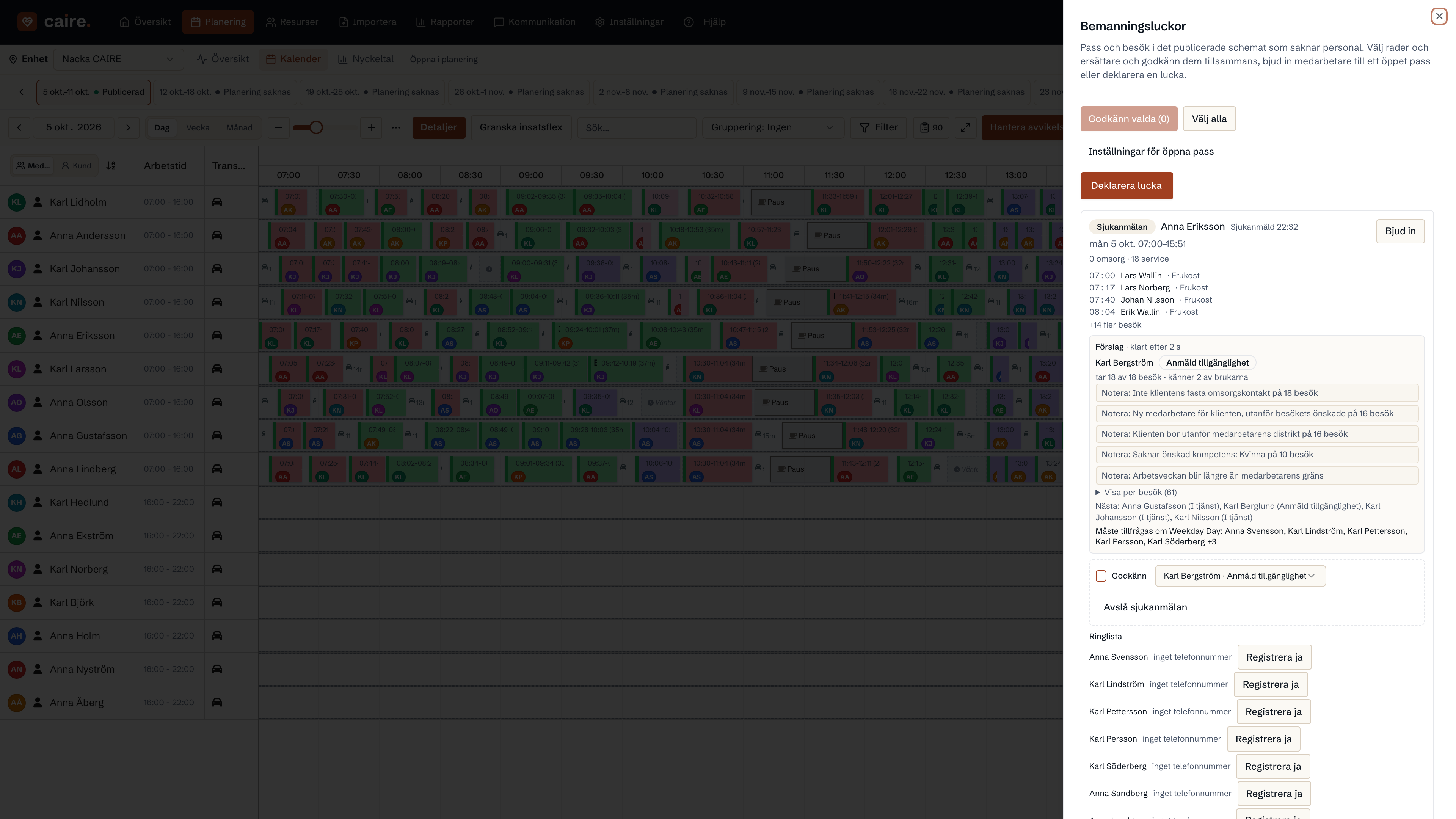
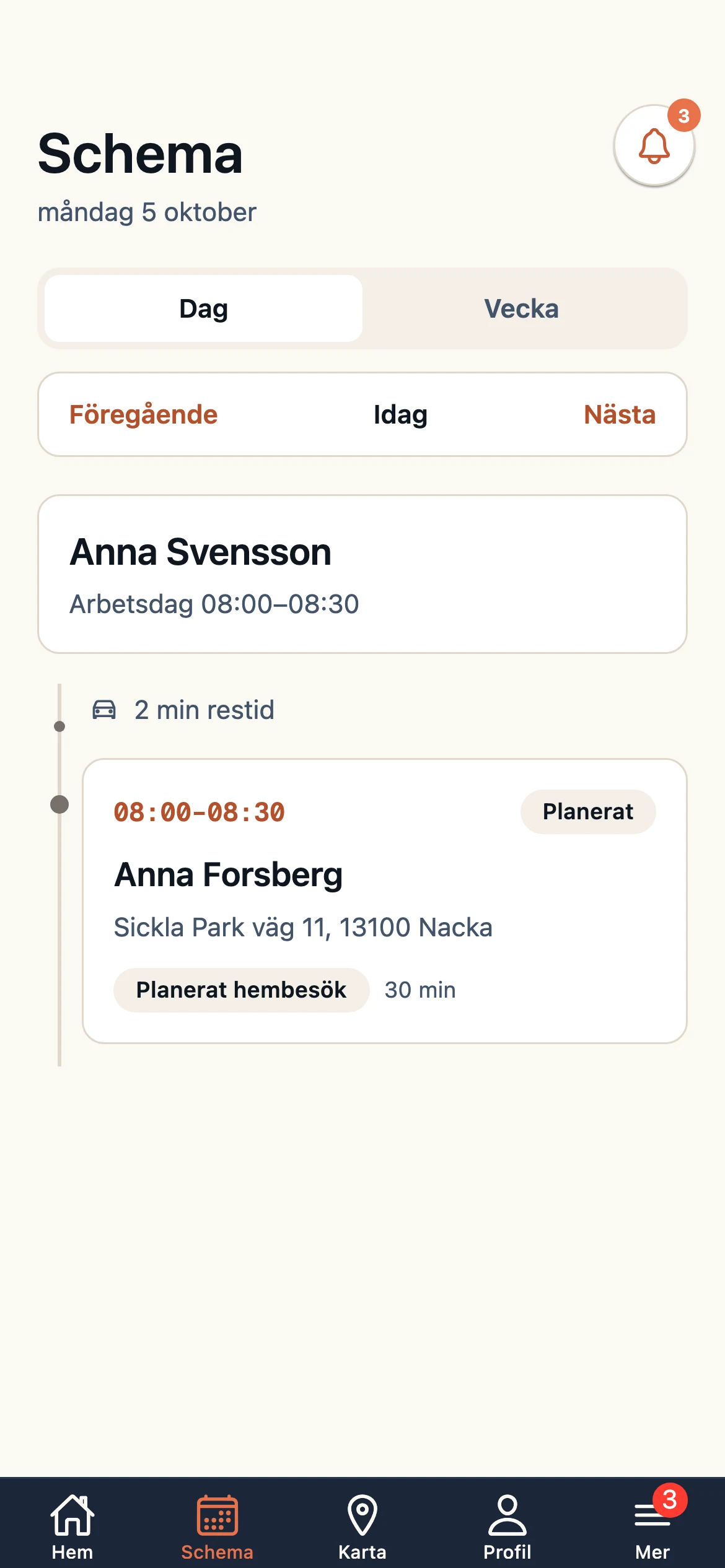
After approval and application of the updated plan, the employee receives their shift, visits and route in the app.
Real product screens with demo data, from separate workflows. Sunday to Monday describes the scenario; the images do not document one complete replacement. Remaining exceptions are reviewed by the planner.
Explore staff planningSomeone is there when needed.
When the day takes a new turn
An urgent change starts in planning. Caire considers care requirements, skills and continuity when recalculating the route. The employee receives the updated plan in their app.
The right help, when needed.
How route optimisation worksThree perspectives. One shared plan.
See staffing, availability, sick reports and open shift requests in one plan.
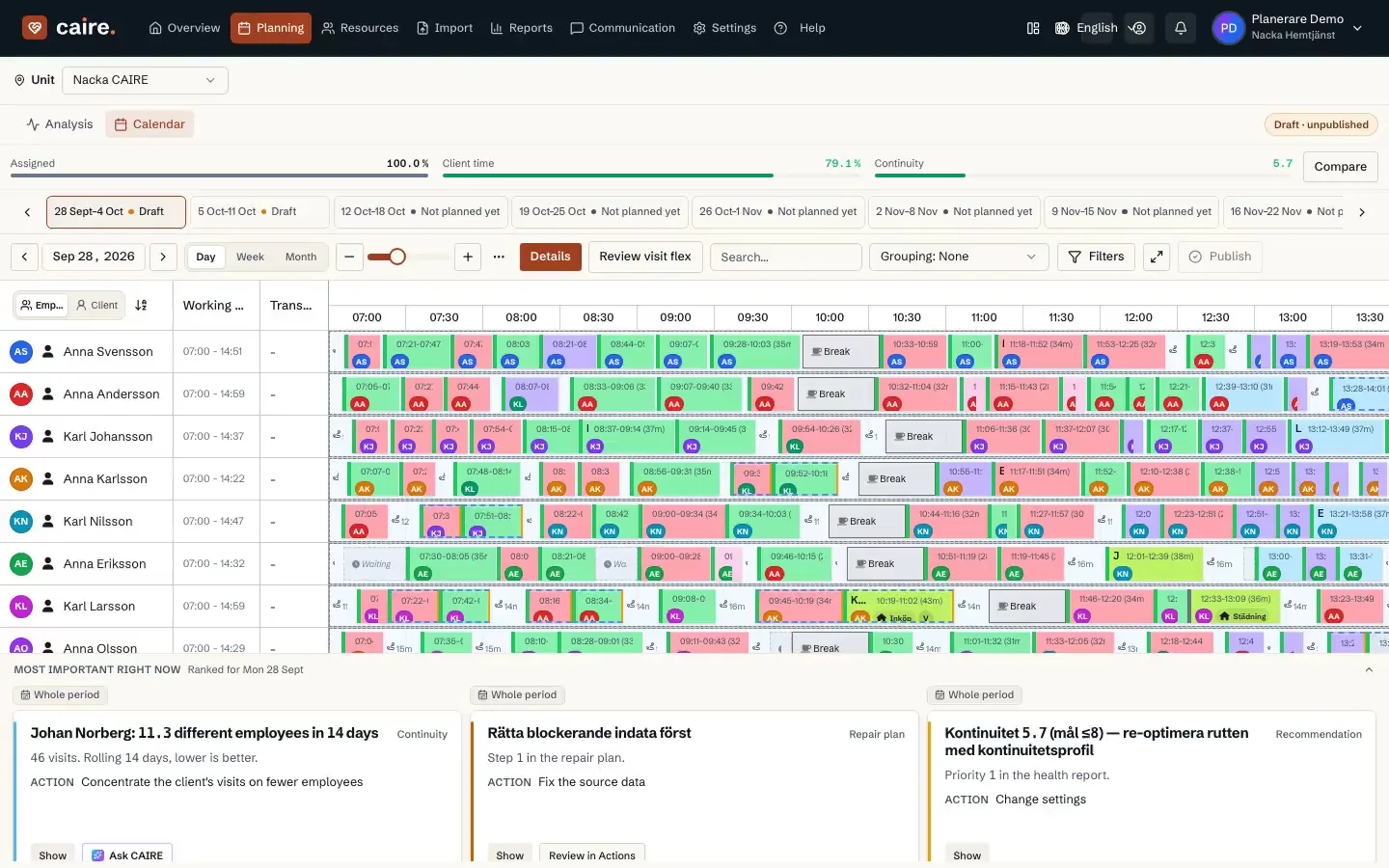
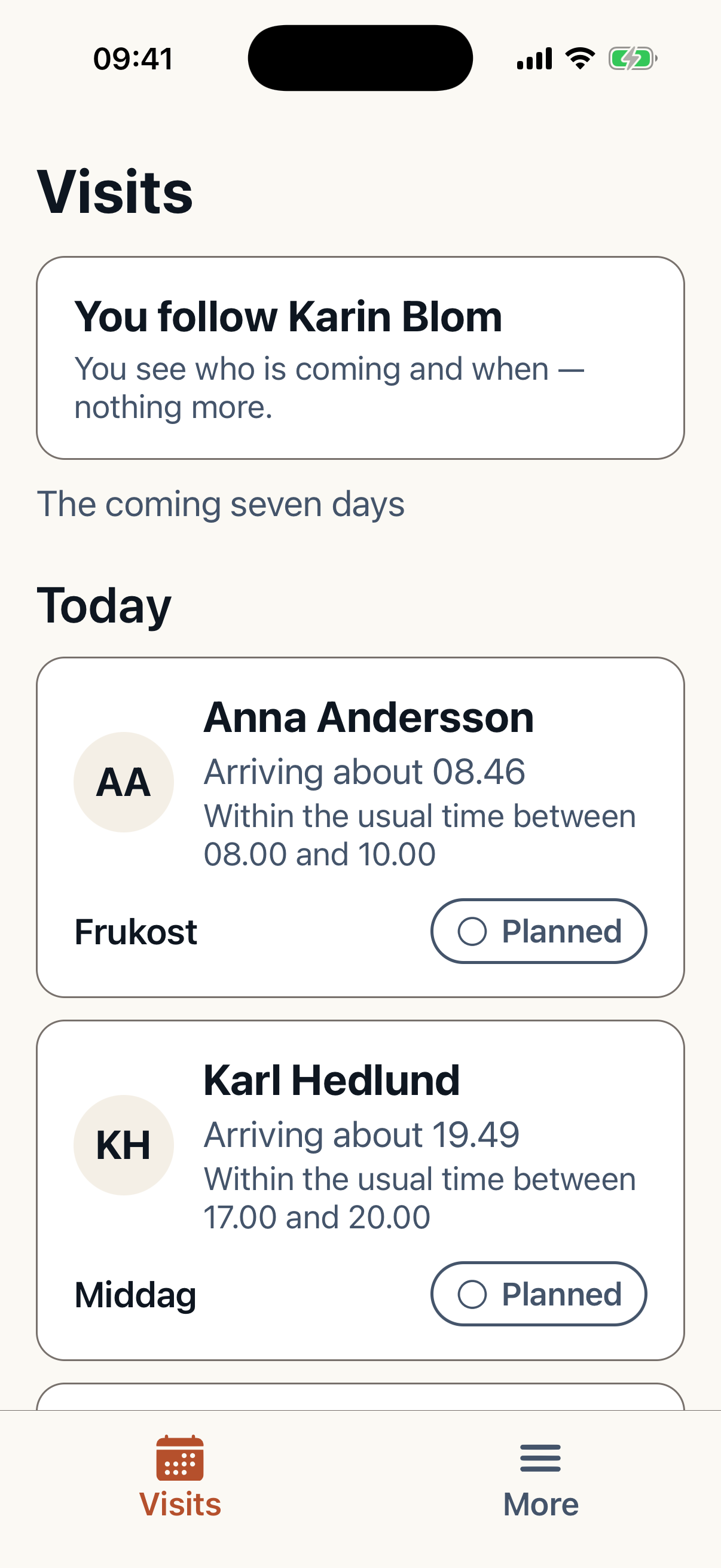
See today's visits, share availability, report absence and answer shift requests. ETA and delays can be shared from field work.
For caregiversSee who is coming and approximate arrival. After the visit, the caregiver can share a summary and, with consent, a photo.
Explore the apps
Visit completed: meal support, all well during the visit.
Illustrative photo · photo and visit summary shared separately with consent and appropriate permissionsReassuring to know someone has been there.
Present in the moment
Describe what happened during the visit. Caire assists with the note and follow-up proposals, such as reviewing the need for more time at meals. The caregiver reviews the note; authorised staff decide on care changes.
Explore support in the appsTime to listen. Time to be there.
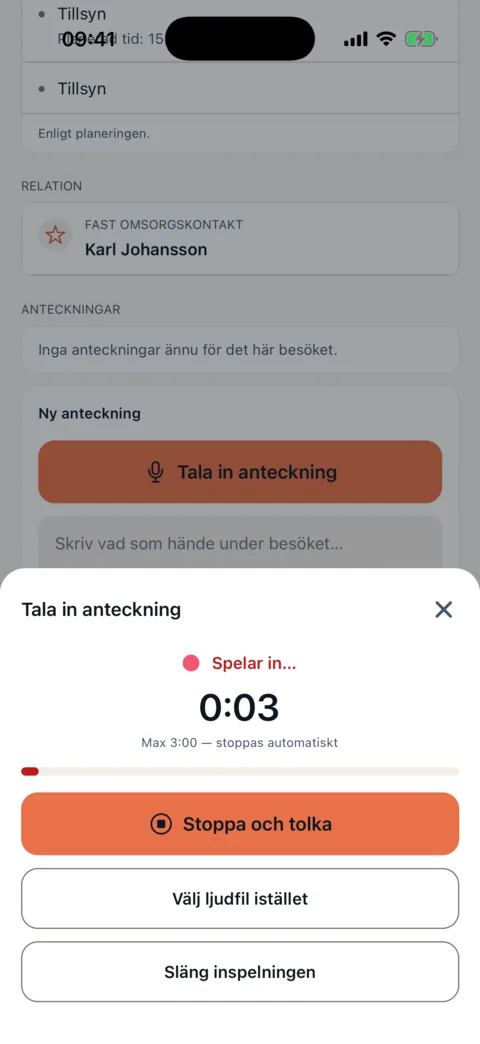
Anna’s voice note · Eva, lunch‘Eva says she cannot finish her lunch in time. She ate half her meal and needed help drinking and standing up. We did not finish within 20 minutes.’
Review the note. Proposals go to authorised staff for care-needs and planning review; no visit or treatment is changed here.
Interactive mockup with a fictional visit — not a medical record.
Measurable outcomes. Human value.
Relate visit time to paid working time.
Follow map-calculated travel between visits.
See how visits are distributed among employees.
See where available shifts do not cover demand.
Keep care needs, shifts and operating rules in Caire. The platform prepares proposals; authorised staff confirm care requirements and publication rules.
Start with supported report exports. An ongoing connection to your existing system is designed for your organisation; data access and any return flow must be agreed and verified separately.
Get started the right way
A complimentary analysis is your first step into Caire. One selected period and one optimisation are included. Continued platform use requires a subscription.
Start securely with sign-in.
An authorised representative accepts the DPA before upload.
Upload a supported export and explore your planning's potential.
This applies before any real personal data is processed.
Read about security and the DPAAn authorised representative accepts the data processing agreement for the organisation before real data is processed.
Planning data is stored in the AWS Stockholm region. Accounts and sign-in are handled separately; see the privacy policy.
Access is scoped by organisation and role. Employees and relatives see only what their role may see.
Providers, regions and transfer safeguards are listed in the privacy policy and the DPA annex.
Suspect a security incident? Email info@caire.se. Do not include client personal data in the email.
Care begins with trust.
The analysis can start from an export, without an integration. How long ongoing planning takes to introduce depends on your system, the number of units and the rules to configure. We go through it in a walkthrough.
Your organisation is the controller for data about employees, clients and visits. Caire processes it as a processor under the DPA and your instructions. An authorised representative can request return or deletion.
Viewing the example needs no account or files. Your own analysis needs an authorised representative to accept the DPA and an export from Carefox or Alfa eCare Welfare with visit history and the client and address register. Staff and shifts are optional.
The analysis is complimentary and no subscription starts automatically. Ongoing planning costs SEK 9,900 per month for 1–33 active employees, then SEK 300 per active employee per month, excluding VAT.
No. Use Caire independently or as an integrated optimiser. Supported exports are used for the initial analysis; ongoing integration and operations follow your system and chosen setup.
Yes. Building a schedule with AI means Caire distributes visits across shifts and plans routes from care tasks, employee skills and the travel times between addresses. In Caire it starts with care needs and shifts. Caire calculates proposals for the period, and the planner compares them on the same measures.
Automatic scheduling usually means the system repeats a pattern: same shift, same day, same person. AI scheduling instead solves an optimisation problem, weighing client-facing time, travel time, continuity, skill requirements and working-time rules against each other. The difference shows when something changes: a repeated pattern is corrected by hand, an optimisation is recalculated.
Autoschema combines employee preferences into a staffing schedule: who works when. In health and social care, AI scheduling solves the next step: which visits each shift contains and in what order. They are connected, since staffing is the supply the visits must fit into, but they are not the same problem.
Once care needs, shifts and operational rules are configured, Caire continuously optimises visit planning and routes. Changes in needs and staffing are accounted for in real time. Planner-set placements and your configured rules govern what may change.
Ask how Caire works, how your details get in, or what Caire actually does with the schedule. Pick a question and we'll show the answer — with a look inside the platform beside it.
Common questions
Showing the most common questions.
Do not type real names or client details here.
All questions and answersWould you rather talk to a person? Book a demo
AI assistant. Answers are general product information, not advice about individuals.
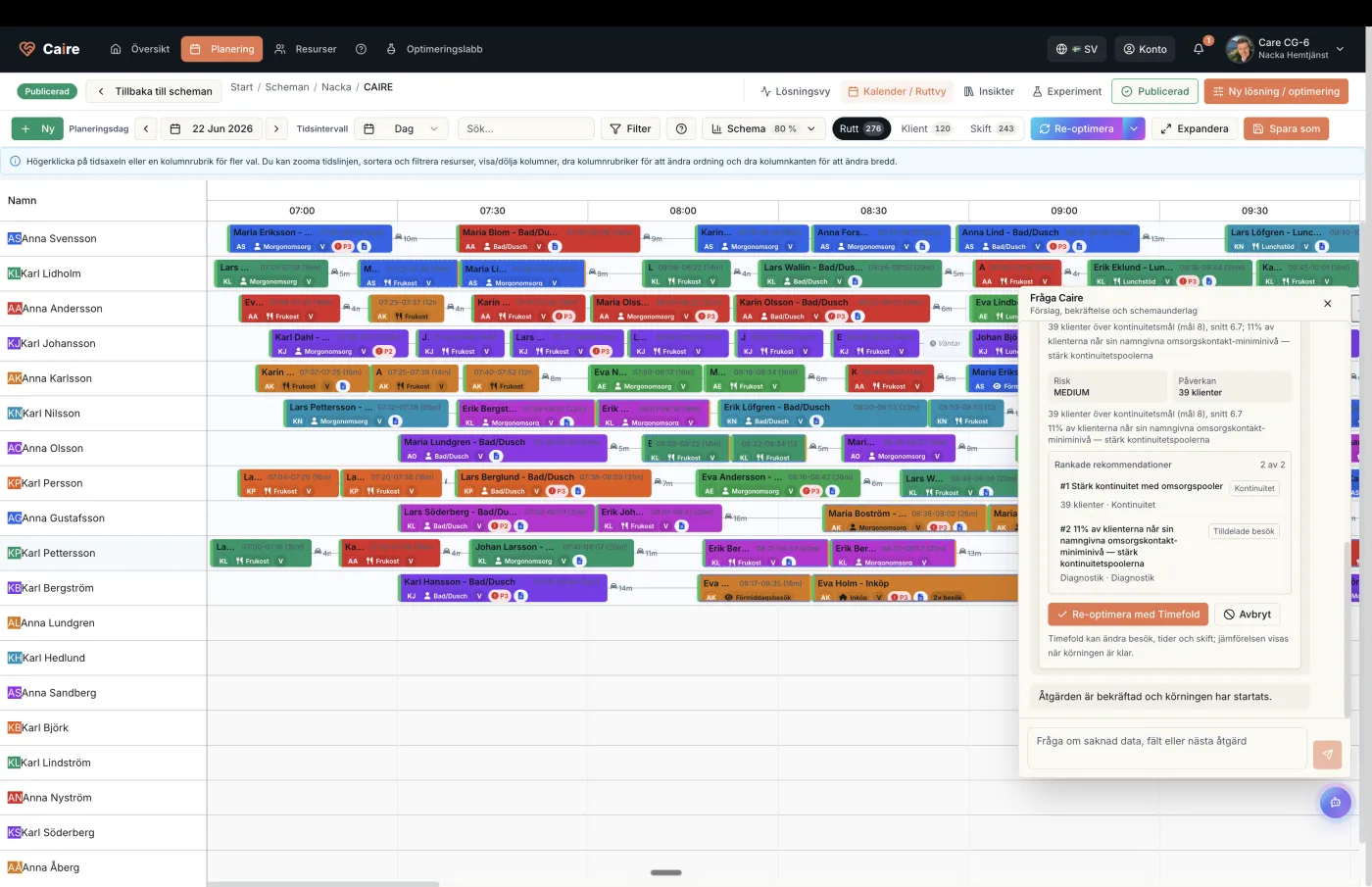
From the platform
Ask Caire is with you across the whole platform.
Try Caire with a complimentary analysis, or book a walkthrough of how the platform connects planning, staffing and field work.
A shared purpose. A better day.