The same visit demand, comparable options
Every frontier belongs to one frozen source snapshot with the same period and visit demand. The source planned baseline and, when evidence proves performed times, actual baseline appear beside Coverage and several efficiency levels.
Coverage and efficiency levels size whole shifts from operational shift templates against demand. Coverage aims to assign every feasible visit. Efficiency levels require utilization to justify a whole paid shift and may keep an expensive tail visible as unassigned visits.
The options are alternatives for review, not an automatic winner. One option may cover more visits while requiring more paid time, while another uses time more efficiently but leaves more visits for manual or flexible handling.
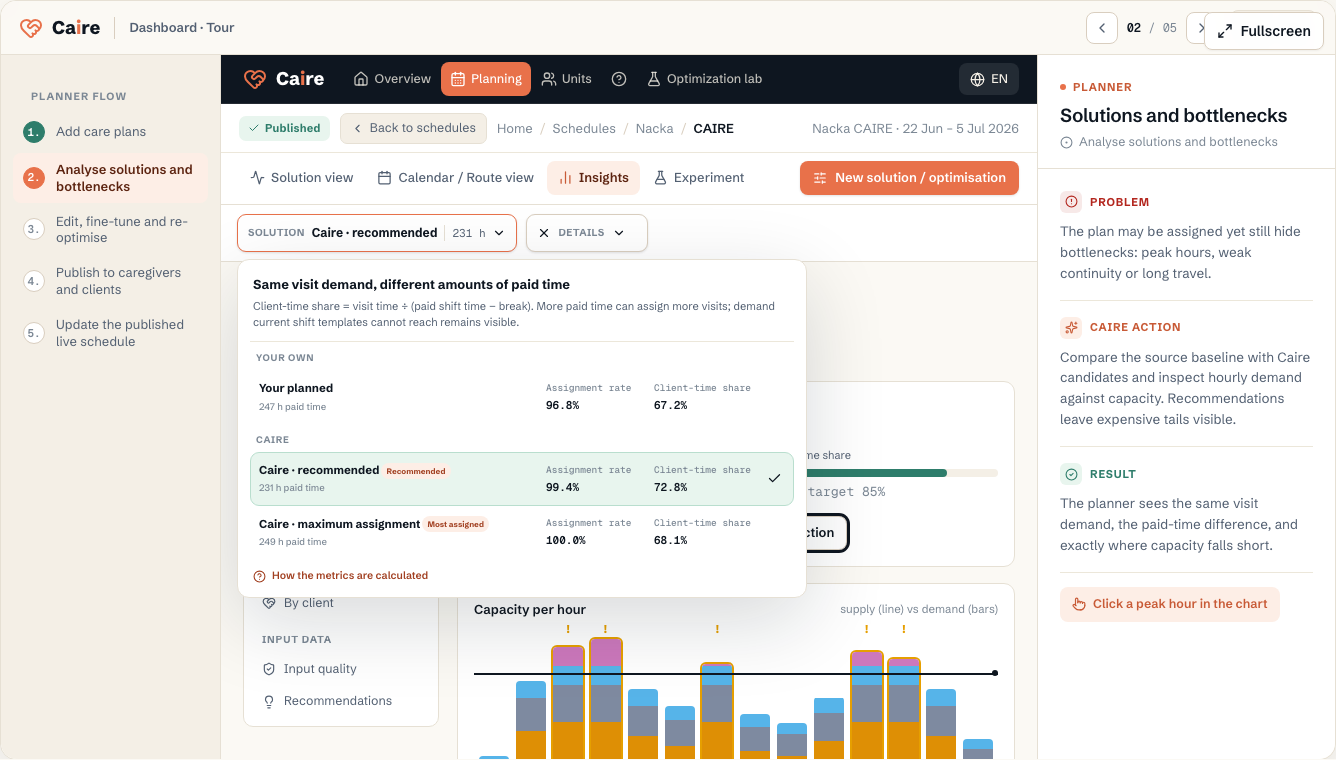
Read assignment against paid time
The frontier coverage axis shows assignment rate, not performed visits. The other axis must name the actual time measure, such as client-time share. Client-time share is visit time divided by paid shift time minus break.
Read assignment, paid time, travel, waiting, idle time, and continuity together. The frontier shows reasonable trade-offs; then choose a level and inspect the calendar and diagnostics.
- Visit assignment compares total, assigned, and unassigned visits.
- Time composition compares visit, travel, waiting, and break time.
- The quality profile compares assignment rate, named time measures, and continuity; the solution cards below the charts provide more metrics.
- A result marked Completed with a coverage gap remains comparable but cannot be published until the gap is resolved and a fully completed solution is available.
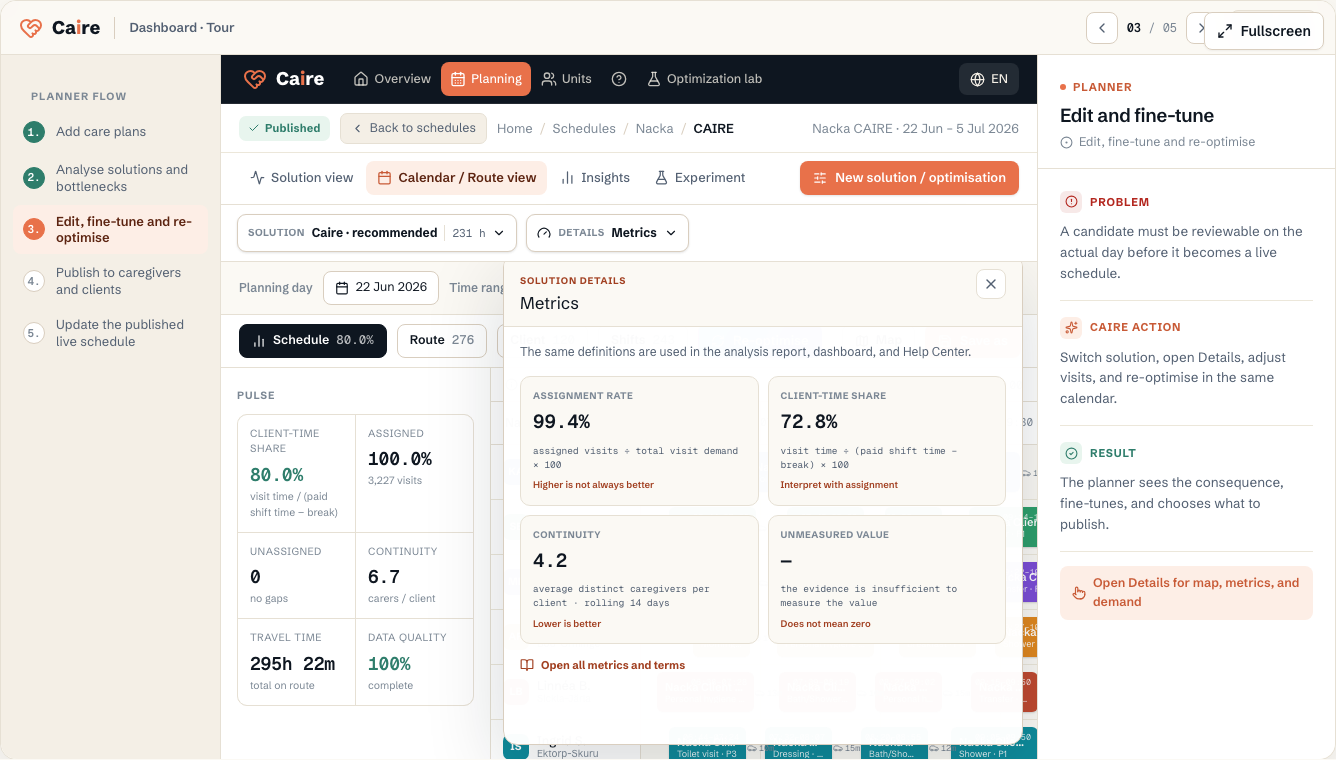
Switch solution without losing the calendar
Select a point or row in the solution picker. The calendar keeps the same period and view while visits, opened shifts, routes, and gaps update for the selected proposal. Check time-critical visits and practical routes before deciding.
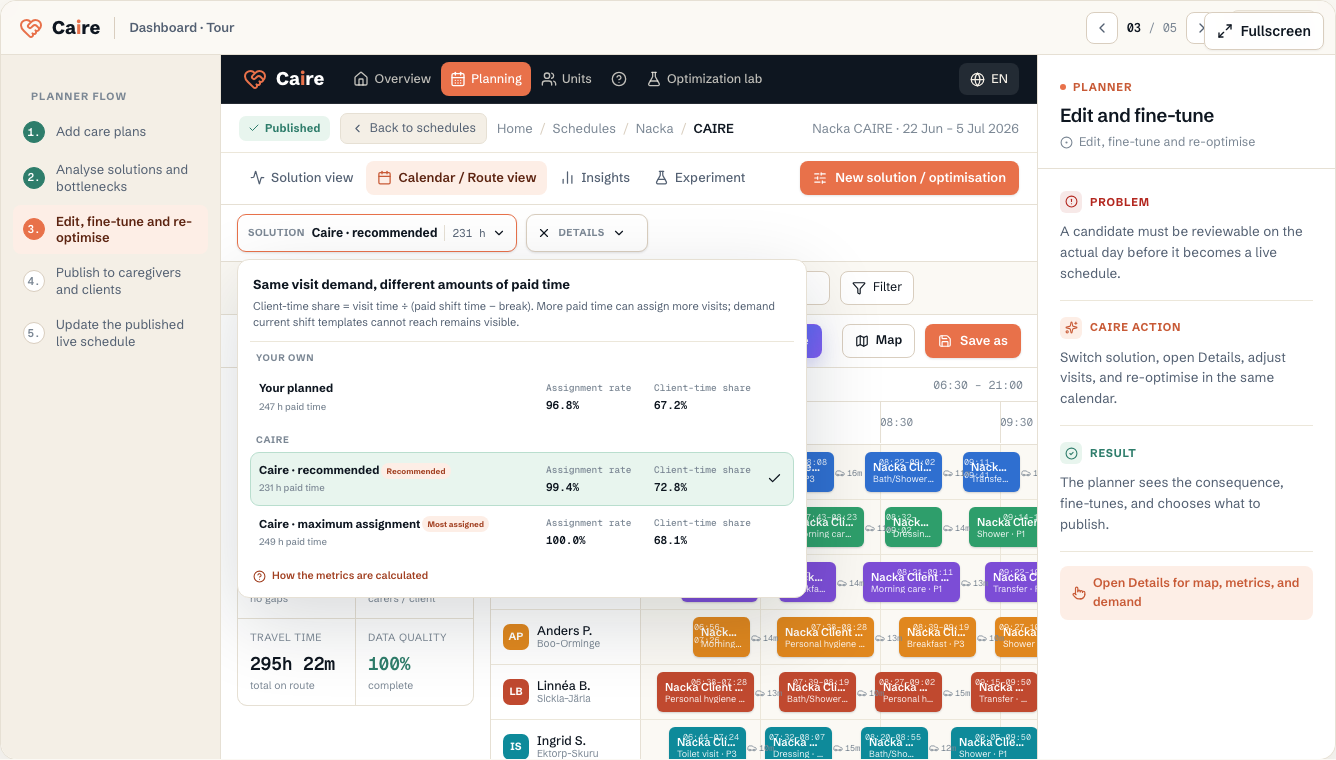
Why 100 percent is not always recommended
One last feasible visit may require a whole additional paid shift. Caire keeps that expensive tail visible instead of declaring 100 percent assignment the automatic winner. The planner decides whether the visit should be staffed, moved within its allowed window, or handled in another approved way.
Open diagnostics for unassigned visits, blocked matching, or missing capacity. Caire does not overwrite today's plan without a reviewed decision.