Choose an analysis unit and upload two reports
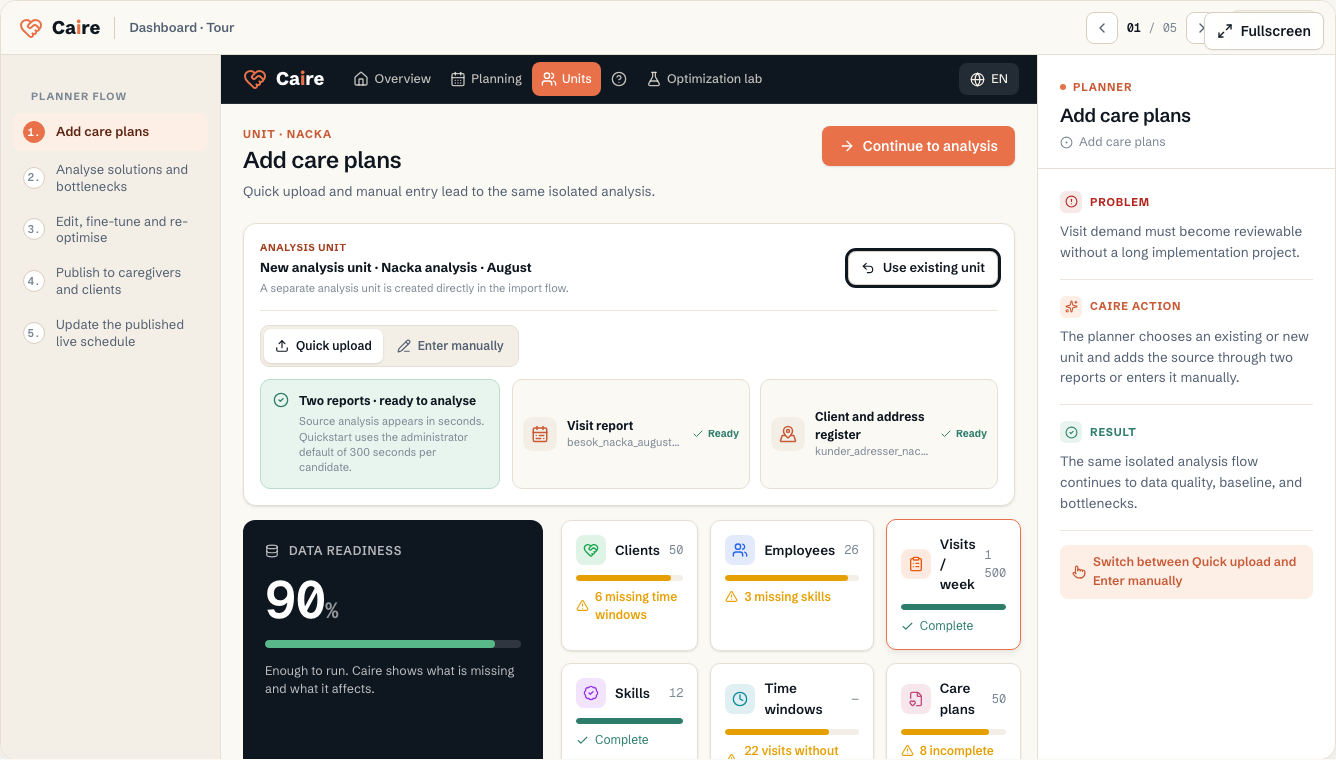
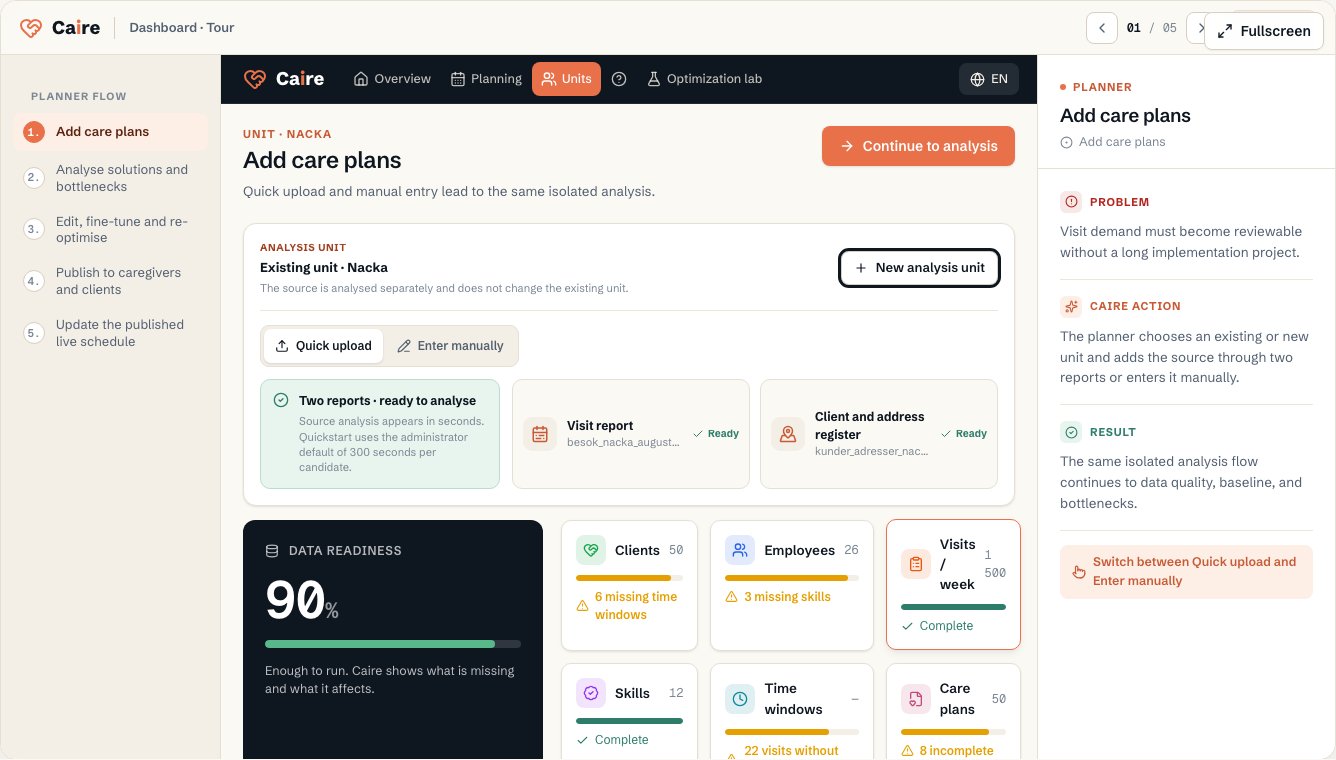
After registration, Caire opens the consolidated import path. Choose an existing unit as the source for a separate analysis or create a new analysis unit in the flow. An existing production unit is not overwritten.
Upload the visit report and the client and address register. Source analysis appears in seconds and keeps planned separate from actual. Actual is shown only when the report proves performed times.
The planner's connected flow
Quick analysis is the beginning of the same full planner flow used in operation: add care plans → analyse solutions and bottlenecks → edit and rerun → publish → track and update the live schedule.
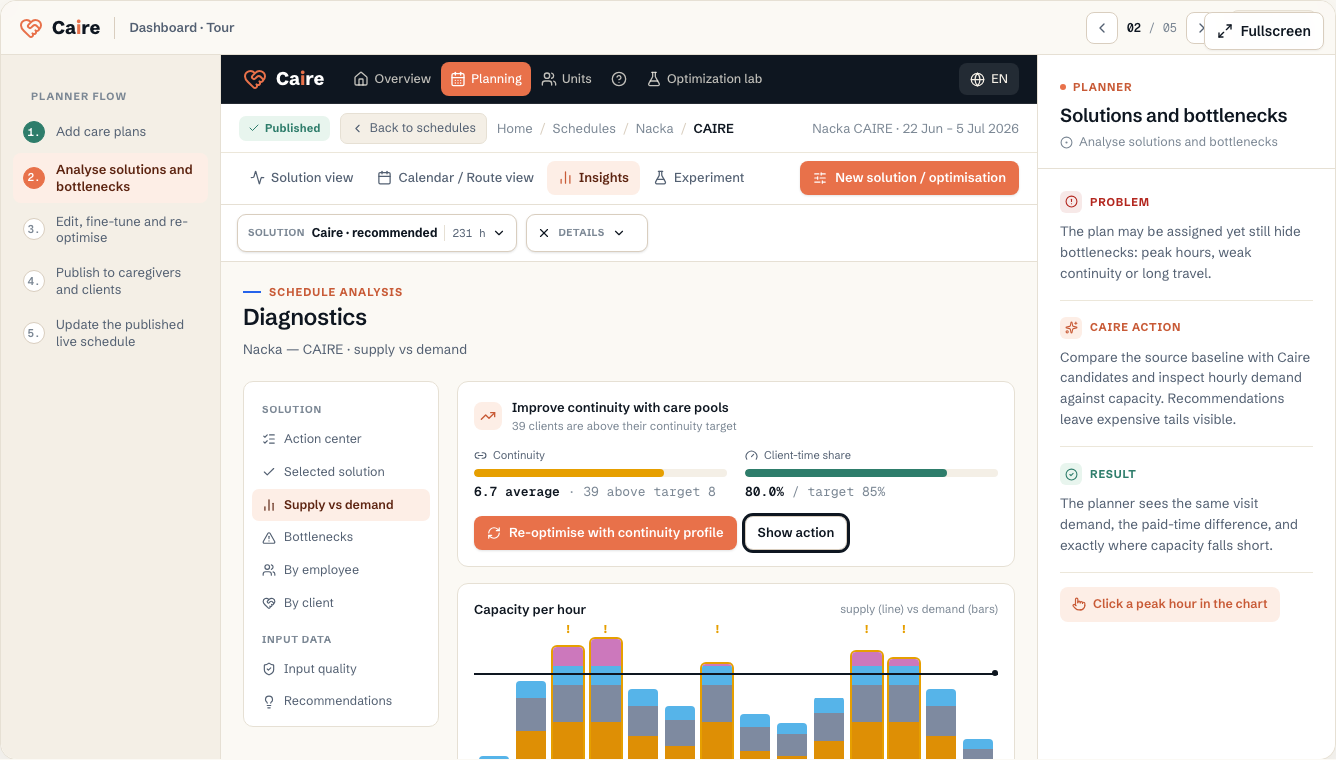
Caire builds candidates in the background while the analysis report remains available. Every candidate starts from the same visit demand but balances assignment rate against paid time differently; the planner reviews the same calendar and approves what is published.
- Add: choose or create an analysis unit and upload two files, or enter the source manually.
- Analyse: review planned, evidenced actual, candidates, recommendations, and bottlenecks.
- Fine-tune: switch solution, open Details, edit the source, and rerun when needed.
- Publish: approve the solution so the right schedule becomes available to care staff and clients in the app.
- Update: handle delays, absence, and changed visits in the published live schedule.
Quick analysis is not production readiness
Two reports are enough to analyse demand, the source plan, and data gaps. A publishable plan also needs the operation's office address, real employees or capacity, shift templates, skills, and the rules that should apply in production.
Data quality and the manual resource guides are therefore a second track for production readiness. They should not come before upload when the goal is only a quick comparison.
| Resource | Field | Level | Why it matters | Used for |
|---|---|---|---|---|
| Organization | Name | First schedule | Shows which operation the planning belongs to. | Headings, reports, and organization selection. |
| Organization | Office address | First schedule | Provides a first location when a unit or employee has no local address. | Route start, inherited location values, and data readiness. |
| Employee | First and last name | First schedule | Identifies the employee in lists and schedules. | Assignments, continuity, and reports. |
| Employee | Unit | First schedule | Connects the employee to the correct team. | Schedule selection and eligible capacity. |
| Employee | Shifts or capacity | First schedule | Shows when the employee can work. | First schedule and capacity diagnostics. |
| Client | Name and active status | First schedule | Shows which clients should be planned. | Schedule selection, lists, and reports. |
| Client | Unit | First schedule | Connects the client to the correct team. | Schedule creation and local diagnostics. |
| Client | Address and coordinates | First schedule | Defines where visits take place. | Routes, travel time, and geographic bottlenecks. |
| Visit template | Service or description | First schedule | Names the visit template and links it to a standard service when available. | Lists, calendar labels, import traceability, and defaults from the service catalog. |
| Visit template | Frequency and visit days | First schedule | States how often the template becomes concrete visits and which weekdays are fixed. | Materializing dated visits in a planning period. |
Continue to production readiness
When you want to move from analysis to publication, use the resource guides for the organisation, operational settings, unit, employees, clients, visit templates, and schedule.
Organization
The care provider in Caire. This holds core details and fallback contact/location context.
| Field | Level | Why it matters | Used for |
|---|---|---|---|
| Name | First schedule | Shows which operation the planning belongs to. | Headings, reports, and organization selection. |
| Office address | First schedule | Provides a first location when a unit or employee has no local address. | Route start, inherited location values, and data readiness. |
| Contact details | Better metrics | Keeps reports and support cases understandable. | Administration and customer communication. |
Operational settings
Defaults for staff, optimization, services, time slots, skills, and tags.
| Field | Level | Why it matters | Used for |
|---|---|---|---|
| Staff defaults | First schedule | Defines working days, shift templates, and capacity rules when local values are missing. | Shift supply and the first schedule. |
| Services | First schedule | Describes which visit types the operation performs. | Visit templates, default duration, priority, and colors. |
| Skills and tags | Better metrics | Separates normal visits from visits that require specific qualifications. | Eligibility, continuity, and explanations for unassigned visits. |
Unit
The planning boundary: the team, clients, employees, and period scheduled together.
| Field | Level | Why it matters | Used for |
|---|---|---|---|
| Name | First schedule | Makes the unit selectable in schedules and resources. | Planning, filtering, and reports. |
| Address and coordinates | First schedule | Provides route start when employees have no explicit start point. | Routes, travel time, and data readiness. |
| Districts | Better metrics | Splits an area into local groups without creating separate schedules. | Local capacity, route fit, and continuity diagnostics. |
Employees and shifts
The supply side of planning: who can work, when they work, and which skills they have.
| Field | Level | Why it matters | Used for |
|---|---|---|---|
| First and last name | First schedule | Identifies the employee in lists and schedules. | Assignments, continuity, and reports. |
| Unit | First schedule | Connects the employee to the correct team. | Schedule selection and eligible capacity. |
| Shifts or capacity | First schedule | Shows when the employee can work. | First schedule and capacity diagnostics. |
| Skills, district, and cost | Better metrics | Makes matching more precise after the first schedule. | Unassigned visits, continuity, travel, and cost. |
Clients
The people receiving care. The client's address and care plan create demand.
| Field | Level | Why it matters | Used for |
|---|---|---|---|
| Name and active status | First schedule | Shows which clients should be planned. | Schedule selection, lists, and reports. |
| Unit | First schedule | Connects the client to the correct team. | Schedule creation and local diagnostics. |
| Address and coordinates | First schedule | Defines where visits take place. | Routes, travel time, and geographic bottlenecks. |
| Designated and preferred caregivers | Better metrics | Gives Caire a clear continuity signal. | Continuity metrics and improvement suggestions. |
Care plan and visit templates
Recurring visits that later become dated visits in a schedule.
| Field | Level | Why it matters | Used for |
|---|---|---|---|
| Service or description | First schedule | Names the visit template and links it to a standard service when available. | Lists, calendar labels, import traceability, and defaults from the service catalog. |
| Frequency and visit days | First schedule | States how often the template becomes concrete visits and which weekdays are fixed. | Materializing dated visits in a planning period. |
| Plan time window | First schedule | States when the visit should normally happen. | First schedule and the client's planned time. |
| Extended allowed window | Better metrics | Adds flexibility without hiding the planned preferred time. | Route optimization and peak-hour relief. |
| Duration, priority, and mandatory | First schedule | Describes how long the task takes, how important it is, and whether it may be skipped. | Capacity calculation, risk level, unassigned visits, and prioritization under capacity pressure. |
| SLA and time note | Advanced | Sets the latest preferred completion time and preserves free text such as Morning or Afternoon. | Soft end-time guidance, import explanation, and planner interpretation of clock-time data. |
| Skills and preferences | Better metrics | Shows which skills and caregiver preferences apply to this specific task. | Staff matching, continuity, and explanations for unassigned visits. |
| Dependencies, visit chains, and double staffing | Advanced | Describes relationships between visits and whether multiple people should be with the client at the same time. | Before/after ordering, minimum gaps, same caregiver rules, and group visits. |
| Service type, visit type, and address | Advanced | Classifies the visit and states whether it should be planned at another address than the client's home. | Reporting, filtering, schedule display, and geo-routing. |
| Scenario lock, employee lock, and notes | Advanced | Protects sensitive rows from scenario changes, locks to a specific employee, or stores operational free text. | Contractually fixed visits, fixed relationships, import metadata, and audit trail. |
Schedule
The dated planning period and source snapshot behind a solution frontier with different time-window and capacity policies.
| Field | Level | Why it matters | Used for |
|---|---|---|---|
| Unit | First schedule | Determines which team is planned. | Materialization, metrics, and access. |
| Period | First schedule | Suggested automatically with the schedule name and editable under Details. | Visits, shifts, and solution comparison. |
| Solution frontier | Better metrics | Creates Standing data as the control, Coverage, and N Efficiency rungs from one frozen source snapshot. Each level gets its own time-window and capacity policy. | Control, trade-off review, and an informed choice. |