- For
- Coordinator · Administrator
- Type
- Concept
The most specific level applies
Many settings exist on several levels: the organisation, the unit, the client or employee, the visit template and the visit. The organisation's value is the basis for all. A lower level can change the value for itself.
The most specific level that has a value applies. If you leave a field empty, it inherits from the level above. That is how most fields on the unit work: leave them empty to inherit from the organisation.
How to see where a value comes from
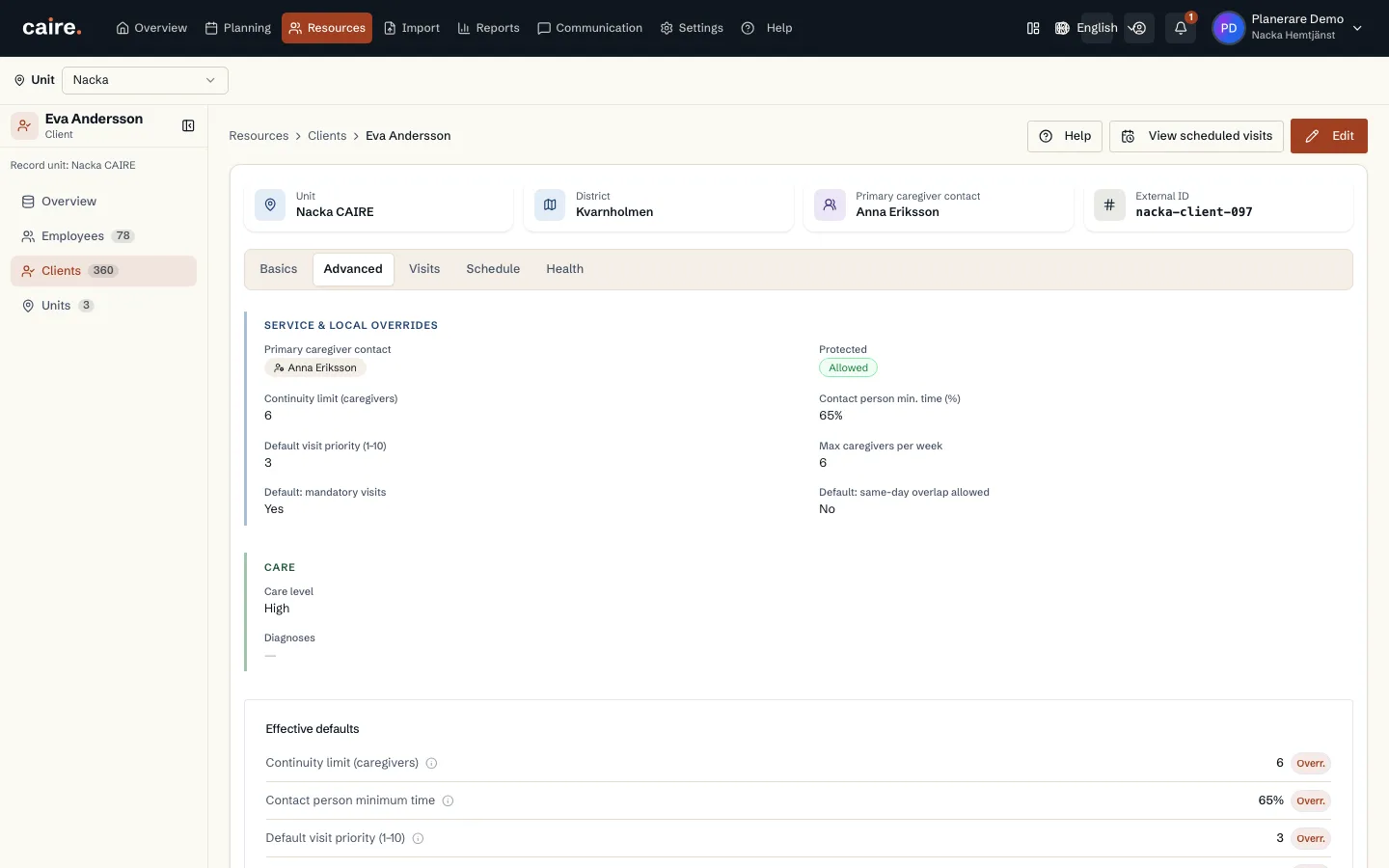
An inherited value is shown with the level it is inherited from. Choose to override it to give the level its own value, which is then marked as overridden on this level. Remove the override and the field inherits again.
On the client, the effective defaults show which values apply to the client's visits and where they come from.
Examples
- Continuity limit: the client, otherwise the unit, otherwise the organisation. The default is 15.
- Shift templates: the organisation, then the unit, then the employee. On the employee you can mute a shift or change it for that person only.
- Services: the organisation's service register gives defaults such as duration and priority. The visit template can set its own.
- Visit flex: the unit has its own visit flex. When you create a schedule you can choose none, Caire's flex, the unit's flex or your own flex for that schedule.
- Revenue per hour: the organisation's value under Billing. A unit can have its own value.
Where the settings live
The organisation's values are under Settings, grouped by what you work on: Organisation, Employees, Clients, Skills and tags, Billing and System. The unit's values are on the unit. The client's and the employee's values are on their pages.
When a change takes effect
A changed setting applies to schedules prepared after the change. A schedule already prepared keeps the values it was given. In automatic planning, a changed setting makes the affected weeks recalculate. Published schedules do not change.