Help center
Caire Help Center
Help articles, field descriptions and definitions for teams planning home care in Caire.
See what your own schedule reveals
Start with one free analysis of a selected period. Understand continuity, time allocation and opportunities to improve, based on the evidence in your reports. Help from Caire is available.
Create an account, accept the terms, the privacy policy and the DPA, and upload your schedule from Carefox or Alfa eCare Welfare. Caire then analyses it.
One analysis of a selected period per organisation, including one optimisation with calendar, comparison and diagnostics for available results. Upgrade for ongoing planning. A paid pilot is a separate choice.
Add care plans
Start with the two-report quick upload or enter clients, visits, and time rules manually. An existing unit can be used as the source without overwriting production data.
From two reports to the first analysis
Upload your reports, review the data and start one optimisation. One selected period per organisation is free, with available results in the calendar, comparison and diagnostics.
Read guide: From two reports to the first analysisClient data for continuity
How Caire uses designated caregivers, preferred caregivers, and districts to protect continuity.
Read guide: Client data for continuity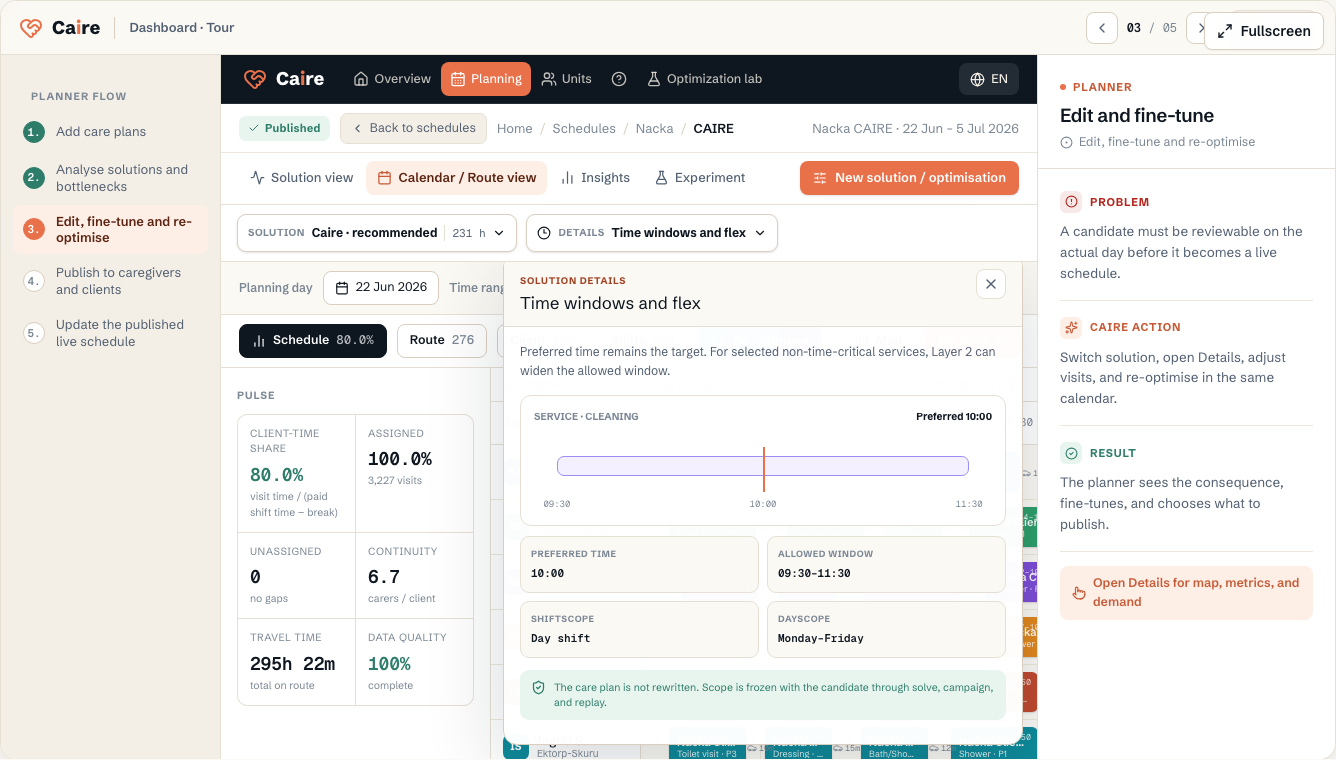
Preferred time, allowed window, and service properties
See the difference between preferred time and the allowed time window, and between routed field visits, office work, overlap, and double staffing.
Read guide: Preferred time, allowed window, and service propertiesAnalyse solutions and bottlenecks
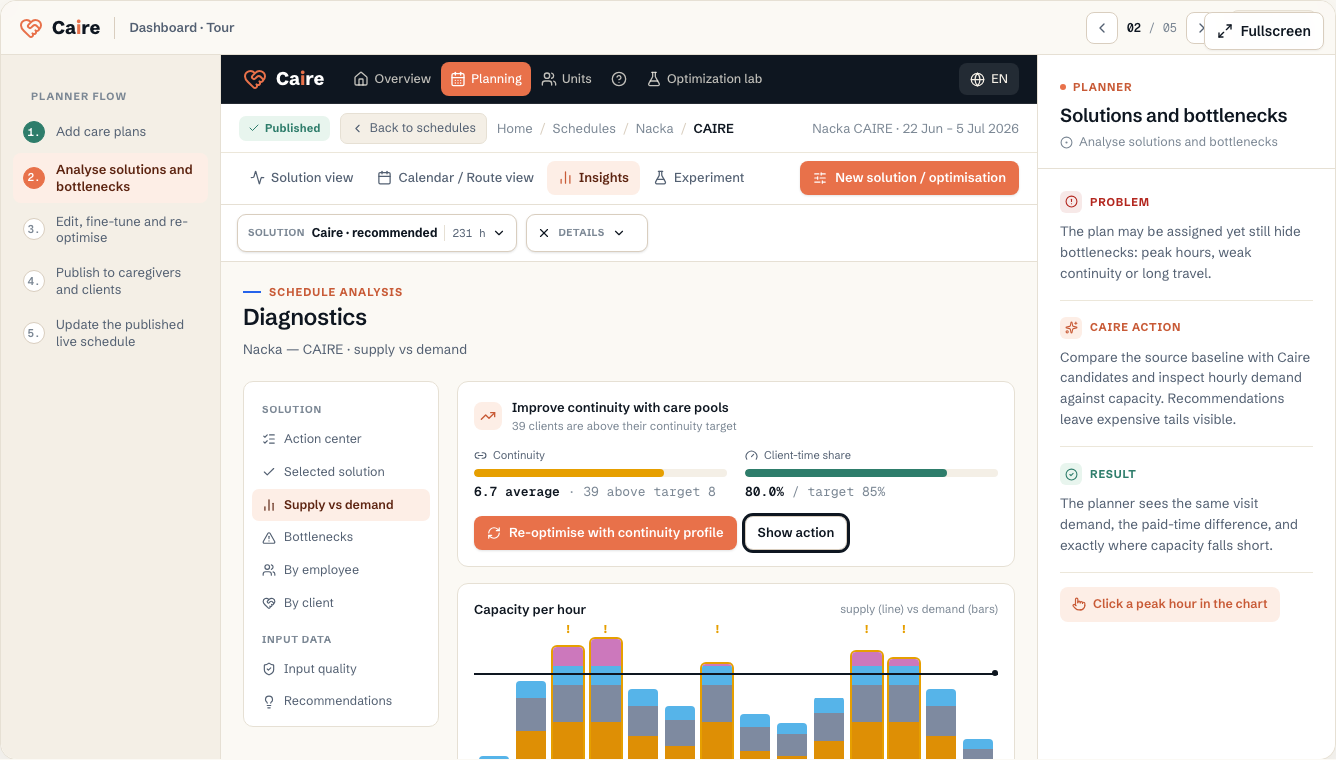
Compare planned and, when the source proves times, actual. Review CAIRE candidates, recommendations, capacity gaps, and the visible trade-off between assignment rate and paid time.
From analysis report to a decision-ready calendar
Read the source planned and evidenced actual state, follow CAIRE candidates in the background, and compare them in the same calendar.
Read guide: From analysis report to a decision-ready calendar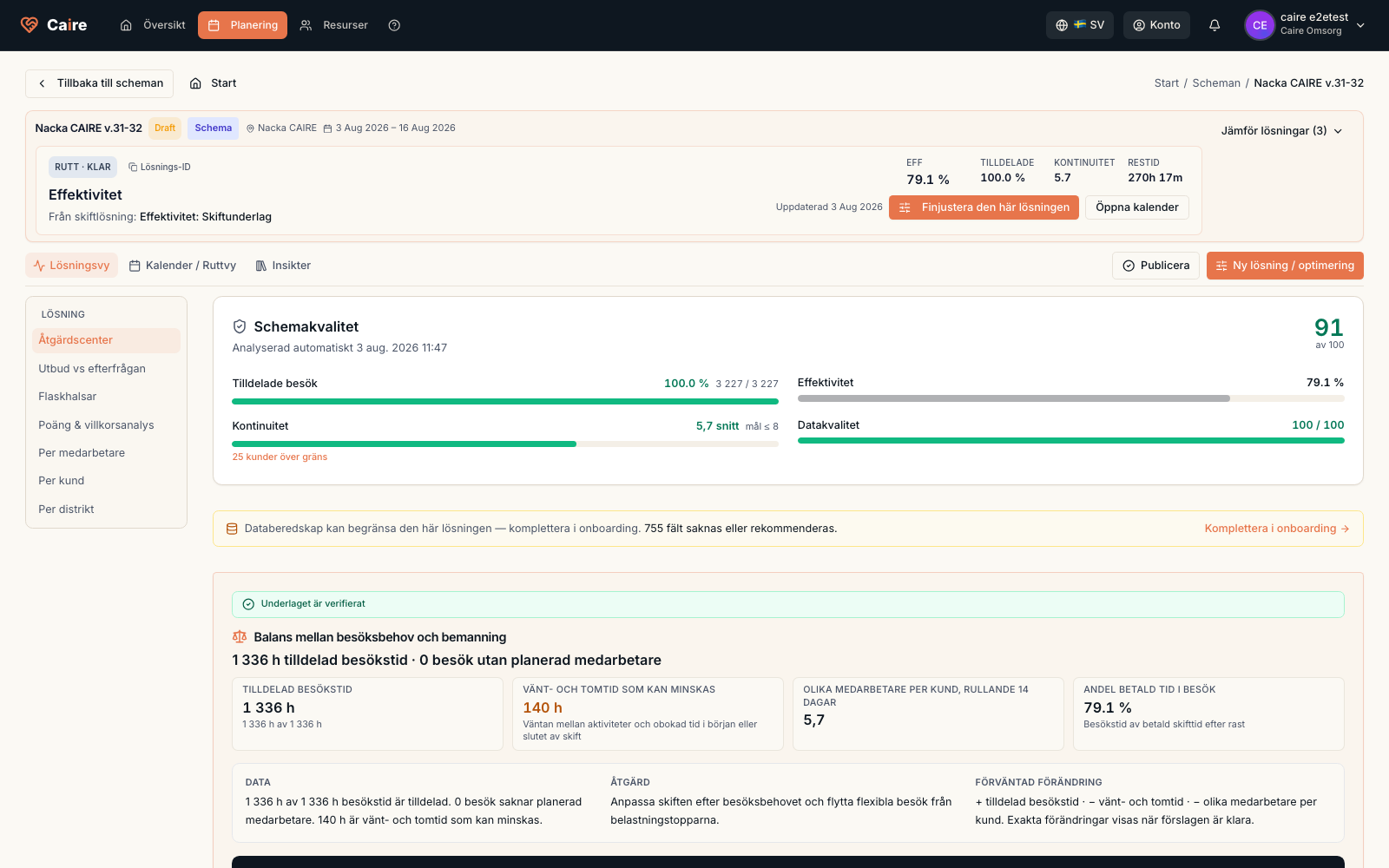
Schedule diagnostics
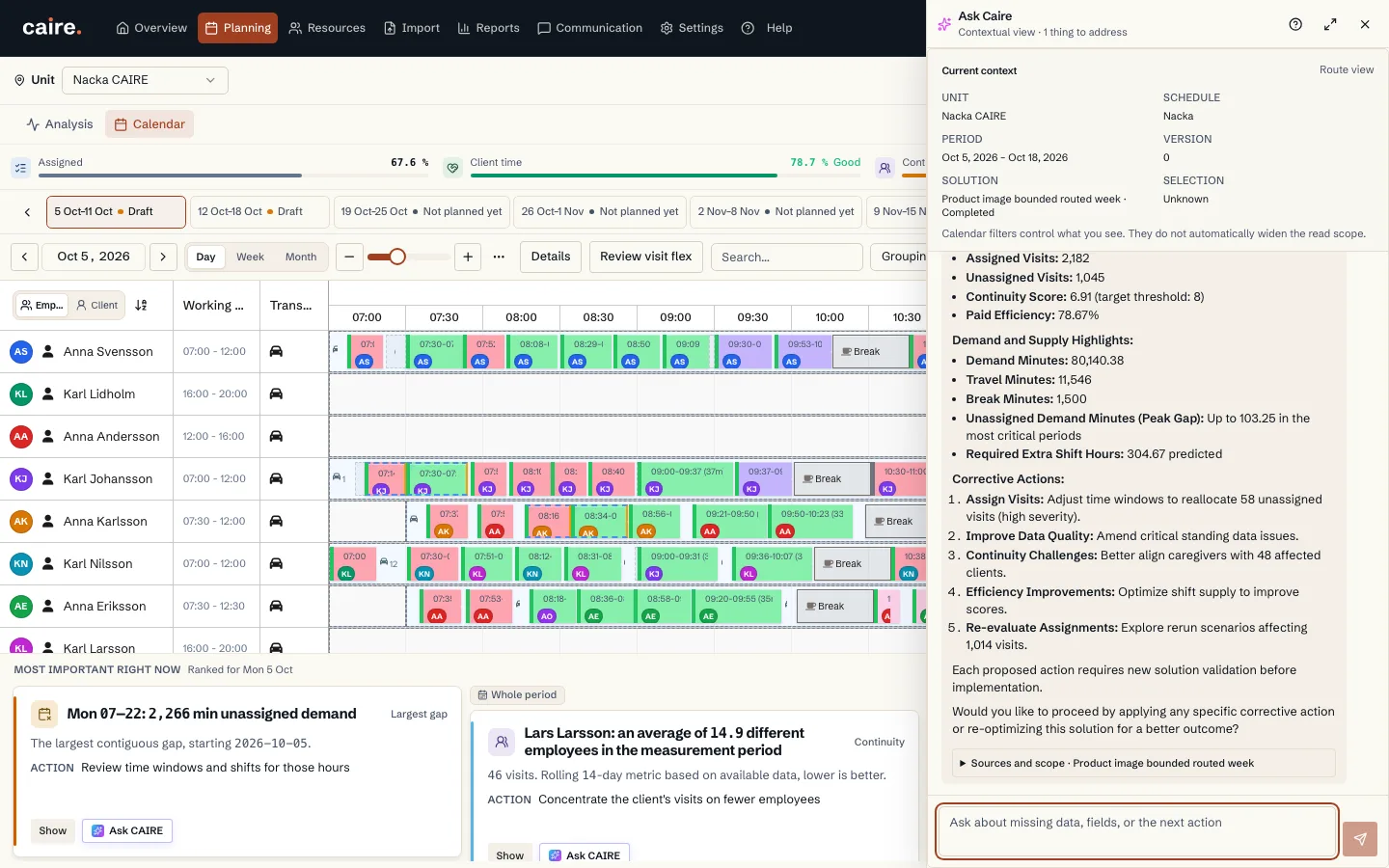
How to locate a bottleneck in time and review the visits and shifts it affects.
Read guide: Schedule diagnostics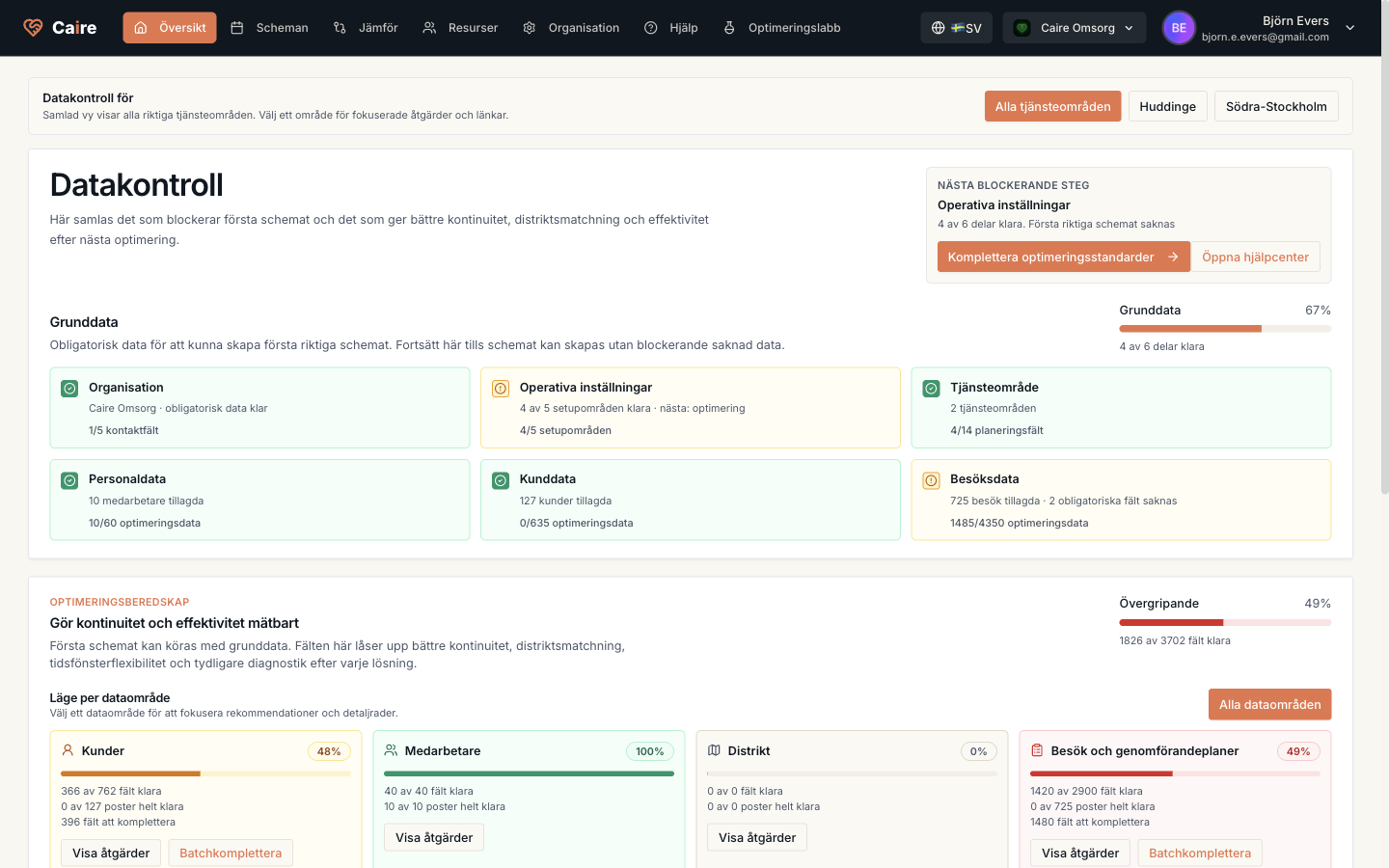
Optimization readiness
See which data is enough for the first schedule and which extra fields unlock stronger continuity, efficiency, and diagnostics.
Read guide: Optimization readinessEdit, fine-tune, and re-optimise
Switch solution in the same calendar, open Details, adjust visits or capacity, and rerun when the evidence shows that something needs to change.
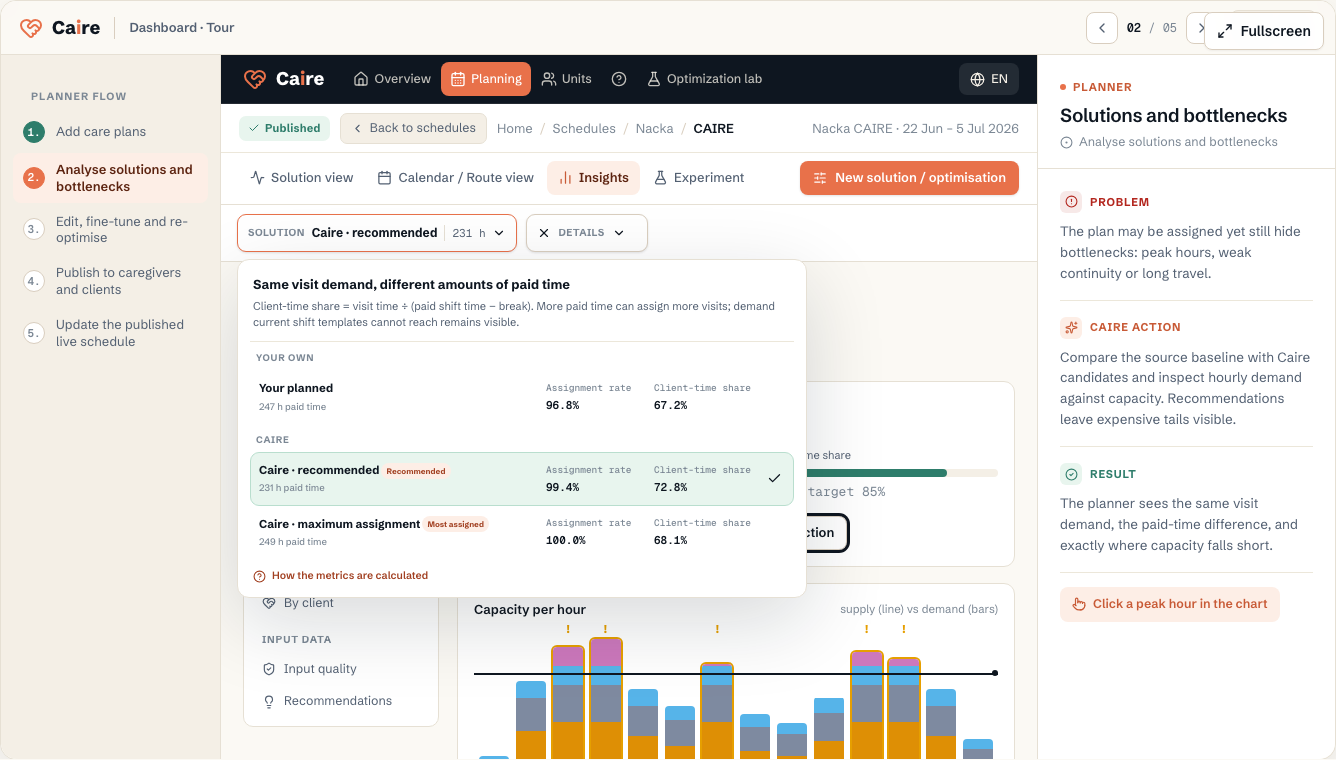
Switch solution in the same calendar
Compare source baselines, Coverage, and efficiency levels without leaving the calendar date or view.
Read guide: Switch solution in the same calendarDemand and inset flex
On the unit overview, the chart shows demand. The sliders are inset flex (widen allowed time windows in the preview). Use recommended values to reduce the peak–floor gap. The scope can be saved to the unit or used only for the next schedule proposal. It does not change care plans.
Read guide: Demand and inset flex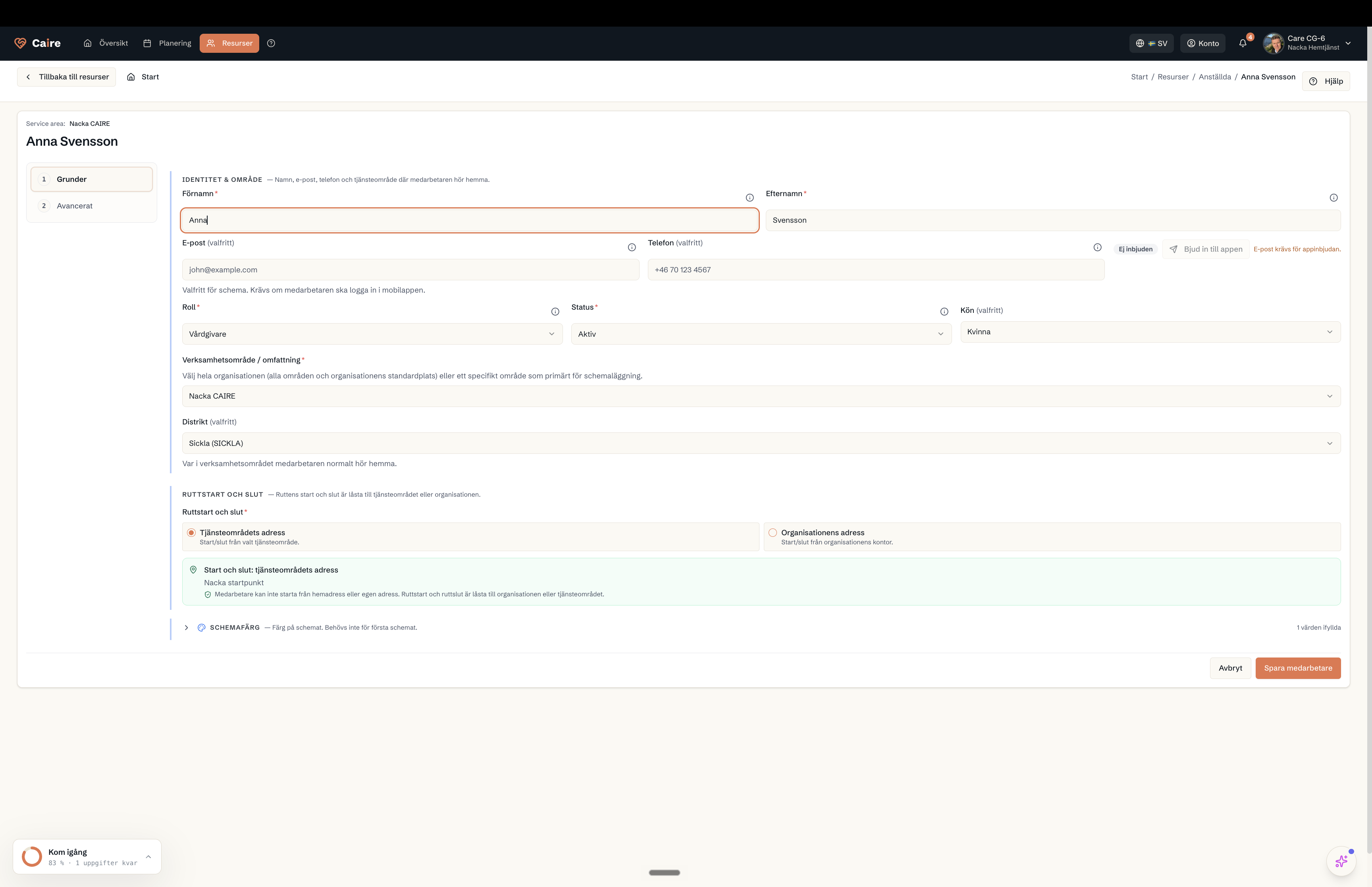
Employee data for routing and cost
How costs, shifts, and districts are used in routing and capacity analysis.
Read guide: Employee data for routing and cost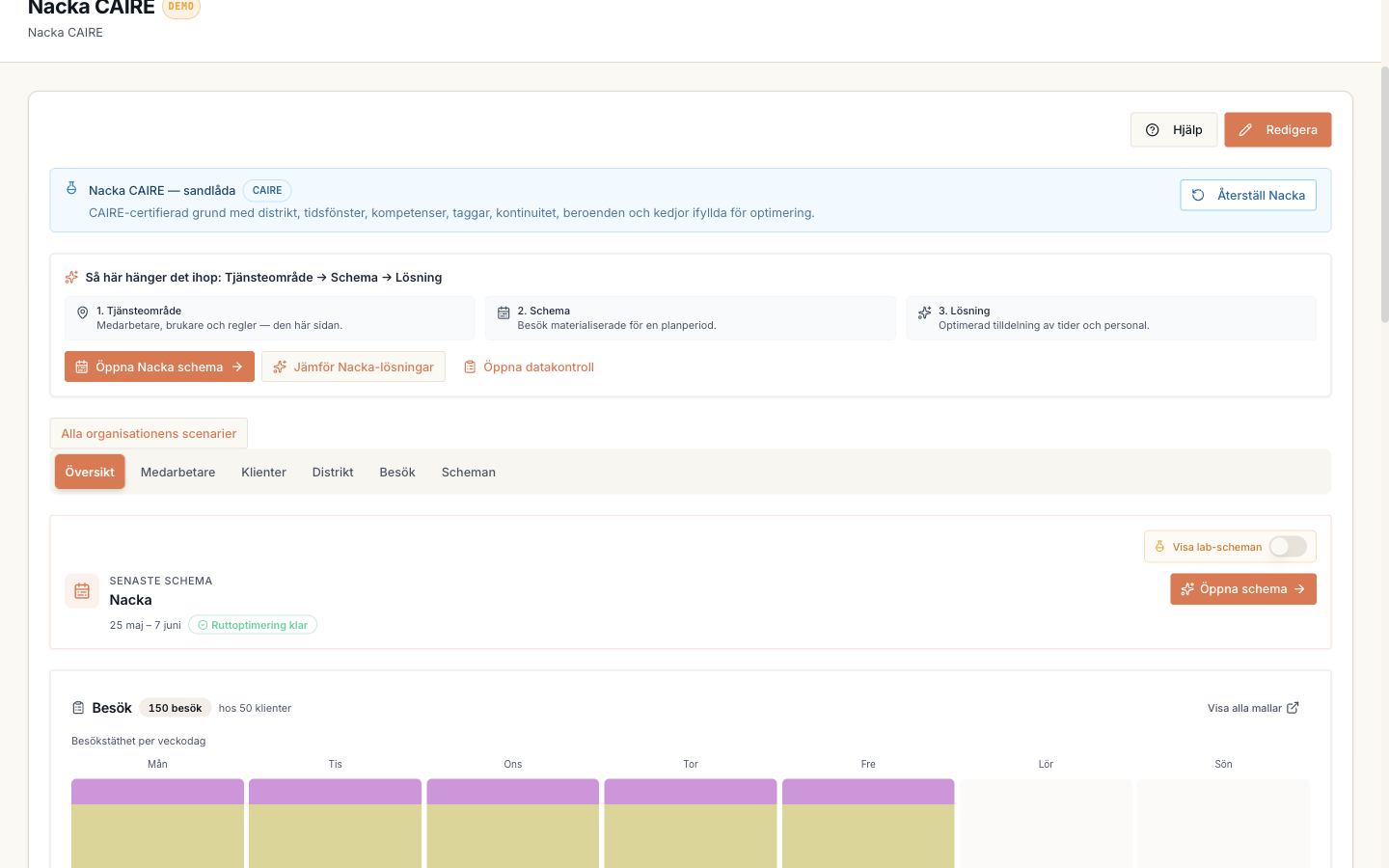
Districts and coverage
How districts reveal local demand, local capacity, and routes that cross the wrong area.
Read guide: Districts and coveragePublish to care staff and clients
The planner approves the selected solution. Only then does the published schedule become available in the app with the appropriate view for care staff and clients.
Update the published live schedule
Delays, absence, and changed visits are tracked in the published plan. The planner reviews the impact and approves safe updates before they reach the app.
Help articles
16 help articles
All 16 help articles in the order a planner meets them. Resource pages stay separate for when you need fields and data requirements in detail.
- 0Demand and inset flexOn the unit overview, the chart shows demand. The sliders are inset flex (widen allowed time windows in the preview). Use recommended values to reduce the peak–floor gap. The scope can be saved to the unit or used only for the next schedule proposal. It does not change care plans.Read guide: Demand and inset flex
- 1From two reports to the first analysisUpload your reports, review the data and start one optimisation. One selected period per organisation is free, with available results in the calendar, comparison and diagnostics.Read guide: From two reports to the first analysis
- 2From analysis report to a decision-ready calendarRead the source planned and evidenced actual state, follow CAIRE candidates in the background, and compare them in the same calendar.Read guide: From analysis report to a decision-ready calendar
- 3Optimization readinessSee which data is enough for the first schedule and which extra fields unlock stronger continuity, efficiency, and diagnostics.Read guide: Optimization readiness
- 4Client data for continuityHow Caire uses designated caregivers, preferred caregivers, and districts to protect continuity.Read guide: Client data for continuity
- 5Employee data for routing and costHow costs, shifts, and districts are used in routing and capacity analysis.Read guide: Employee data for routing and cost
- 6Districts and coverageHow districts reveal local demand, local capacity, and routes that cross the wrong area.Read guide: Districts and coverage
- 7Walking districtsHow a walking round is planned from a start point instead of the office, with the commute counted as paid time.Read guide: Walking districts
- 8Preferred time, allowed window, and service propertiesSee the difference between preferred time and the allowed time window, and between routed field visits, office work, overlap, and double staffing.Read guide: Preferred time, allowed window, and service properties
- 9Schedule diagnosticsHow to locate a bottleneck in time and review the visits and shifts it affects.Read guide: Schedule diagnostics
- 10Switch solution in the same calendarCompare source baselines, Coverage, and efficiency levels without leaving the calendar date or view.Read guide: Switch solution in the same calendar
- 11MCP for care planning: connect an AI assistantConnect Claude, ChatGPT, Claude Code or Cursor to CAIRE by pasting one address and signing in with your CAIRE account. The AI tool reads your planning analysis and prepares proposals that you approve in CAIRE.Read guide: MCP for care planning: connect an AI assistant
- 12The AI assistant: chat with your scheduleAsk questions about the schedule in plain language and let the AI assistant answer with numbers from the solution, diagnostics, and continuity context.Read guide: The AI assistant: chat with your schedule
- 13Mobile app for client, employee, and familySee how Caire's mobile app can be shown to clients, employees, and family without mixing read-only access, schedule work, and administrator settings.Read guide: Mobile app for client, employee, and family
- 14Security, sign-in and the data processing agreement (DPA)Who is responsible for the personal data, how you accept the DPA, what it unlocks, and where you see and control access to your data.Read guide: Security, sign-in and the data processing agreement (DPA)
- 15CAIRE Connect: features, data and integrationsWhat Connect is used for, its features and data, how planners keep control and how to get started.Read guide: CAIRE Connect: features, data and integrations
Fields and resources
Reference pages show field-level details, buttons, and how each resource is used when planners build the first schedule.
Organization
The care provider in Caire. This holds core details and fallback contact/location context.
Read resourceOperational settings
Defaults for staff, optimization, services, time slots, skills, and tags.
Read resourceUnit
The planning boundary: the team, clients, employees, and period scheduled together.
Read resourceDistrict
A local area inside the unit for geographic matching.
Read resourceEmployees and shifts
The supply side of planning: who can work, when they work, and which skills they have.
Read resourceClients
The people receiving care. The client's address and care plan create demand.
Read resourceCare plan and visit templates
Recurring visits that later become dated visits in a schedule.
Read resourceSchedule
The dated planning period and source snapshot behind a solution frontier with different time-window and capacity policies.
Read resourceSolutions
One comparable solution frontier for a schedule: Standing data, Coverage, and N Efficiency rungs.
Read resourceSchedule diagnostics
Shows which time slots, visits, and shifts constrain a selected solution.
Read resourceAsk Caire
The AI guide that explains current data and links to safe workflows.
Read resource