Source analysis comes first
Once the two reports are validated, Caire freezes the source period and visit demand. The analysis report appears in seconds with planned, evidenced actual, data gaps, and bottlenecks. A missing or unmeasured value is shown as —, never as an invented zero.
Planned describes the source plan. Actual is historical outcome and appears only when the source proves performed times. A visit assigned in a new proposal is not the same as historically performed work.
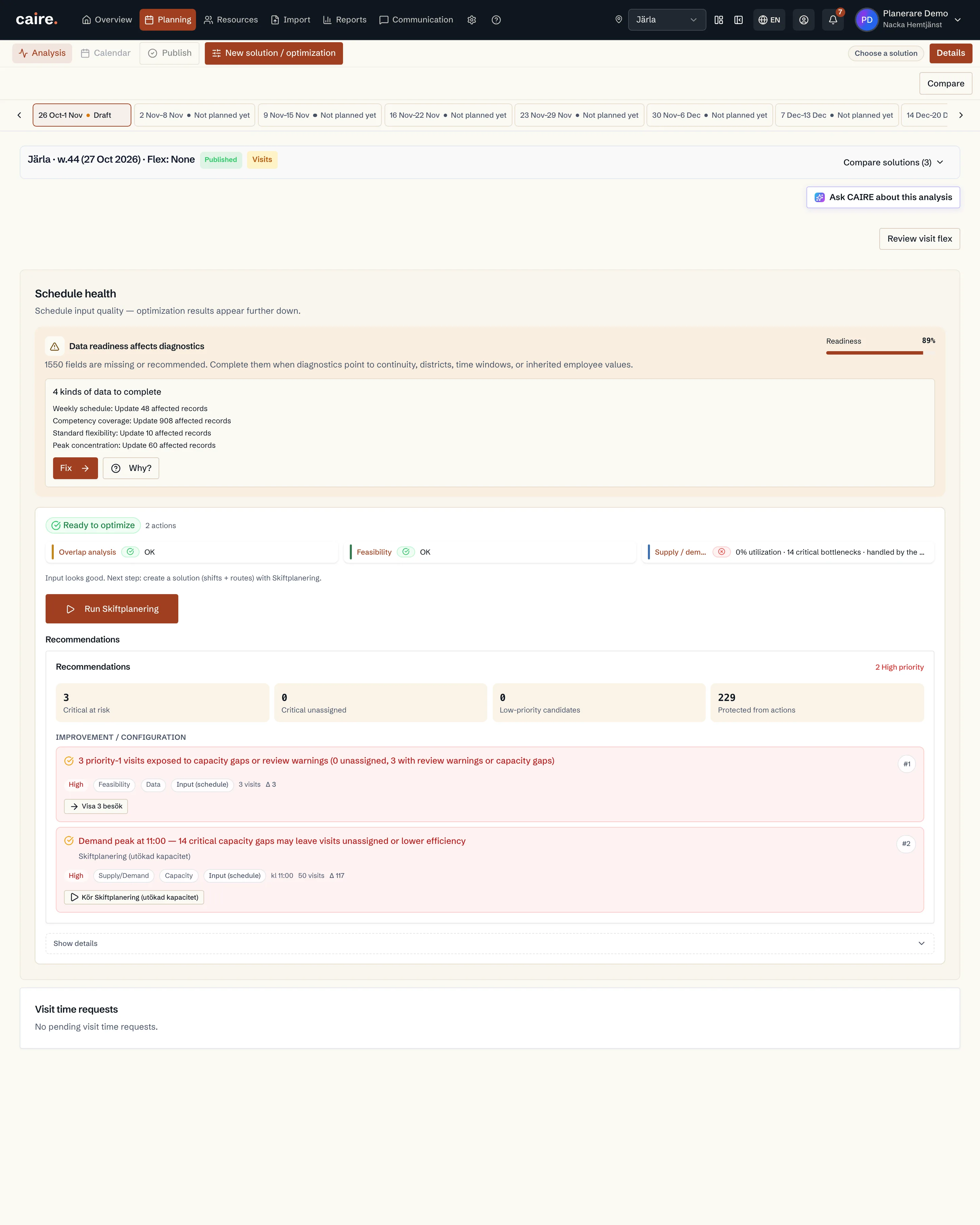
CAIRE candidates run in the background
After source analysis, Caire builds comparable candidates. The administrator-controlled Quickstart default is 5 minutes per candidate. This is a separate phase from seconds-level analysis.
Visits determine demand. Coverage and efficiency levels open whole shifts from operational shift templates. Every candidate uses the same visit demand but may use different allowed time windows and capacity strategies.
- The source baselines are the controls: planned and, when evidence is sufficient, actual.
- Coverage opens whole shifts from operational shift templates and aims to assign every feasible visit.
- Efficiency levels open whole shifts when utilization justifies paid time and may leave an expensive residual tail visible as unassigned visits.
- No option is published or replaces standing data automatically.
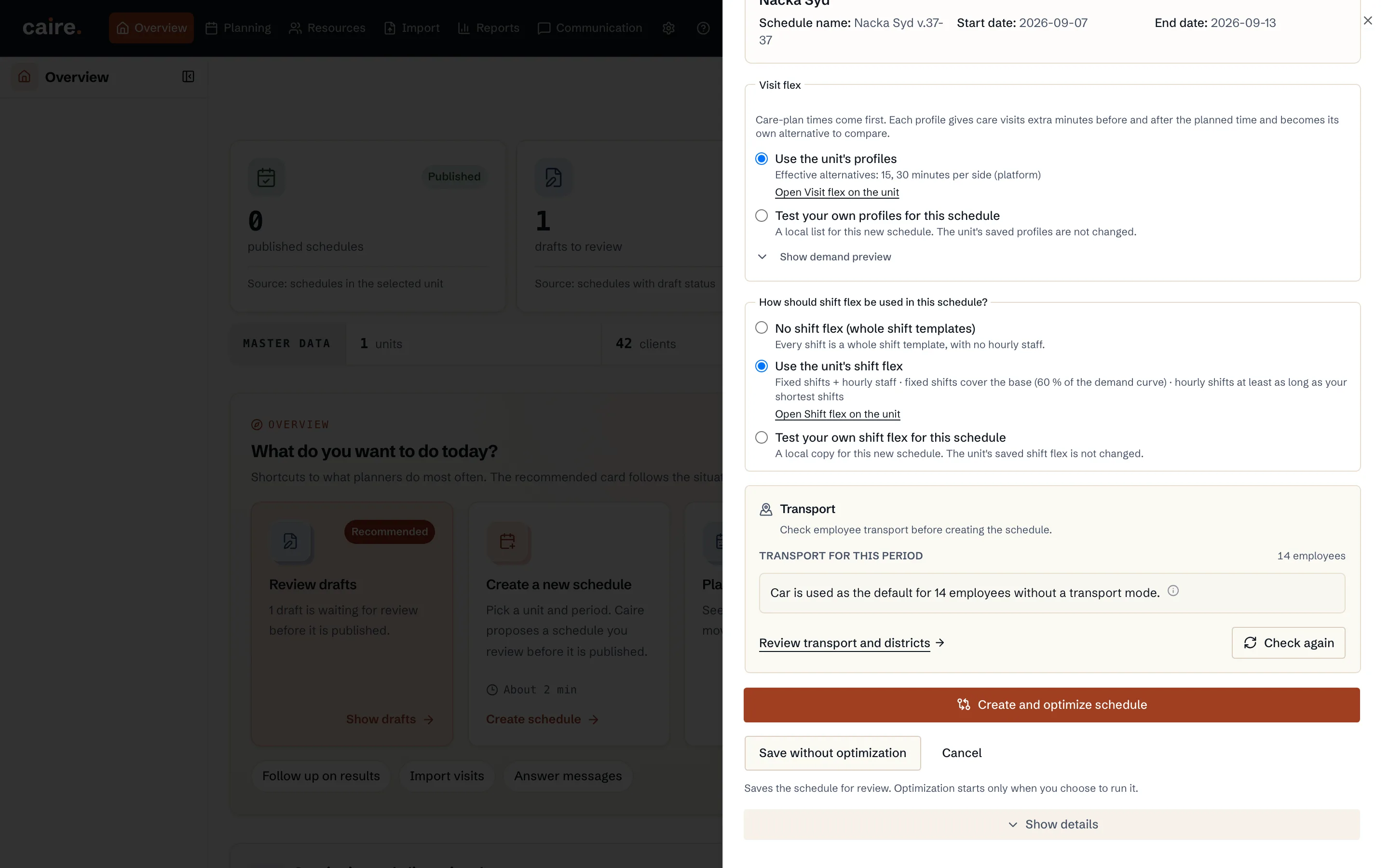
Read the frontier and switch in the same calendar
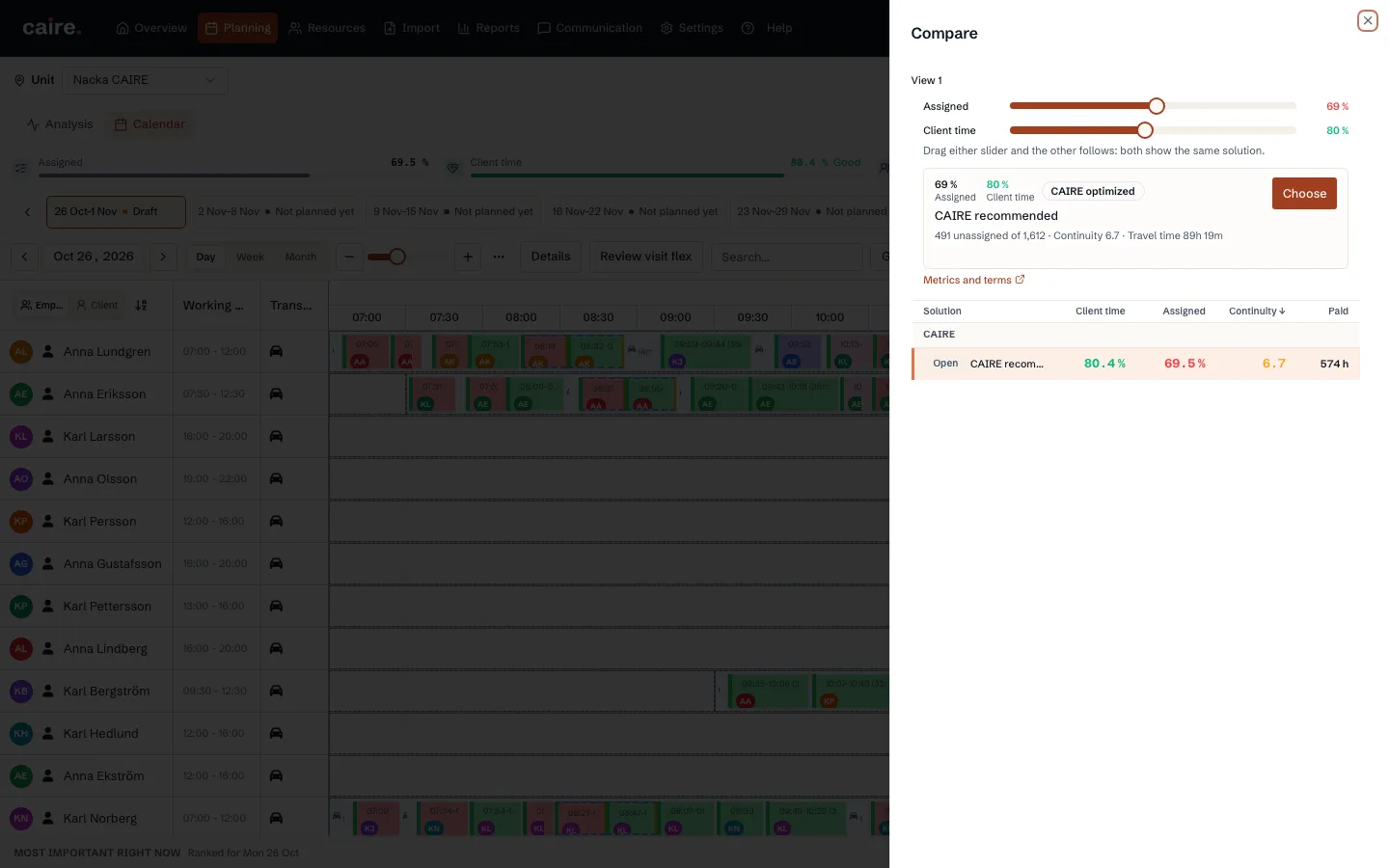
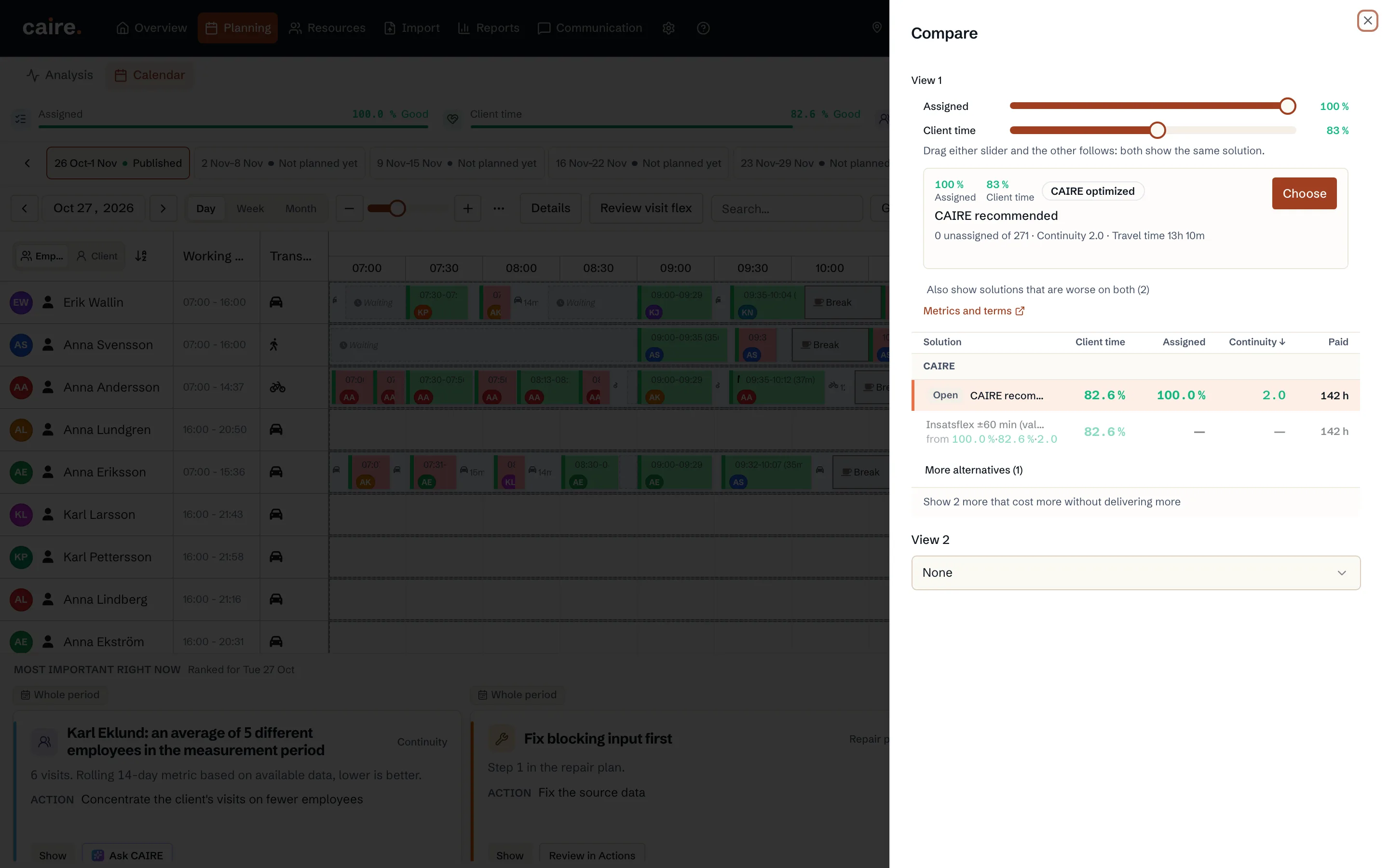
The solution frontier names its axes: assignment rate against the actual paid-time measure, such as client-time share. Select a point and switch solution without leaving the calendar date or view.
One hundred percent assignment is not automatically best. If one small expensive tail requires a whole extra shift, that consequence stays visible so the planner can make a deliberate choice.
Regular Create uses another duration profile
Quickstart and regular Product Create do not share a spent solve time. Create has a separate administrator-controlled default of 3 hours per candidate; five hours is also a valid configured value. Caire adds no hidden product ceiling.
Data and resources
Unit
The planning boundary: the team, clients, employees, and period scheduled together.
Read resourceDistrict
A local area inside the unit for geographic matching.
Read resourceEmployees and shifts
The supply side of planning: who can work, when they work, and which skills they have.
Read resourceClients
The people receiving care. The client's address and care plan create demand.
Read resourceCare plan and visit templates
Recurring visits that later become dated visits in a schedule.
Read resourceSchedule
The dated planning period and source snapshot behind a solution frontier with different time-window and capacity policies.
Read resourceSolutions
One comparable solution frontier for a schedule: Standing data, Coverage, and N Efficiency rungs.
Read resourceSchedule diagnostics
Shows which time slots, visits, and shifts constrain a selected solution.
Read resource