Employees and shifts
Guide
See how employees become schedulable capacity through team, shifts, skills, and route start.
- 1. Add name and unit.
- 2. Check shifts or capacity.
- 3. Add skills and district when needed.
- 4. Confirm route start for optimization.
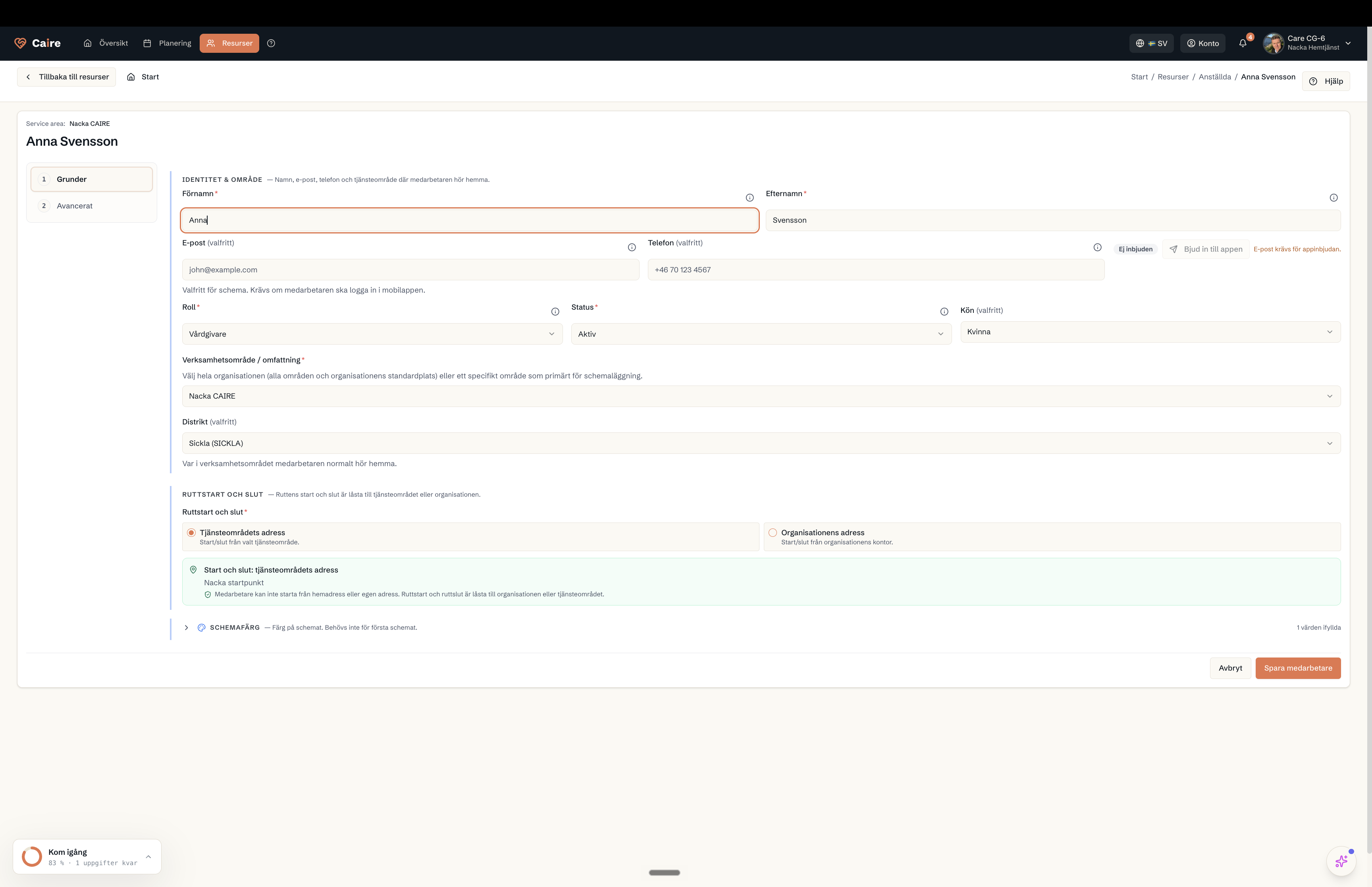
Employee form basic tab: identity, role, unit or whole organisation, and the route's start and end.
Fields and use
| Field | Level | Why it matters | Used for |
|---|---|---|---|
| First and last name | First schedule | Identifies the employee in lists and schedules. | Assignments, continuity, and reports. |
| Unit | First schedule | Connects the employee to the correct team. | Schedule selection and eligible capacity. |
| Shifts or capacity | First schedule | Shows when the employee can work. | First schedule and capacity diagnostics. |
| Skills, district, and cost | Better metrics | Makes matching more precise after the first schedule. | Unassigned visits, continuity, travel, and cost. |
Where it appears