How Caire works before the first schedule
Data order in Control Center / Datahub: organization, unit, employees, clients, and care plans before you freeze a schedule.
Onboarding happens in the app: Control Center and Datahub hold organization, unit, employees, clients, and care plans. This page links to the Help Center and the dashboard tour.
Try Caire for freeBook a walkthroughYour organisation's permissions and rules govern who sees and changes the plan. Review trust and data protection
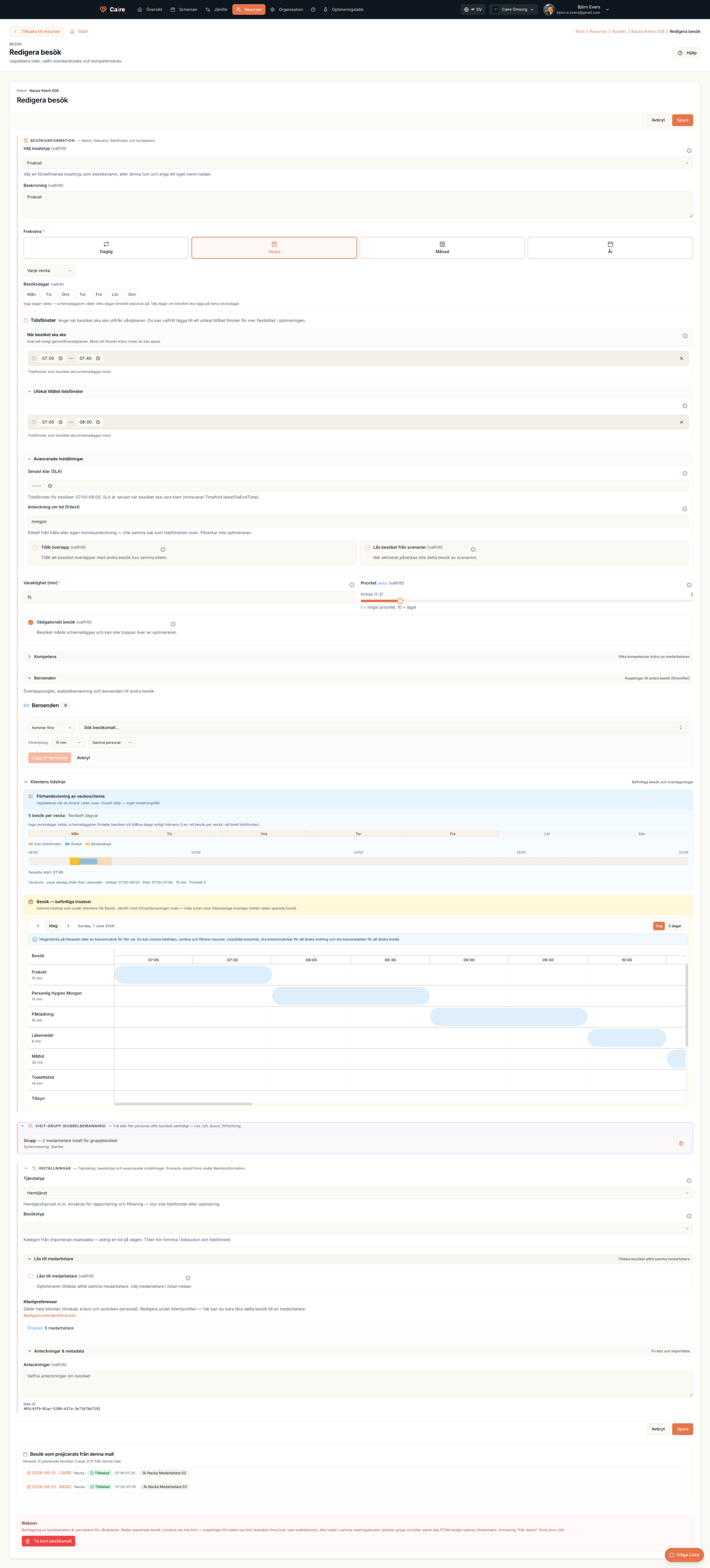
Onboarding starts with the client and visit template. Recommended frequency produces preferred weekdays before the first schedule is created.
Current page
Onboarding
Rollout, training, and a controlled product launch.
Caire onboarding is not a connector catalogue or data migration product page. You build standing data in Control Center / Datahub, create a first schedule, and improve the solution step by step — with planner approval before publishing.
Data order in Control Center / Datahub: organization, unit, employees, clients, and care plans before you freeze a schedule.
Start AI scheduling from a frozen source snapshot, compare candidates on the solution frontier, and choose before publishing.
See Control Center, Datahub, and the planning surface in the product flow — the same surfaces you use during onboarding.
The first schedule needs active demand and capacity. These resource surfaces are the foundation — field details live in the Help Center.
Base settings, timezone, and operational defaults that apply across the organization.
The planning boundary that connects clients, employees, districts, and schedules.
Capacity, skills, and shift inputs needed for the first solution.
Demand and visit inputs that become dated visits when the schedule is created.
Create an account and follow onboarding in Datahub, or book a demo. The dashboard tour shows the same surfaces without signing in.
See how onboarding in caire — from standing data to the first schedule supports run-specific comparison
Organization, unit, employees, clients, and care plans are set up in Control Center / Datahub before the first schedule.
The Help Center covers data order and the solution frontier so you can compare candidates before anything is published.
The dashboard tour shows Control Center, Datahub, and the planning surface without inventing metrics.