Complimentary visit planning analysis
Start with your existing visit plan. Understand continuity, time allocation and opportunities to improve based on your reports, with help from Caire if you want it.
Create an account, accept the terms, the privacy policy and the DPA, and upload your schedule. Caire then analyses it. Read about data handling

Report view with synthetic example data. No customer results or promised savings.
Explore the report examplesSee what your analysis can look like
Explore real report views with synthetic example data. The images illustrate features; figures are not customer results or a forecast for your organisation.
Open the executive example (PDF)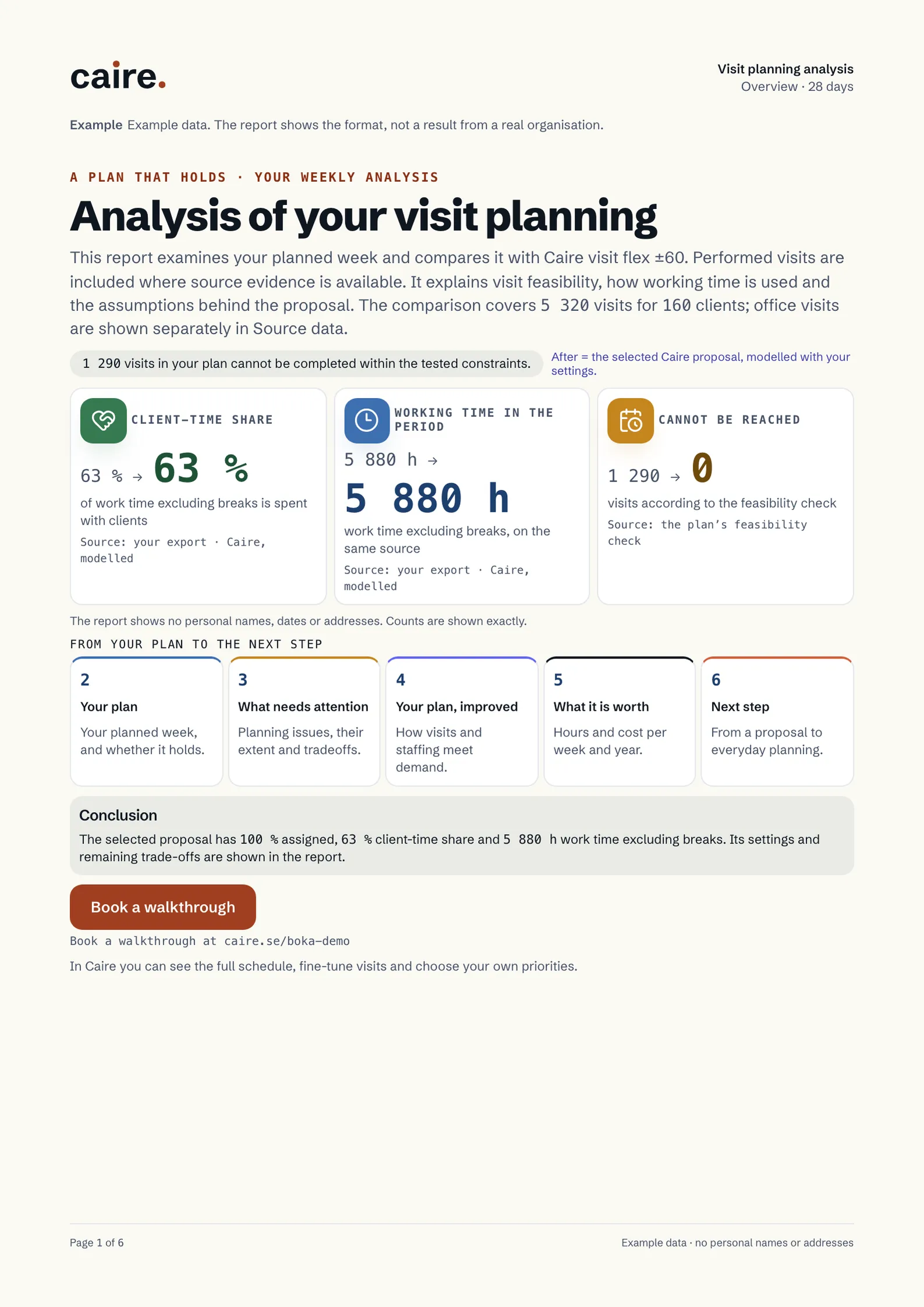
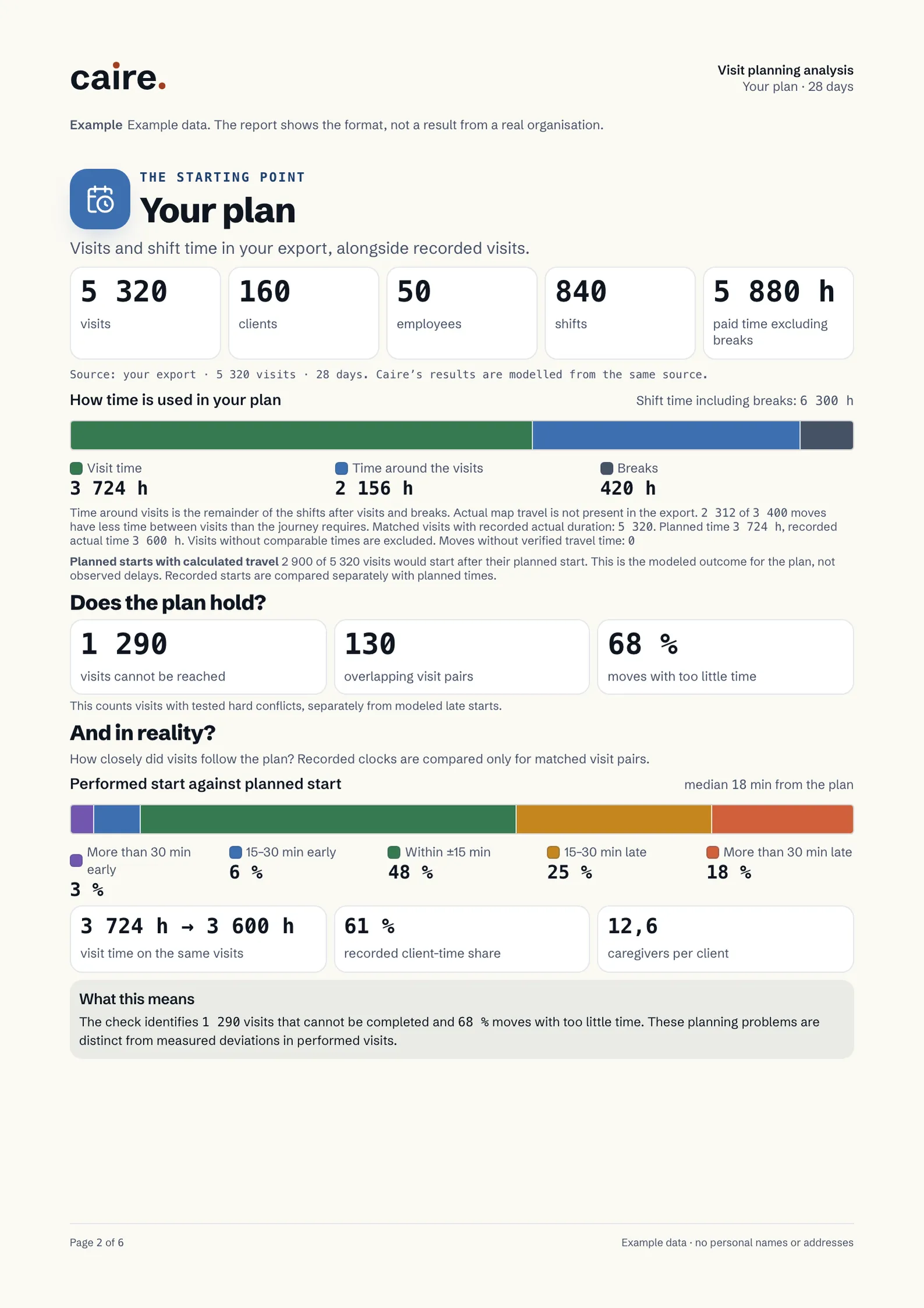
From your reports to evidence you can act on
Create an account and organisation
Create an account, add your organisation’s details and accept the terms, the privacy policy and the DPA. Then you upload your schedule.
Upload and review
Select a period and upload both reports. Preview the contents and correct missing information before confirming the import.
Optimise and compare
Start the included optimisation. Follow progress and review available solutions in the calendar, comparison and diagnostics. You can return to the same analysis later.
When you want to analyse your own visit planning
Visit history
The visit report for the period you want to analyse. Planned and completed times support different kinds of follow-up.
Client and address register
A register with client identifiers and addresses so visits can be linked to the right location.
Employees and shifts, if available
Optional employee and shift reports improve the evidence for staffing and time allocation.
Analyse your schedule by uploading Carefox or Alfa eCare Welfare exports in .xls or .xlsx. A custom Excel schedule or PDF is not equivalent to a supported export. If a report is missing, we can help you find the right input.
Read the import and analysis helpWhat will you learn?
Continuity and time allocation
Understand what the visit and staffing data show for the period. Missing information is shown as a limitation, not a zero.
Comparable solutions
Compare the alternatives that can be calculated against the imported schedule. Data gaps, failed runs and unassigned visits remain visible. A run does not guarantee a feasible schedule or a particular saving.
Evidence for your next decision
Return to the same period’s analysis, calendar, comparison and diagnostics. Ongoing planning, editing, publishing and new optimisations require an upgrade. A paid pilot is a separate choice.
A foundation for better planning and AI
Caire connects clients, visits, employees, routes and operational requirements in one model. The analysis's rule-based findings are distinct from AI explanations and proposed actions. With the data and settings configured, Caire runs visit planning automatically and updates it as needs change. Use Caire as a standalone system or an integrated optimiser alongside your existing system. You control rules, permissions and fixed placements.
How AI assistance works in CaireBefore you start
Is the analysis a trial?
The offer covers one analysis of a selected period per organisation, including one optimisation and viewing its results. A seven-day product trial, where offered, is separate. The analysis does not order a paid pilot or subscription.
Can I use an existing account?
Yes. Sign in and choose the organisation receiving the analysis. Its permissions also apply to import and report access.
What if data is missing or processing takes time?
The preview identifies information to complete. A failed file check does not consume the offer. Return to the import to follow the same analysis and optimisation. Missing metrics, failed runs and partial results are shown as such, never as zero or completed solutions.
Do we have to switch systems?
No. Start with exports from your current system. One optimisation for the selected period is included. Ongoing planning requires an upgrade; a paid pilot is a separate choice.
Where do we upload the files?
In the authenticated import flow after organisation setup. Do not submit reports or personal information in the public contact form or the website's Ask Caire.