Two reports are required
Choose the period you want to analyse. Export the visit report and client and address register as Excel (.xls or .xlsx). Employee and shift reports are optional supporting data.
Carefox
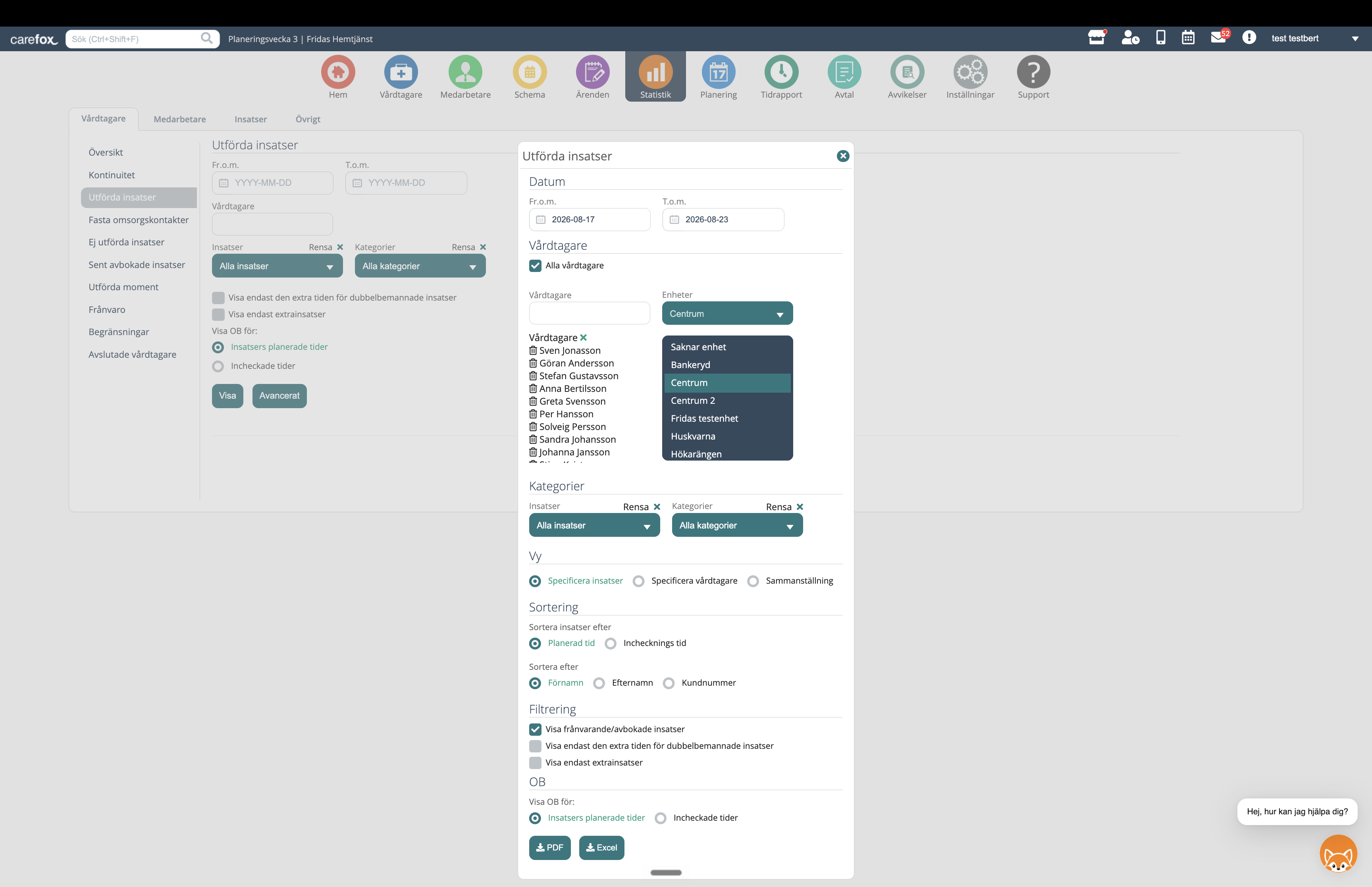
- Required: Utförda insatser for the period. Go to Statistik → Vårdtagare → Utförda insatser → Avancerat, select Specificera insatser under Vy and export to Excel. Keep cancellations and absences.
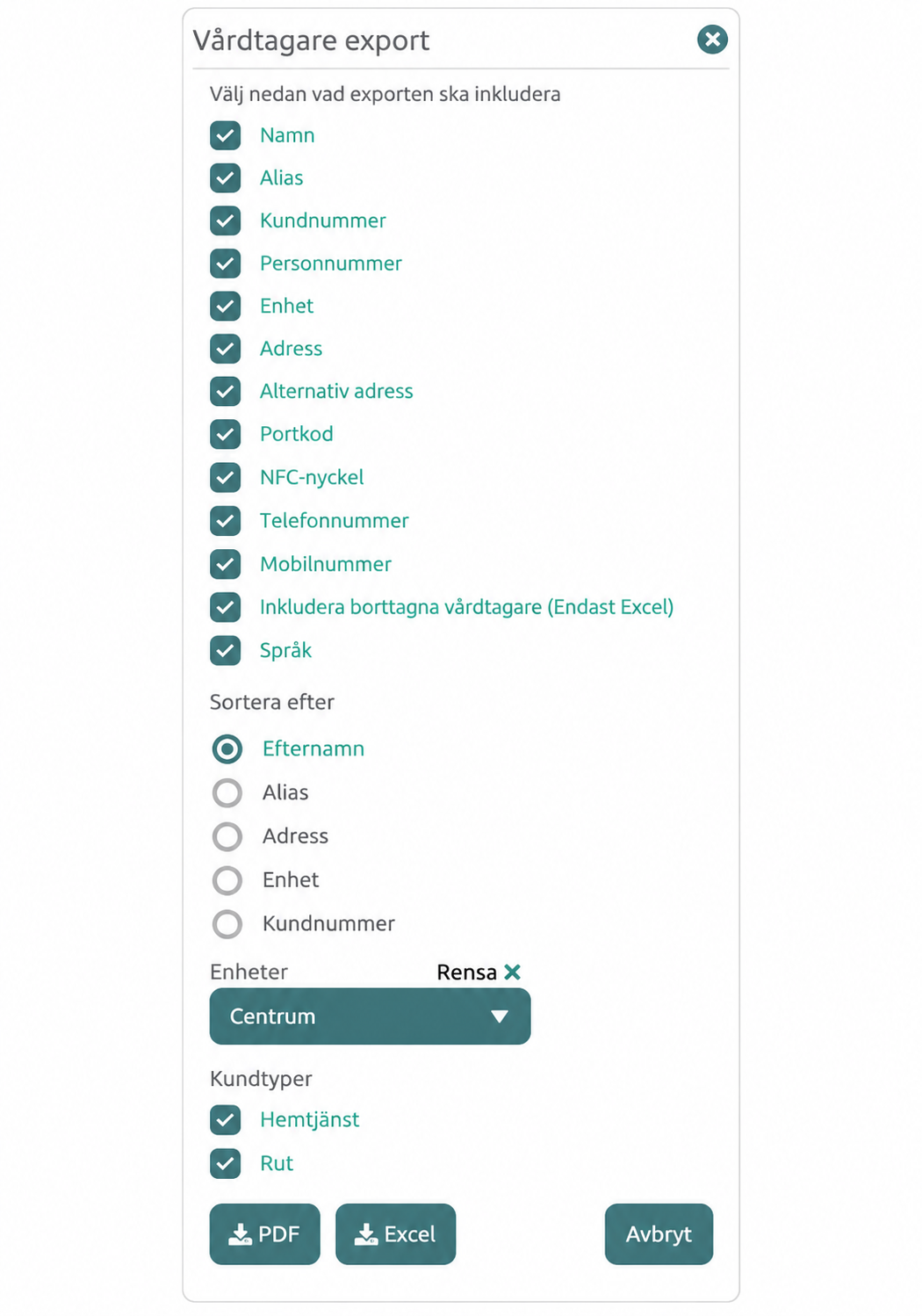
- Required: The Vårdtagare register with primary address, postal code and city. The visit report and register need a shared identifier, such as Personnummer.
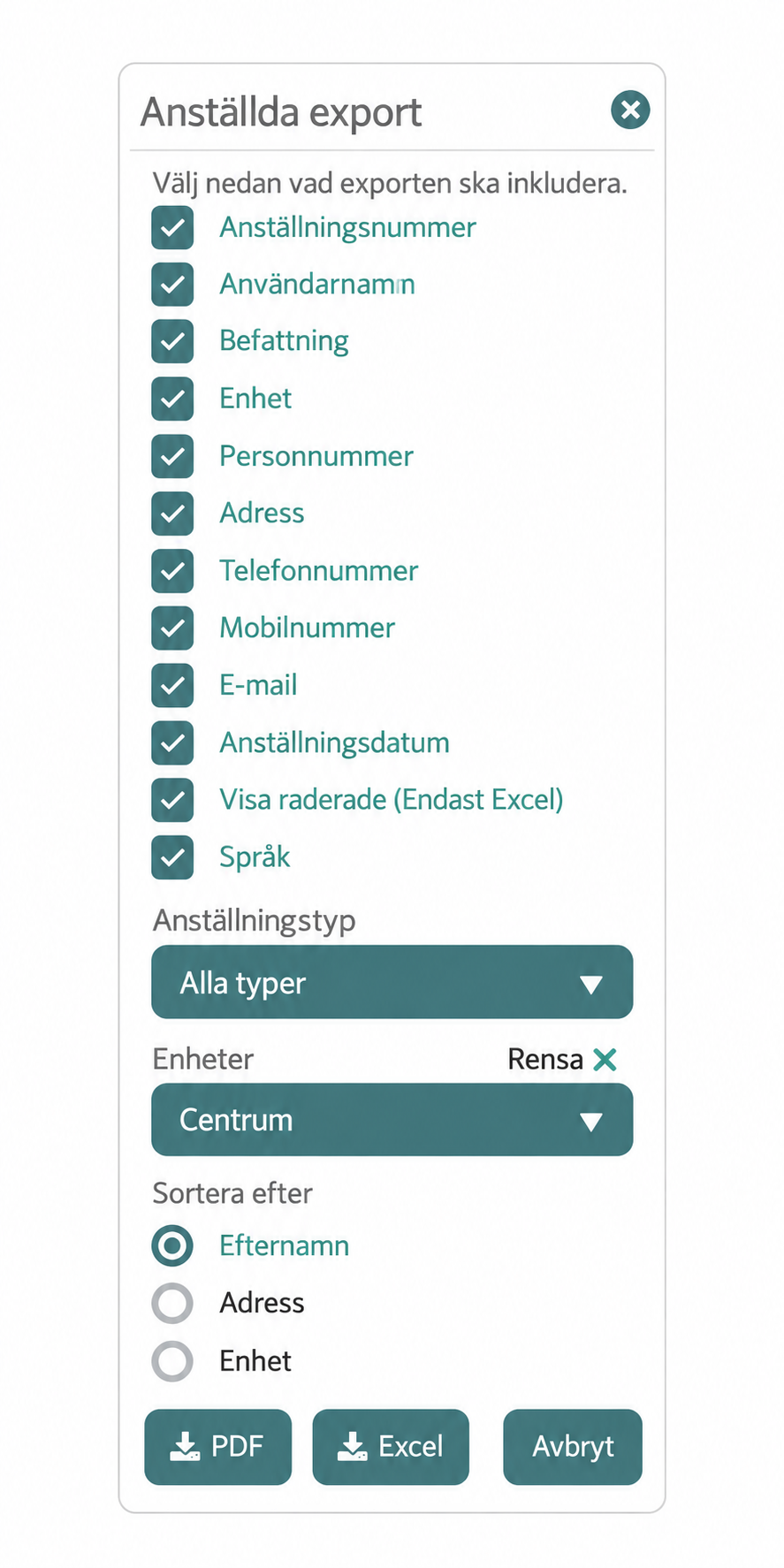
- Optional: Medarbetare → Alternativ → Anställda export. Select the same unit and include Anställningsnummer, Förnamn and Efternamn for employee identities.
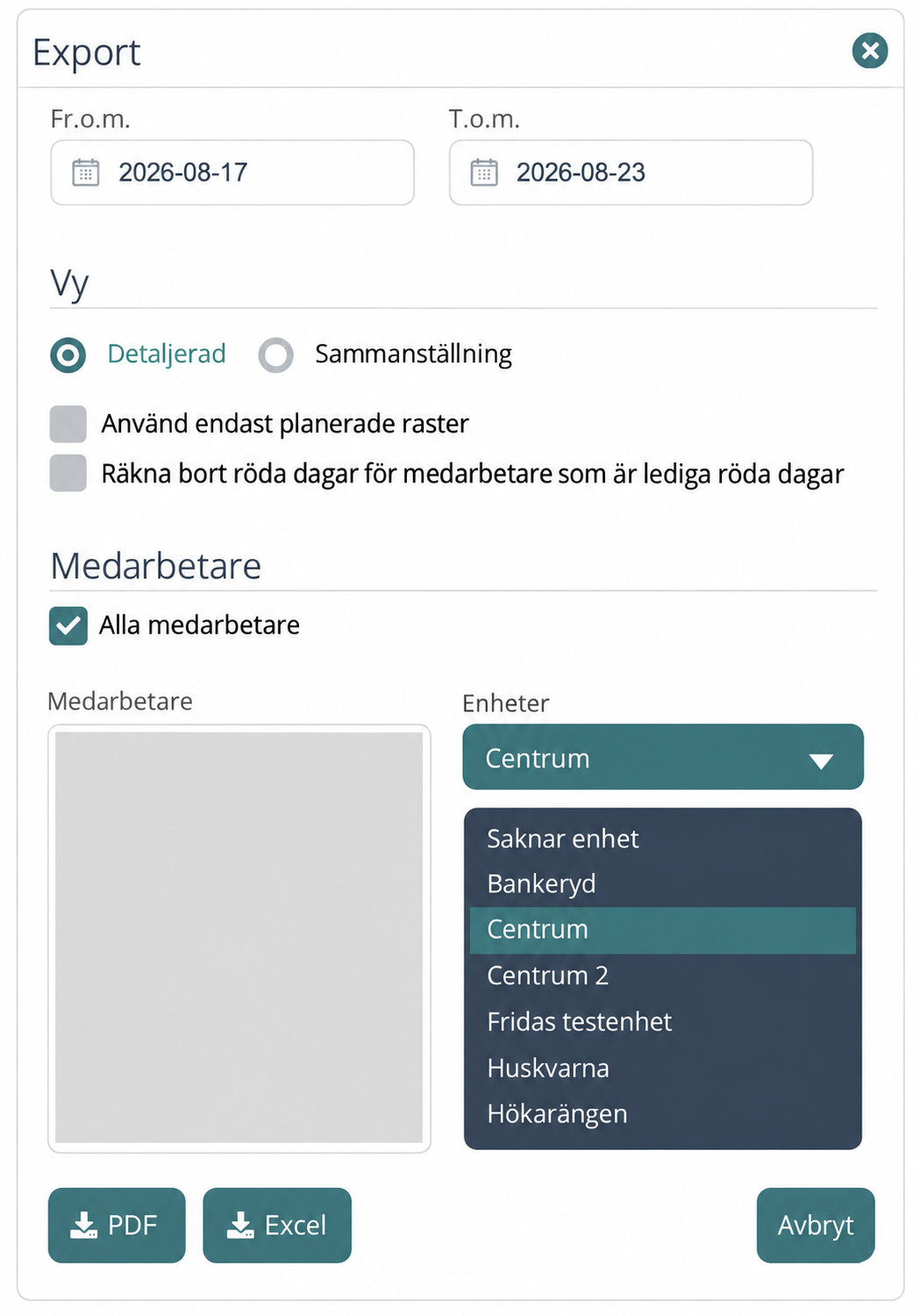
- Optional: Statistik → Medarbetare → Arbetade timmar → Avancerat. Choose Detaljerad, the same period and unit, and Alla medarbetare. Export dated shifts and breaks with Excel.
Alfa eCare Welfare
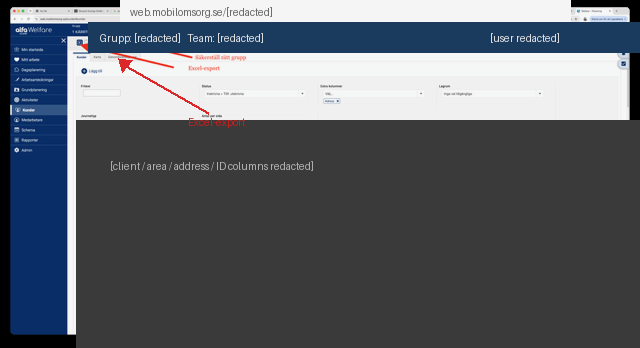
- Required: Utförda besök for the period, with one row per visit. Planerade besök is a different report.
- Required: Kunder/Brukare with identifiers and addresses that can be matched to the visit report.
- Optional: Medarbetare for stable employee identities.
- Optional: A compatible shift or payroll report with dates, start, end and breaks.
Upload and review
Sign in or create an account and enter your organisation details. Choose your system and upload the reports together. Export screenshots and column requirements are available beside the system selection.
Review how clients, visits, employees, shifts and addresses were matched. Caire shows missing information and what needs correcting before you continue. Upload operational files only in the signed-in flow.
Optimise and view results
Once the data is saved, start the included optimisation. Follow progress and return to the same analysis later. Available results can be viewed in the calendar, compared with the imported schedule and explored in diagnostics.
Planned and measured delivery are different evidence. Missing metrics remain visibly missing. A run can fail or produce partial results; it does not guarantee a feasible schedule or a particular saving.
Continue planning when you are ready
One analysis and one optimisation of the selected period are included per organisation. You can keep viewing these results. Editing, publishing, new optimisations and ongoing planning require an upgrade. A paid pilot and any product trial are separate choices.