Mobile apps

    Mobile apps that make the schedule operational

    Caire Core scheduling does more than publish a plan. It sends the right visits, instructions, and communication to caregivers, clients, and family in one connected mobile flow.

    Caire caregiver app showing a home-care day timeline

    Current page

    Mobile apps

    Caregivers, clients, and family in one operating flow.

    EVV + NFC
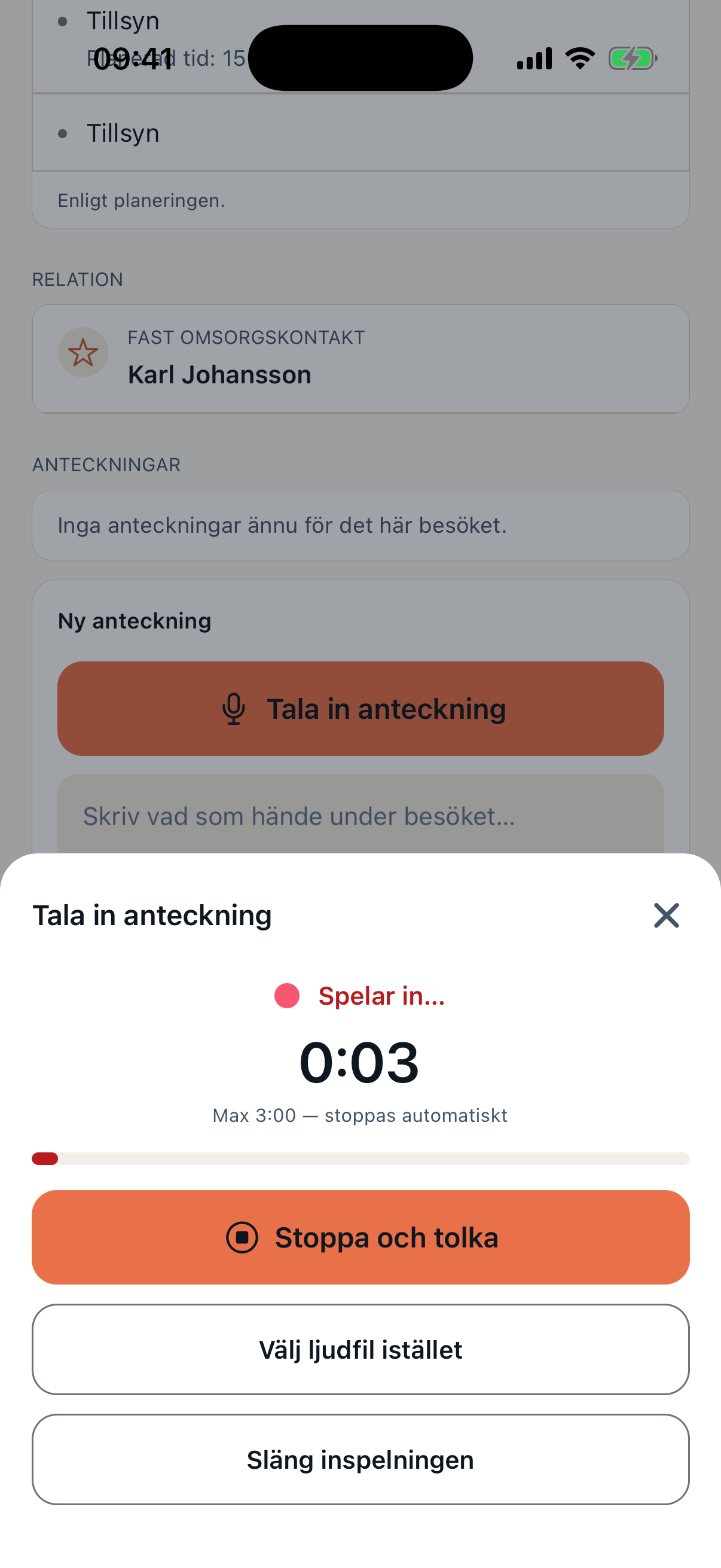
    Voice notes
    Integrated handbook
    Consent-gated location
    Offline/realtime flow

    Mobile architecture

    Two apps, one connected flow

    Caire brings the caregiver's operational workday and the client or family confidence view into two apps that share the same published schedule. Voice documentation, EVV, NFC, messages, and role-based handbook content follow the work without forcing users between systems.

    The interfaces are designed for clarity, large touch targets, and WCAG 2.1 AA-oriented accessibility so both employees and client-side users can understand what is happening.

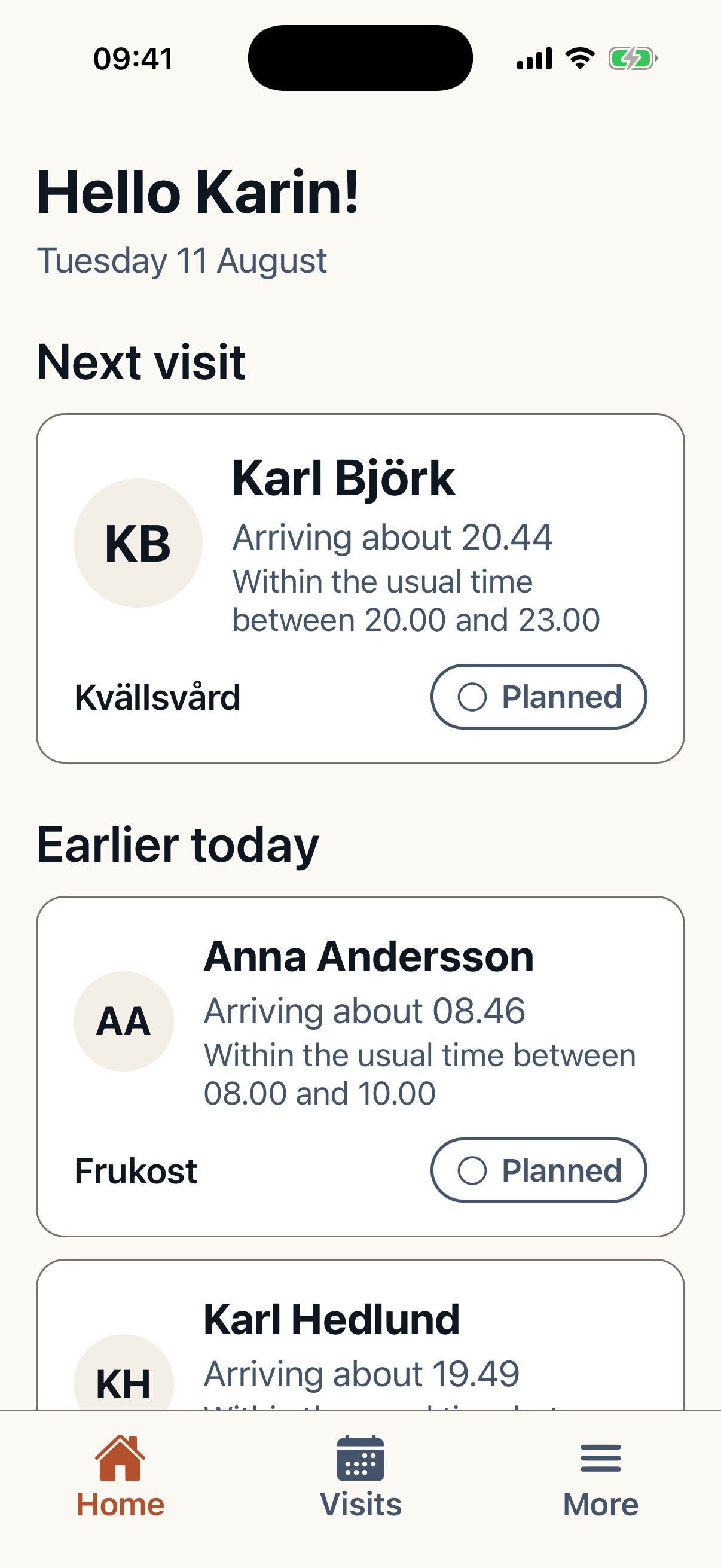
    Caire client mobile app home screenCaire caregiver app voice documentation

    Three journeys, one operating truth

    Caregivers

    Today's schedule, route, visit details, skills, EVV, NFC, voice documentation, offline mode, and quick communication with the office.
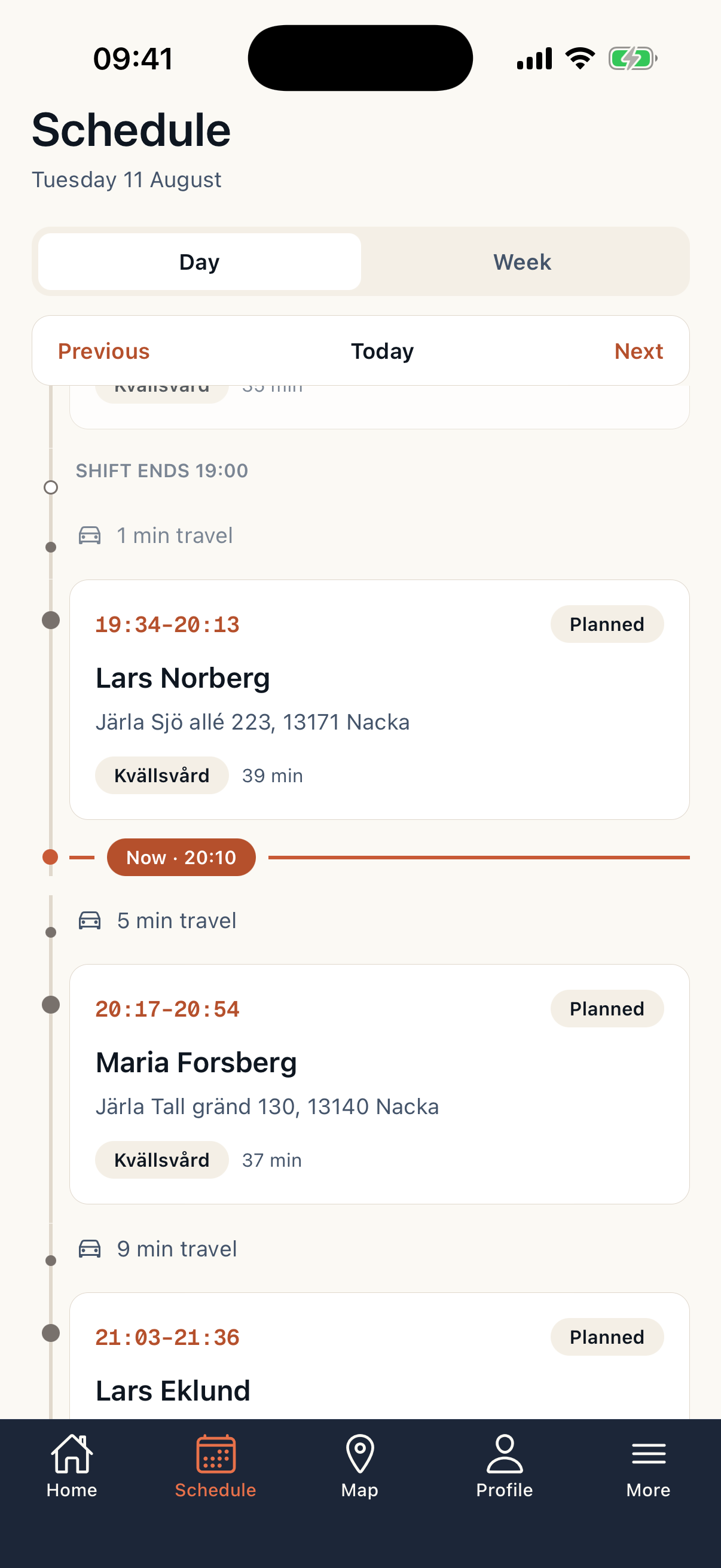
    Caire caregiver app with day timeline and visits

    Clients

    A calm view of upcoming visits, contacts, care plan, messages, and shared changes when the organization chooses to publish them.

    Caire client app with upcoming visits and contact paths

    Family

    Read-only confidence for family members who need to know visits are planned, completed, or changed without opening planning controls.
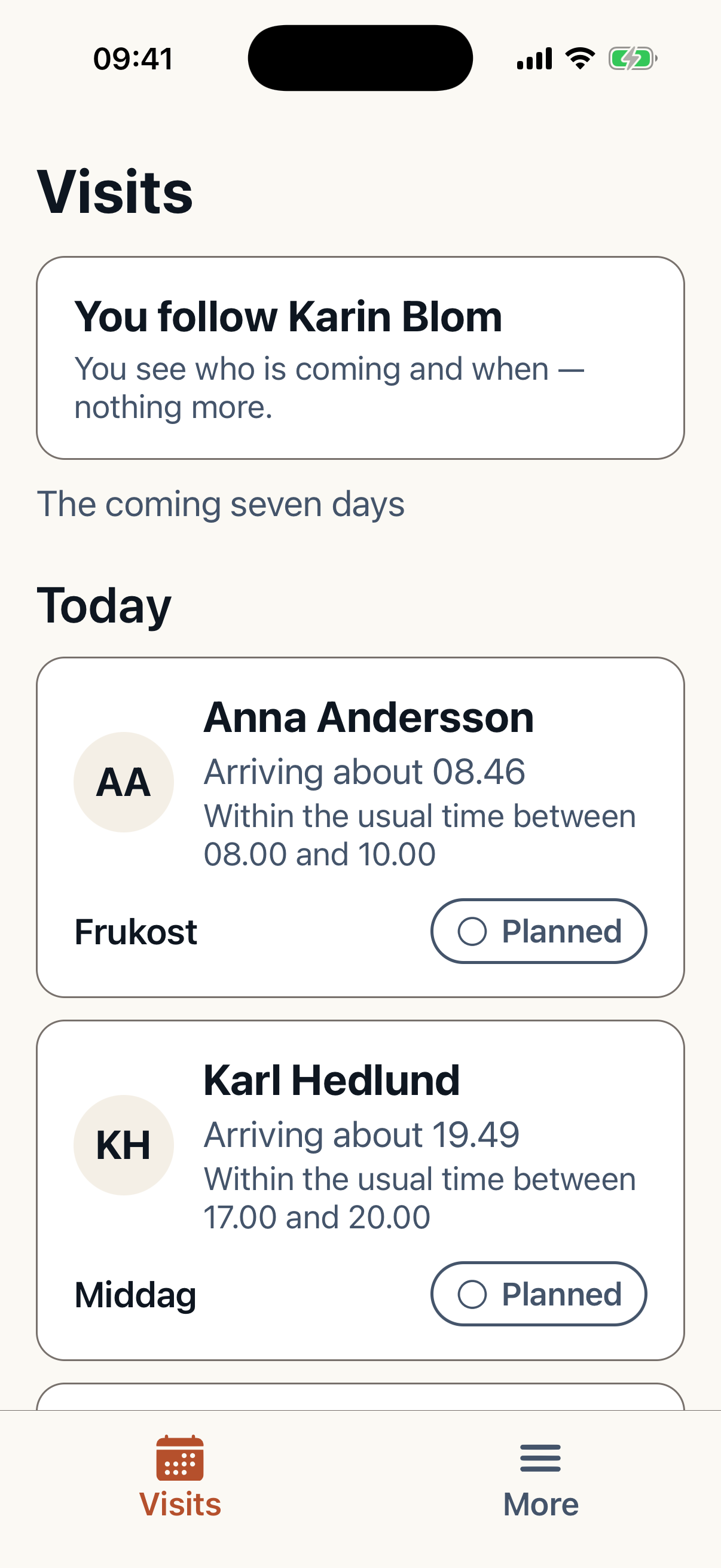
    Caire family app with communication feed

    The handbook follows the role

    The organization can create custom handbook pages for roles, service areas, client groups, and local routines. Caregivers see the right guidance near the visit, while clients and family only see information within their permission scope.
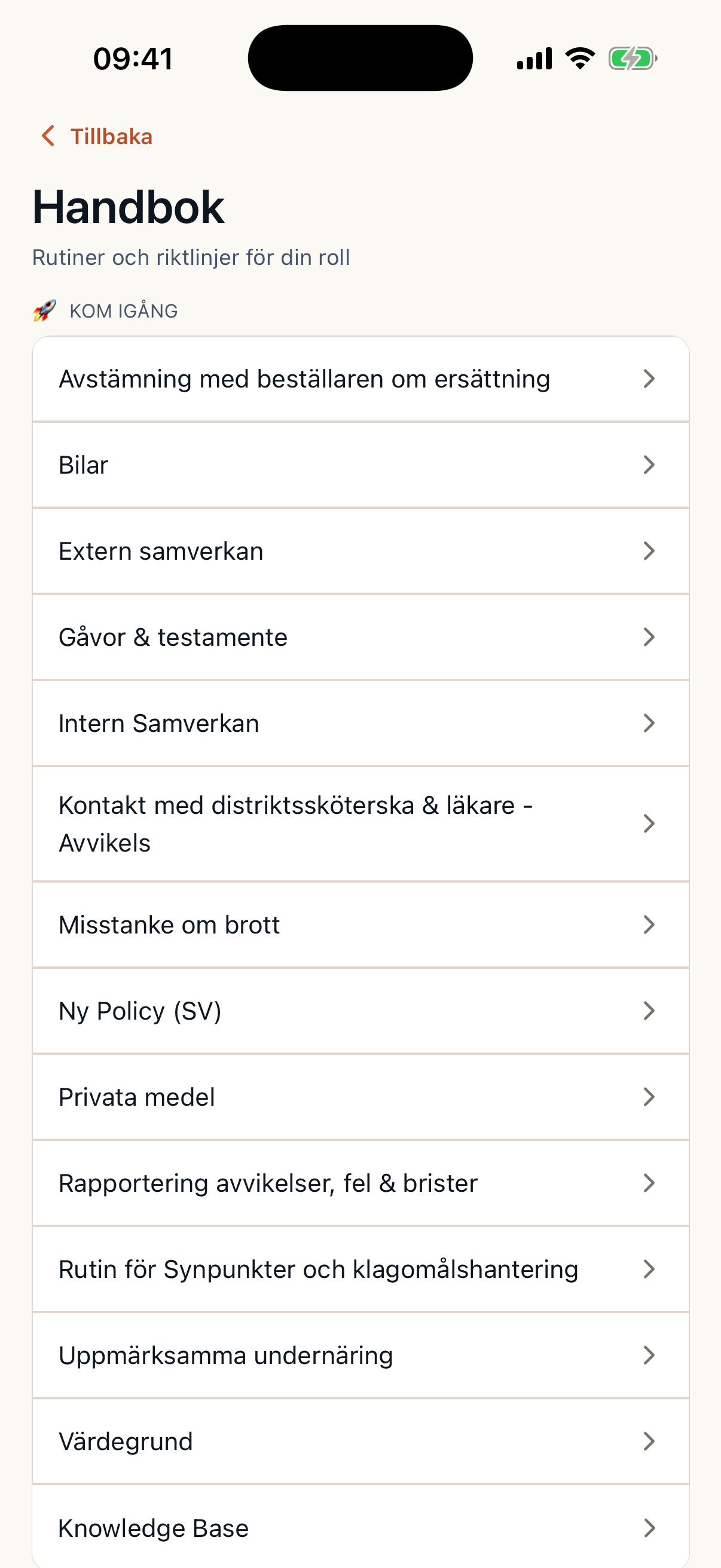
    Caire caregiver app handbook page

    From mobile execution to better planning

    The apps send deviations, delays, execution status, and planner-approved feedback back to Caire Core. That creates a transparent continuous learning loop without removing planner responsibility.

    Location and presence with consent

    EVV, NFC, timestamps, and consent-gated location create reliable follow-up. Location data is presented as decision support and audit trail, not hidden surveillance.
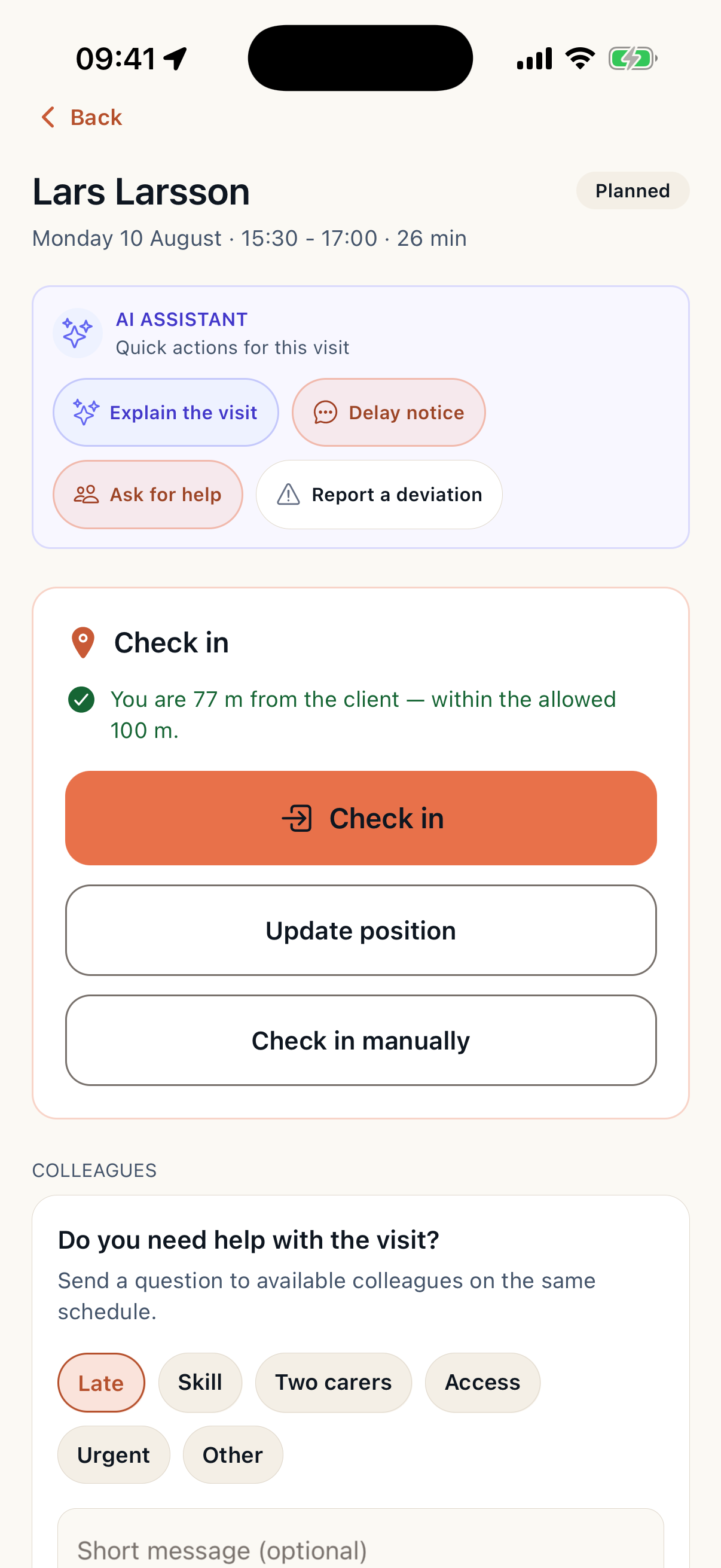
    Caire caregiver EVV check-in screen

    Deep dive

    How the workflow works in practice

    Product detail

    Mobile Apps for Caregivers & Clients

    Workflow section

    Mobile Apps for Caregivers & Clients

    Clarity and peace of mind for home care. CAIRE Caregiver gives caregivers schedule, check-in at visits, notes, and voice documentation. CAIRE Client gives clients and relatives schedule visibility, live tracking, and communication. One unified view—regardless of how visits are verified.

    Workflow section

    Why CAIRE Mobile?

    One unified view of completed visits, straight from the field. Less administration, better transparency, and faster insight for managers and clients.

    Workflow section

    Direct from mobile

    Caregivers check in and document at the visit. No duplicate systems or delayed import flows.

    Workflow section

    One verified picture

    One view of all visits—regardless of verification source. Managers and clients see the same picture.

    Workflow section

    Clients and relatives

    Live tracking and schedule visibility bring peace of mind. Know who's coming and when.

    Workflow section

    Two Apps

    CAIRE Caregiver for employees. CAIRE Client for clients and relatives.

    Workflow section

    Employee-facing

    Schedule views (today, weekly) EVV check-in/out (multi-source) Visit execution (notes, photos, tasks) Voice documentation Self-service: availability, shift swap, book off Messaging to schedulers and team Gamification: goals, badges, progress Handbook integration offline CAIRE Client

    • Schedule views (today, weekly)
    • EVV check-in/out (multi-source)
    • Visit execution (notes, photos, tasks)
    • Voice documentation
    • Self-service: availability, shift swap, book off
    • Messaging to schedulers and team
    • Gamification: goals, badges, progress
    • Handbook integration offline

    Workflow section

    Client & relative-facing

    Today's visits with caregiver info and visit description Live tracking with consent Arrival countdown and travel time Book off or reschedule visits Messaging to caregivers and care team Family sharing—relatives see the same view WCAG 2.1 AA accessibility

    • Today's visits with caregiver info and visit description
    • Live tracking with consent
    • Arrival countdown and travel time
    • Book off or reschedule visits
    • Messaging to caregivers and care team
    • Family sharing—relatives see the same view
    • WCAG 2.1 AA accessibility

    Workflow section

    EVV: Electronic Visit Verification

    Verify visits multiple ways—smart lock, NFC tag, GPS, or manual. All sources feed one view for compliance and billing.

    Workflow section

    Automatic verification

    Open door, record entry/exit. Official billing record where municipalities use smart locks.

    Workflow section

    Physical presence

    Tap phone at client location. Verifies the caregiver was on site.

    Workflow section

    Geofence

    Verify proximity within radius. Works when no extra hardware is available.

    Workflow section

    Caregiver Features

    Schedule, check-in, documentation, self-service, and communication. Built for use in the field.

    Workflow section

    Current and next visit

    Client name, address, travel time. One-tap check-in. Overview of hours worked and visits completed.

    Workflow section

    Daily and weekly view

    Timeline with visits, breaks, and travel. Simple overview of the week.

    Workflow section

    Tasks and notes

    Care plan, task checklist, text or voice notes, photo. Alert if check-in is late.

    Workflow section

    Availability, shift swap, book off

    Update availability. Request shift swaps. Report sick leave or book off. Less administration.

    Workflow section

    Team communication

    Chat with schedulers and colleagues. Quick questions, deviations, coordination.

    Workflow section

    Goals and progress

    Badges, goals, and insights. Celebrate strong performance and continuity. Engagement that drives quality.

    Workflow section

    Document even without network

    Schedule and check-ins sync when back online. Caregivers can work in areas with poor coverage.

    Workflow section

    Policy and procedures offline

    Integrated employee handbook. Search, favorites, and quick access to procedures even without network.

    Workflow section

    Client Features

    Schedule transparency, live tracking, communication, and accessibility. Built for clients and relatives.

    Workflow section

    Today's visits

    Caregiver photo, name, expected arrival. Visit description and care instructions. Weekly calendar with type and time.

    Workflow section

    Real-time caregiver location

    See caregiver location (with consent). Arrival countdown and updated travel time. Peace of mind as the visit approaches.

    Workflow section

    Change or cancel visits

    Request to change or cancel visits. Approval flow to scheduler. More flexibility for the client.

    Workflow section

    Communication with care team

    Chat with assigned caregiver or admin. Questions, notes, and quick coordination.

    Workflow section

    WCAG 2.1 AA

    Large text mode. High contrast. Screen reader optimized. Built for elderly users.

    Workflow section

    Voice Documentation

    Document by voice instead of typing. Less time on administration, more time with the client.

    Workflow section

    Faster documentation

    Record during or after the visit. AI-assisted structuring. Support for clinical notes.

    Workflow section

    Improved notes

    Less risk of missing important details. Structured documentation for easier follow-up.

    Workflow section

    Related Resources

    Explore the platform and products.

    Workflow section

    Product ecosystem

    Products and how mobile fits into the ecosystem.

    Workflow section

    Platform overview

    Scheduling, integrations, and lifecycle.

    Product detail

    Employee handbook moved

    Workflow section

    Employee handbook moved

    Continue to Caire mobile apps