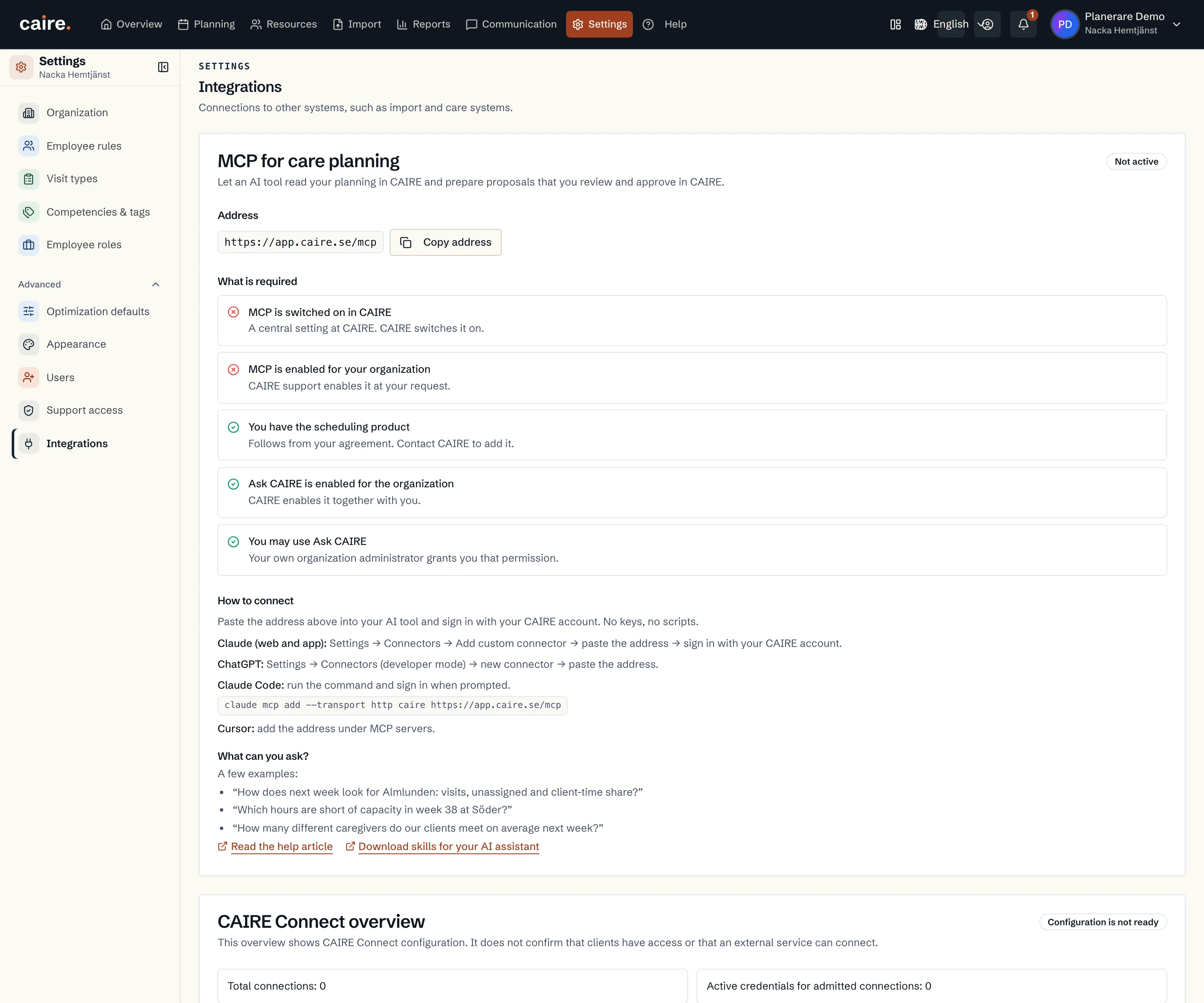
Connect an AI assistant to Caire with MCP.
MCP connects compatible AI tools to the planning data a member can already see in Caire. The assistant can summarize evidence and prepare proposals; a planner always reviews before anything changes.
Availability
Available when Caire has enabled MCP, the organisation has the required product and Ask CAIRE is enabled, and the organisation administrator has granted the member access.
Two ways to connect
Public calculators: client-facing time and hypothetical planning savings via https://www.caire.se/mcp, without sign-in and without customer data.
- Your planning: a compatible AI assistant reads the planning data the member can already see, and proposals are reviewed in Caire before anything changes.
Get started
The MCP guide in the Help Center covers activation, permissions, compatible clients and common questions.
Connect your planning assistant
Read the current access requirements and client-specific setup in Help Center.
Settings → Integrations: the MCP address, what is required and how to connect Claude, ChatGPT, Claude Code or Cursor (example data).