- For
- Coordinator · Unit manager
- Step
- 2 Care plan
- Type
- Guide
A visit template is a rule, not a date
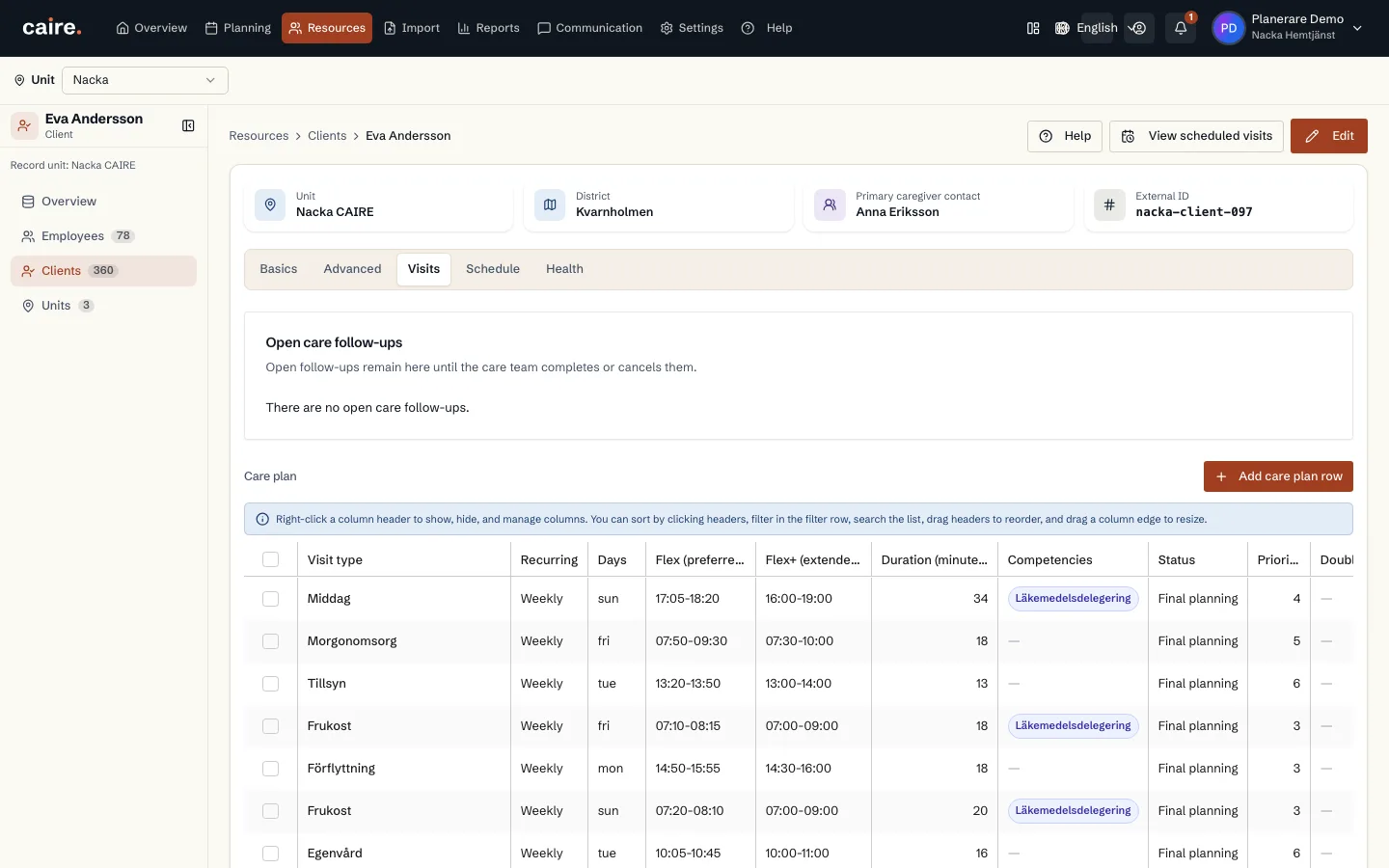
Each service in the client's care decision becomes one or more visit templates. Together they form the client's care plan (genomförandeplan): what is done, how often, for how long and within which time window.
Dated visits are created only when a schedule is created for a period. That is why you can change a template without anything already planned moving.
Add a service
The frequency can be daily, weekly, every other week, monthly, every N weeks or months, or once a year. The preferred time is the time Caire tries to keep. The allowed time window is the limit the visit must stay within.
- 1. Open the client and the Visits tab.
- 2. Add a visit and choose a service from the organisation's register, or type your own description.
- 3. Enter the duration in minutes, the frequency, the preferred days and the time windows.
- 4. Enter required skills if the visit needs them.
- 5. Save.
Skills, priority and rules
- Skills are requirements. An employee who lacks a skill the visit requires never gets the visit.
- Priority goes from 1, highest, to 10, lowest.
- A mandatory visit must be scheduled and cannot be skipped.
- Allow overlap lets the visit happen at the same time as another visit for the same client.
Two staff
Switch on two staff required when the visit needs two. Caire creates a mirrored partner visit when you save, and both start together. If the second person is needed for only part of the visit, choose the whole visit, the start or the end of the visit, and enter the minutes.
Change once or for good
The Visits tab lists all the client's templates with a week view below. The double-visit and visit-chain badges show which visits belong together.
- Changing a visit in the schedule affects only that occasion. The template does not change.
- Changing the visit template affects every schedule created from then on. Schedules that already exist do not change.