- For
- Coordinator · Administrator
- Type
- Guide
The reports you need
In Caire the source is the care management system you use. The import uses Excel reports in .xls or .xlsx. A PDF or your own Excel roster is not the same as a supported export. Choose the same period in every report.
- Required: Utförda besök (performed visits), exported to Excel with one row per visit. It gives planned and performed visit times.
- Required: Kunder/Brukare (clients), exported to Excel with personal identity number and address. The same client identifier must appear in both reports.
- Optional: the Medarbetare (employee) register with employee number and signature. It links visits to employees, also across units.
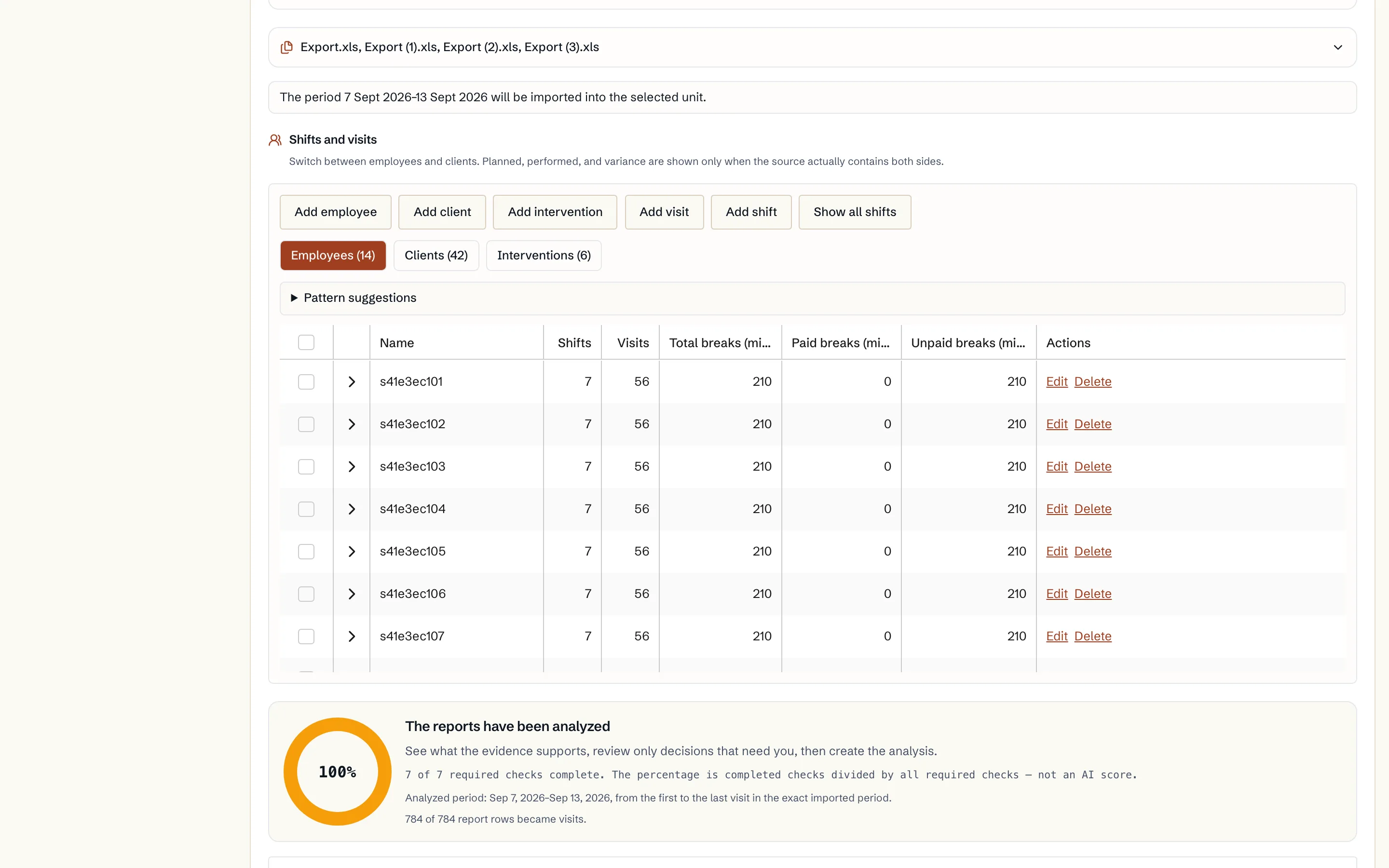
- Optional: shifts with break details from your rostering or payroll system for the same period.
Upload and analyse
- 1. Open Import. The page has three steps: upload, analyse and done.
- 2. Choose the unit. Caire uses the unit's address to check travel in the preview.
- 3. Choose your care management system as the source. The report guide shows where the exports are.
- 4. Read how the reports are handled and drop the files in the box.
- 5. Choose Analyse and review clients, addresses, visits, employees and services.
Review before you save
Existing records shows which of the report's clients and employees already exist in Caire, and in which unit. Rows that belong to another unit stop the import until they are resolved there.
The report mapping shows how each column is read. Visits that cannot be read are shown with the reason. Caire does not guess which person a row concerns. You can pick another column or an existing person and update the preview.
Finally choose an existing unit or a new unit and save. Cancelling the import discards the selected files and the preview.
What is stored, and what is not
- Stored: client and staff names, client identifiers, client address, and visit and time details.
- Personal identity numbers are not written to the client register. They are replaced with a pseudonym before the analysis.
- Free-text notes, medication and door codes are removed before anything can be saved. The reports themselves are not stored.
After the import
The import shows what the period contained. It does not work out future availability, employment contracts, skills or flex. So before the unit is planned for real, check:
- that every client has at least one visit template,
- that every visit template has a time window and a service,
- that double staffing and dependencies look right,
- that every employee belongs to the right unit and has shifts,
- that the unit's address is correct.