Care plan and visit templates
Guide
See how visit templates define service, frequency, time windows, and chains before schedule creation.
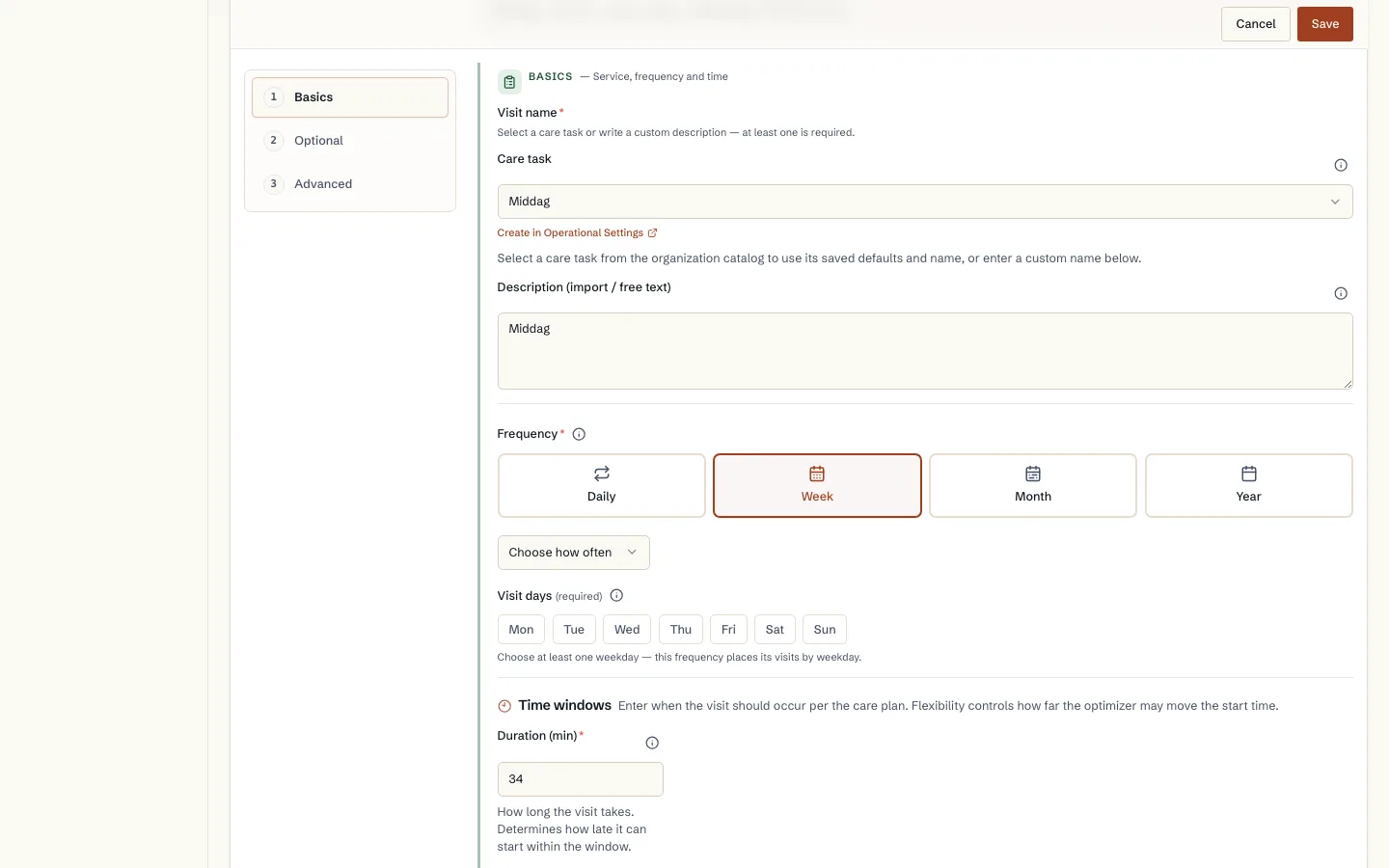
- 1. Choose service or description.
- 2. Set frequency and days.
- 3. Check preferred and allowed time windows.
- 4. Add chains or double staffing when needed.
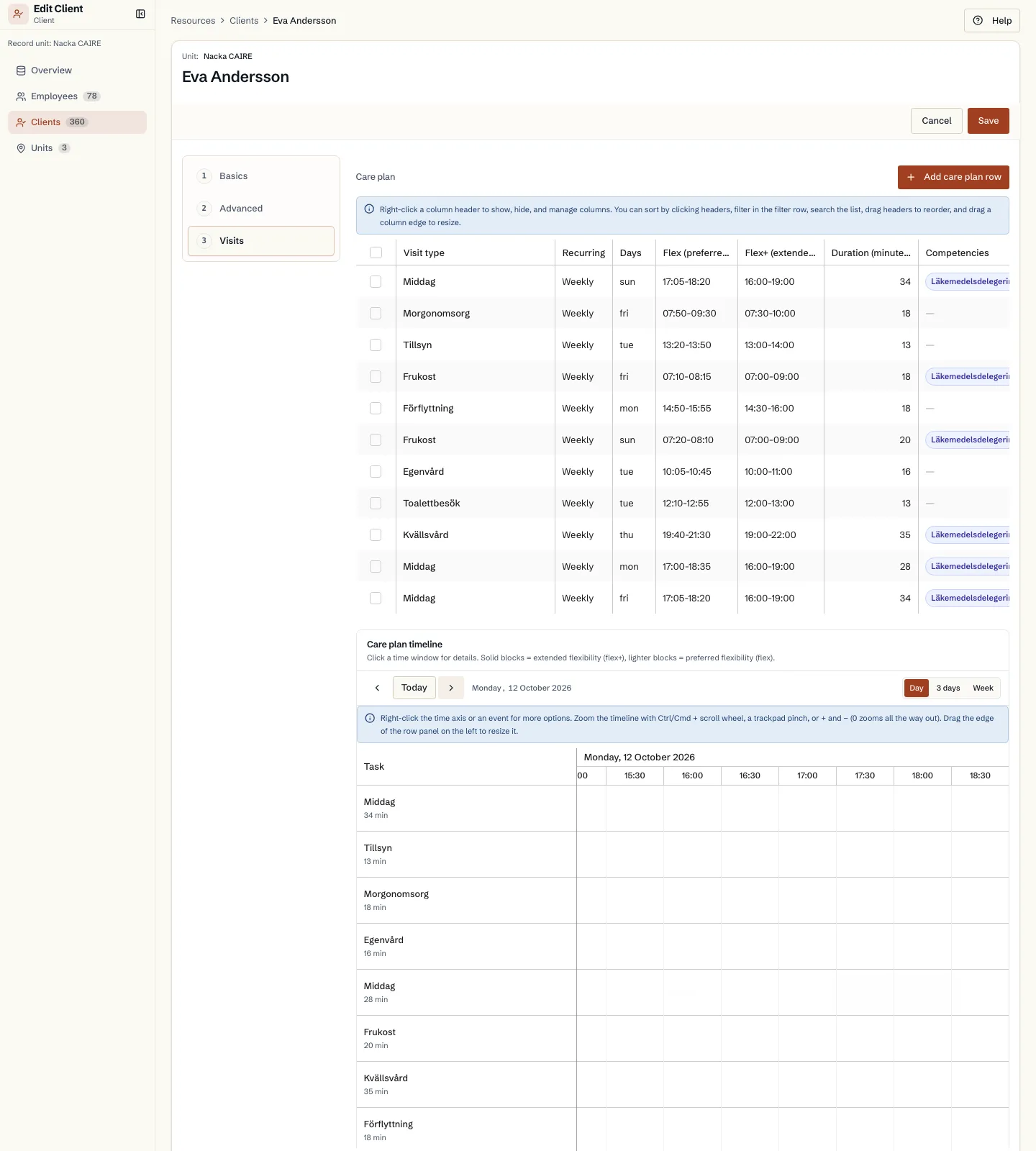
The Visits tab in the client form
Fields and use
| Field | Level | Why it matters | Used for |
|---|---|---|---|
| Service or description | First schedule | Names the visit template and links it to a standard service when available. | Lists, calendar labels, import traceability, and defaults from the service catalog. |
| Frequency and visit days | First schedule | States how often the template becomes concrete visits and which weekdays are fixed. | Materializing dated visits in a planning period. |
| Plan time window | First schedule | States when the visit should normally happen. | First schedule and the client's planned time. |
| Extended allowed window | Better metrics | Adds flexibility without hiding the planned preferred time. | Route optimization and peak-hour relief. |
| Duration, priority, and mandatory | First schedule | Describes how long the task takes, how important it is, and whether it may be skipped. | Capacity calculation, risk level, unassigned visits, and prioritization under capacity pressure. |
| SLA and time note | Advanced | Sets the latest preferred completion time and preserves free text such as Morning or Afternoon. | Soft end-time guidance, import explanation, and planner interpretation of clock-time data. |
| Skills and preferences | Better metrics | Shows which skills and caregiver preferences apply to this specific task. | Staff matching, continuity, and explanations for unassigned visits. |
| Dependencies, visit chains, and double staffing | Advanced | Describes relationships between visits and whether multiple people should be with the client at the same time. | Before/after ordering, minimum gaps, same caregiver rules, and group visits. |
| Service type, visit type, and address | Advanced | Classifies the visit and states whether it should be planned at another address than the client's home. | Reporting, filtering, schedule display, and geo-routing. |
| Scenario lock, employee lock, and notes | Advanced | Protects sensitive rows from scenario changes, locks to a specific employee, or stores operational free text. | Contractually fixed visits, fixed relationships, import metadata, and audit trail. |
Where it appears