Compare schedule proposals and choose the one that fits
Caire produces several proposals for the same period. You see them side by side, from the same input and with the same definitions, and the planner chooses which one is published.
Current page
Compare proposals
See proposals side by side and choose before you publish.
Why compare schedule proposals?
A schedule is always a trade-off. One proposal may assign more visits but need more paid time; another gives shorter travel but more different caregivers for the same client. With the proposals side by side you see what you gain and what it costs.
How you compare
- 01
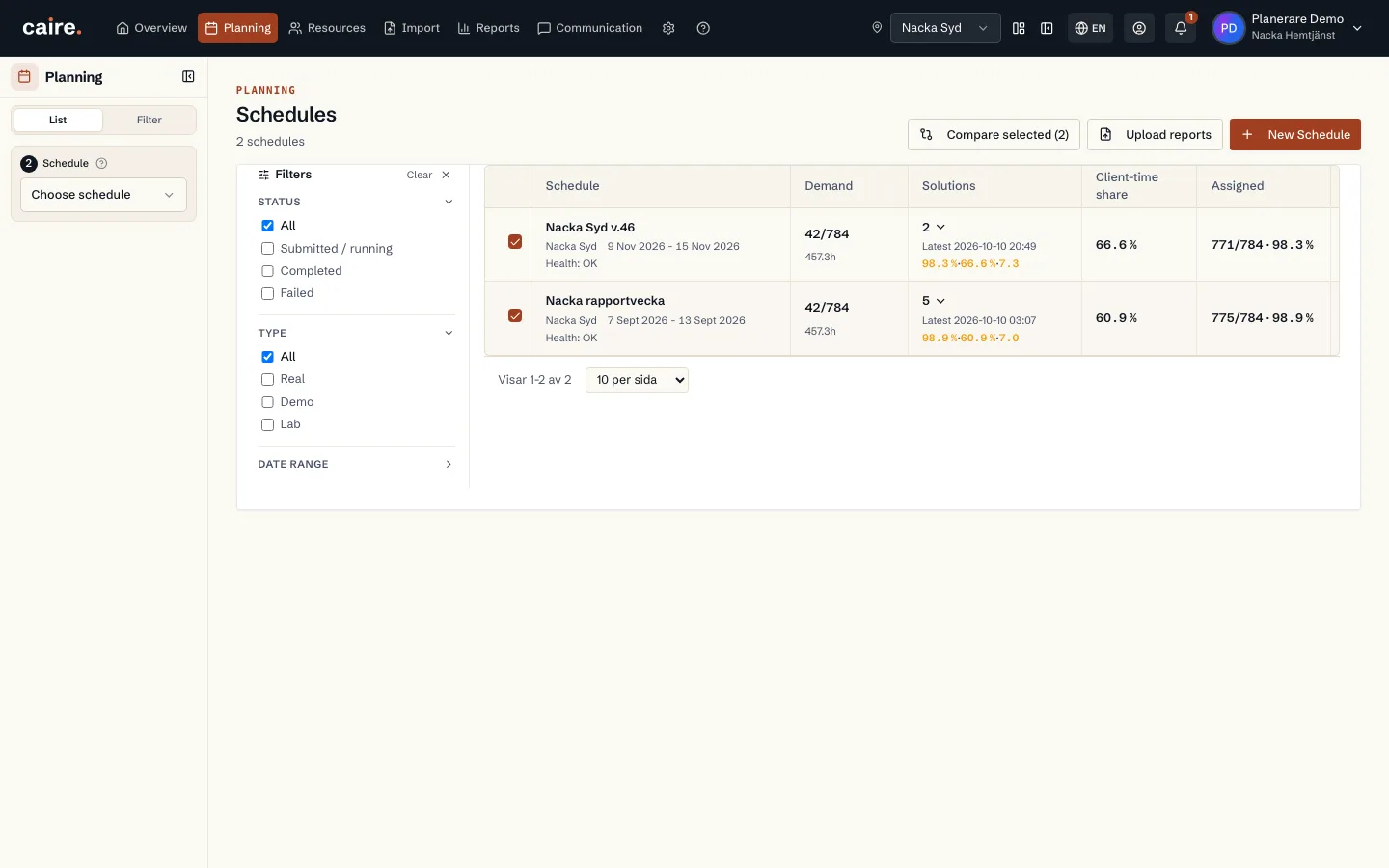
Pick schedules in the list
Tick schedules in the schedule list and choose Compare selected. The comparison opens each schedule's best proposal.
- 02
Visits and time side by side
Visit assignment shows total, assigned and unassigned visits. The time mix splits paid time into visit time, travel, waiting, paid idle time and breaks.
- 03
Compare in the calendar
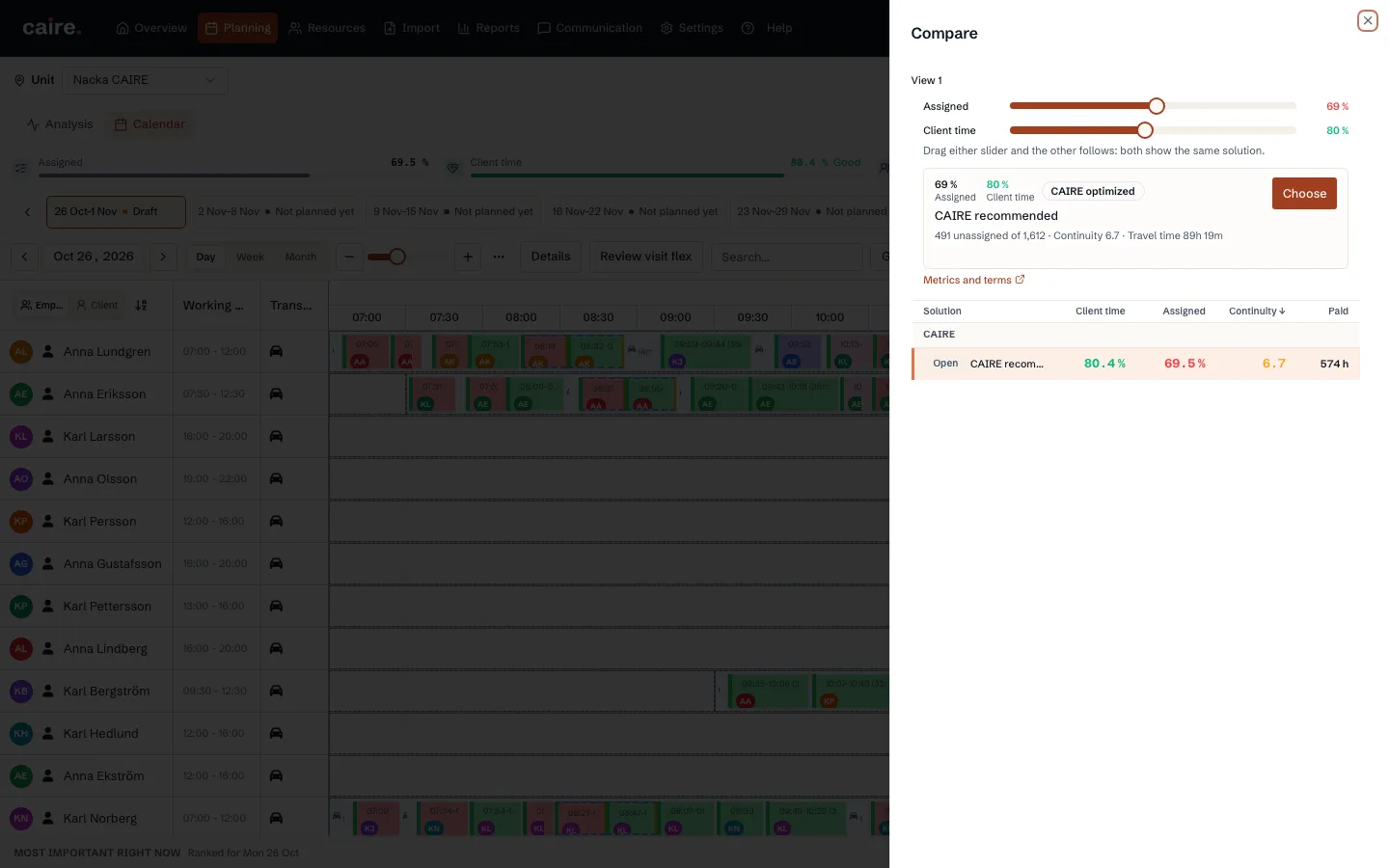
The Compare panel lists the schedule's proposals with client time, assigned visits, continuity and paid time. With View 2, two proposals sit in separate calendars for the same date.
- 04
Publish the one you chose
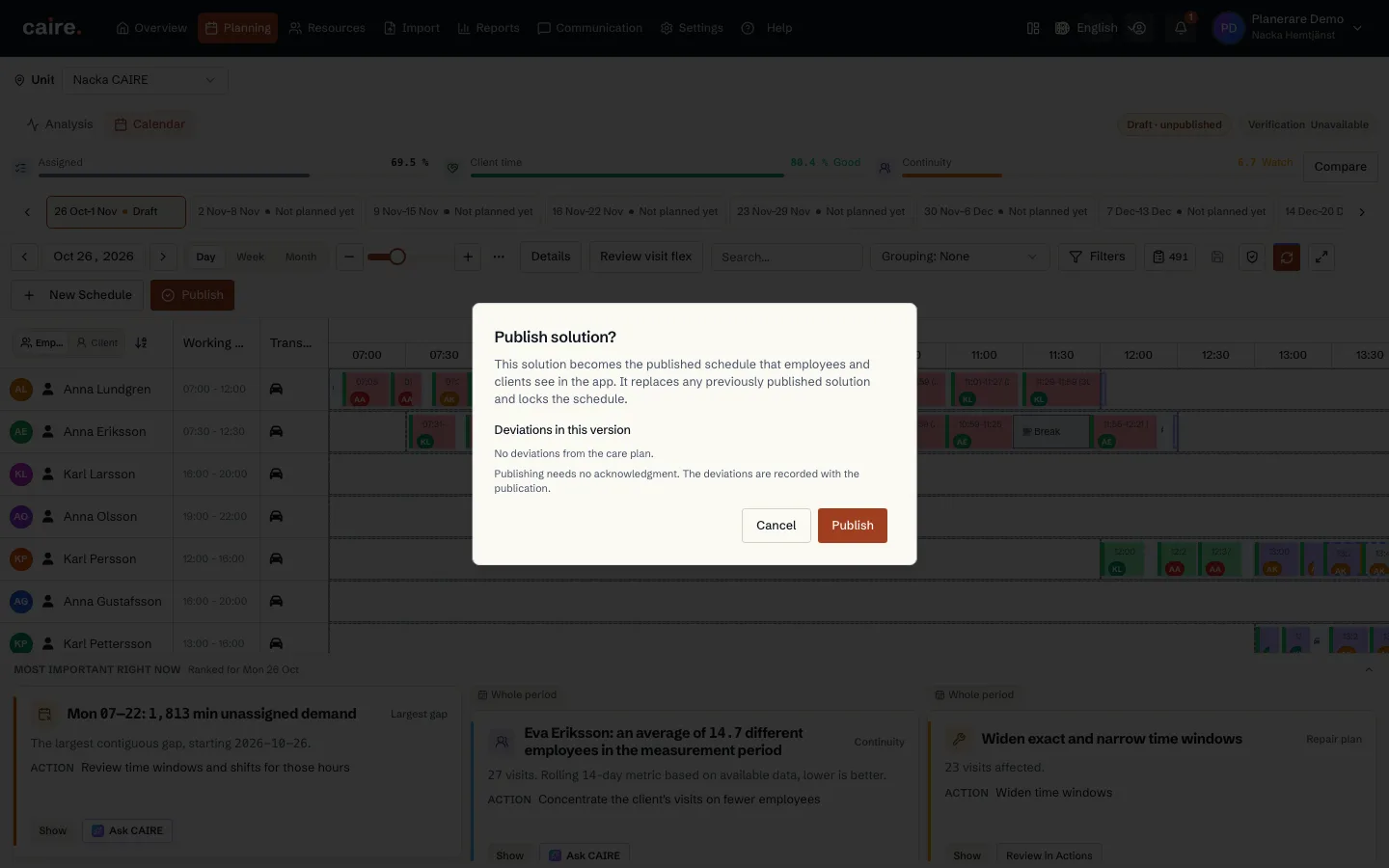
Before a proposal is published Caire shows what that means: it becomes the schedule staff and clients see, replaces an earlier published proposal and locks the schedule.
Same input, same measures
Proposals are compared within the same period and with the same metric definitions. Client-time share is visit time divided by paid working time minus breaks. Visits that do not fit a proposal are shown openly as unassigned, with a reason.
The planner decides
Caire never publishes a schedule on its own. The comparison is decision support; the planner makes the choice and publishes. The publication history shows which proposal was published and when.
Questions about comparing proposals
What is a schedule proposal in Caire?
A saved result of scheduling for a period. Each proposal has its own visits, shifts and measures, and none of them applies until the planner publishes it.
Which measures can I compare?
Assigned and unassigned visits, the split between visit time, travel, waiting, paid idle time and breaks, client-time share, continuity and paid time.
Can I compare more than two proposals?
Yes. The comparison page can show several saved proposals side by side, and the calendar panel lists every proposal for the schedule.
Is anything published automatically?
No. A proposal becomes the schedule only when the planner publishes it, and Caire shows what publishing means before you confirm.
Read next
Compare proposals for your own schedule
Send your current schedule for a free schedule analysis, or click through the comparison in the interactive demo.