Three rules
- Before publication, unassigned demand is the point on the curve you chose, not a defect of the draft. More assigned visits cost more paid hours; you choose the balance.
- Kalender and Analys are two views of one solution. Every edit, wherever you make it, is saved as a new version.
- One filter drives the whole page: Tid and Resurs, plus Jämför med. Change it and every block follows.
How to read the page
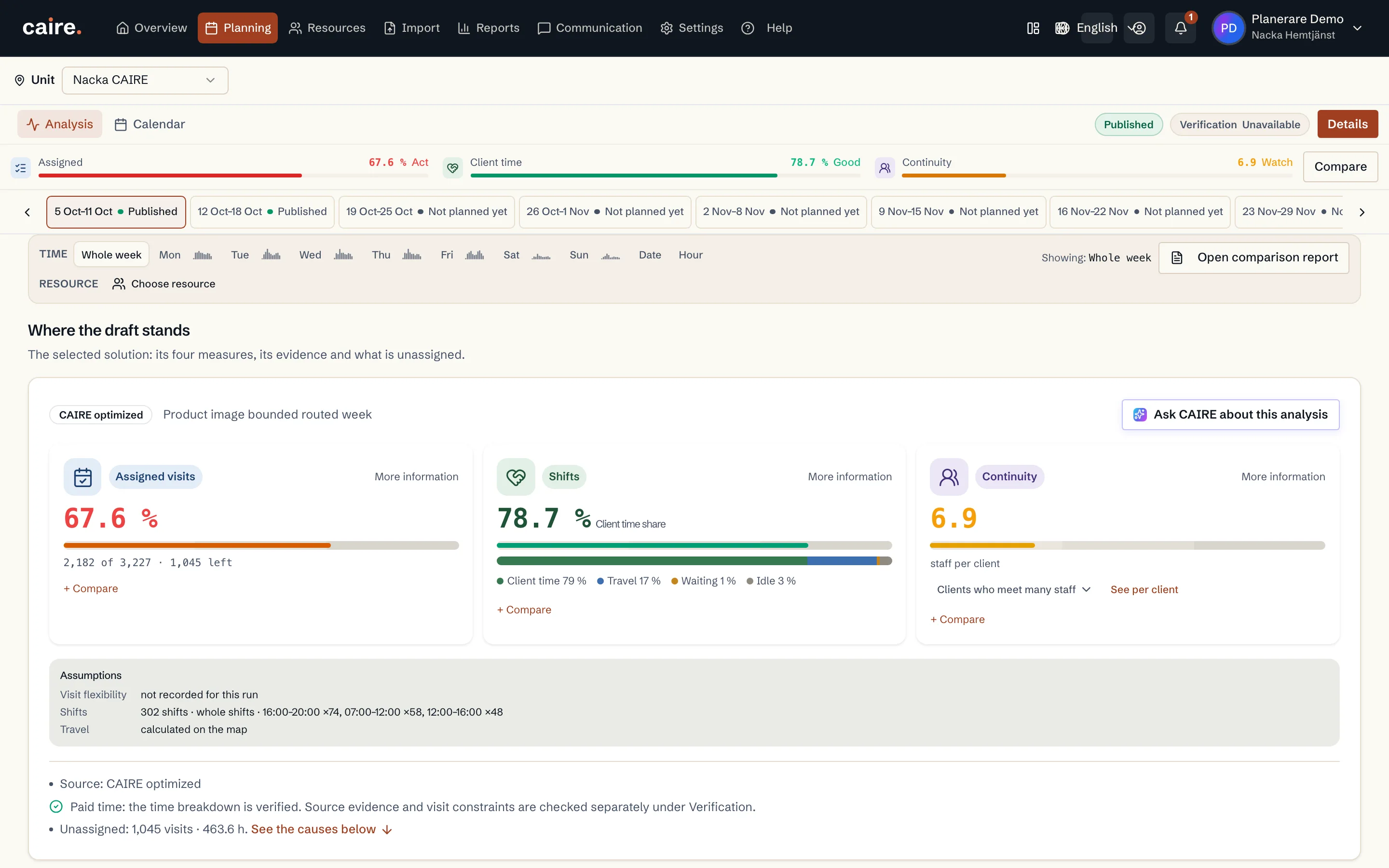
- Läget i utkastet: four meters (Tilldelade besök, Brukartidsandel, Kontinuitet and Restid) against the target and the reference, and how paid time is split.
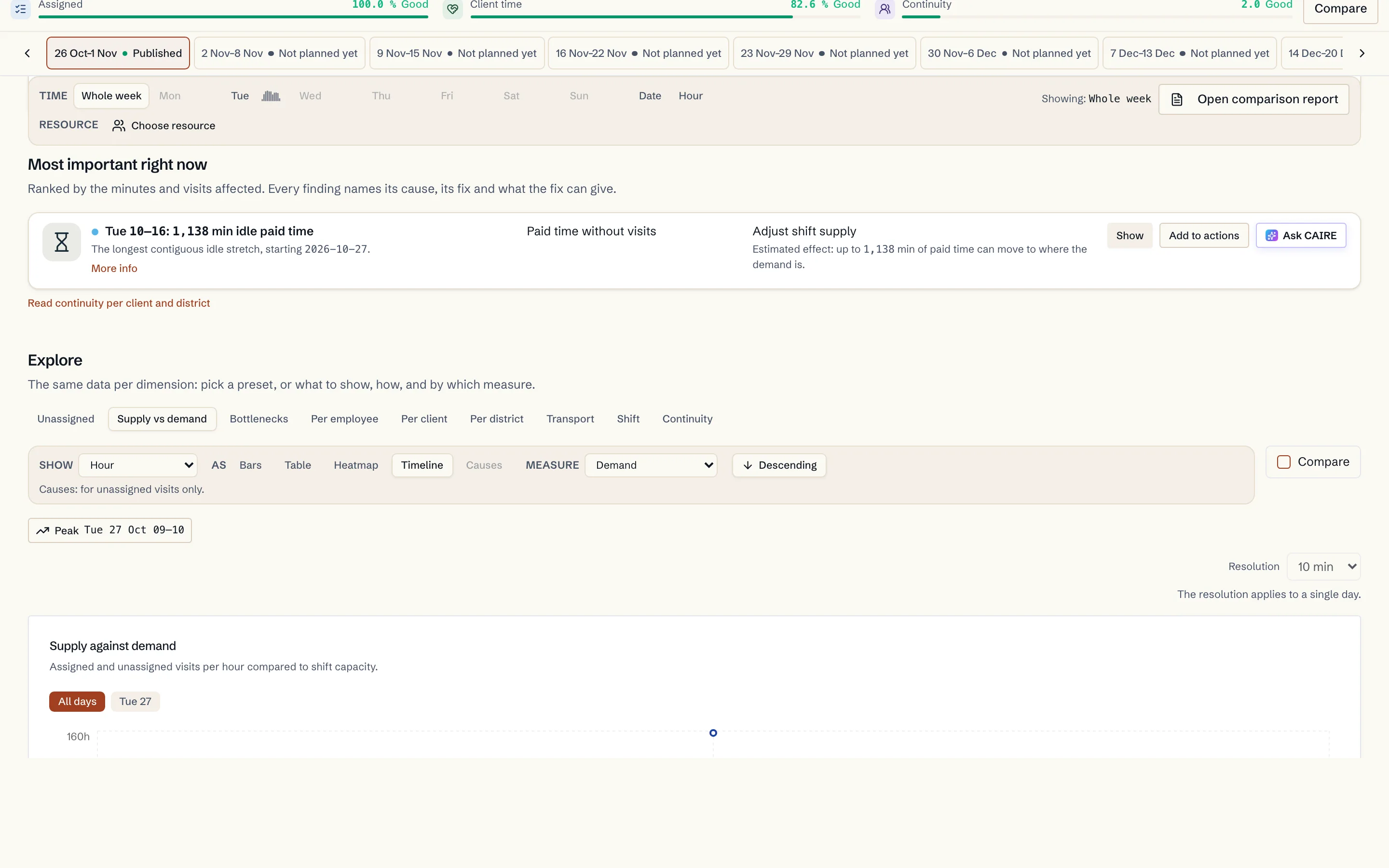
- Viktigast just nu: at most six findings, each with its number, its cause code, a lever, Mer info and Fråga CAIRE.
- Utforska: choose a preset such as Otilldelade or Per medarbetare, then focus or open a row.
- Åtgärder → Optimera om: collect the steps you want to try and start a new solution with them. In the free analysis Åtgärder is locked.
- Jämförelse: four values against the reference in Jämför med. The full comparison opens in its own view.
Seven states and their lever
Each state reads in the same order: what the data says, where it shows on the page, which lever helps and the flow that follows.
Unassigned: too few staff at that time
- Data: coverageMatrix shows more demand than supply in the same 15-minute slot. The cause is CAPACITY_GAP (bottleneck cause CAPACITY_SHORTFALL): there is no paid time to move there.
- On the page: Viktigast just nu, and Utforska › Otilldelade or Flaskhalsar.
- Lever: More supply at that time (SHIFT_SUPPLY): move the shift boundary at the 16:00 handover, add part-time shifts or more shifts.
- Flow: Lägg till i åtgärder → Optimera om → a new solution that replans both shifts and routes → compare → choose.
Unassigned: staff are free but cannot take the visit
- Data: The cause is BLOCKED_MATCH: paid time exists in the same slot, but a hard requirement blocks the match. It can be a time window too narrow for the visit (TW_TOO_NARROW), a skill, a designated caregiver or the mode of transport.
- On the page: Viktigast just nu, and Utforska › Otilldelade, Per brukare or Besök.
- Lever: Widen the window by 15 minutes (TIME_WINDOWS, saved as windowExpansionOverrides), change the mode of transport or release a lock (CAREGIVER_POOLS).
- Flow: Lägg till i åtgärder → Optimera om → the routes are replanned on the same solution.
Continuity above target
- Data: The cause is CONTINUITY: clientMetrics.continuityScore counts distinct caregivers per client and districtMetrics the same per district. The continuity role decides who counts.
- On the page: Viktigast just nu, and Utforska › Kontinuitet or Per brukare.
- Lever: Lock clients to caregivers, allow substitutes or change the continuity role (CAREGIVER_POOLS).
- Flow: Lägg till i åtgärder → Optimera om → compare continuity.
High travel time
- Data: districtMetrics.travel shows travel time per district and ScheduleEmployee.transportMode each caregiver's mode of transport. Travel is computed on the map for that mode.
- On the page: Utforska › Transport or Per distrikt.
- Lever: Change the mode of transport for caregivers with a driving licence, or adjust the district boundaries.
- Flow: Lägg till i åtgärder → Optimera om → compare travel time.
Data readiness
- Data: The cause is DATA_READINESS: solution.dataReadiness shows what the input lacks, and the steps in the DATA_FIX family name the records.
- On the page: Läget i utkastet › Databeredskap, and Viktigast just nu.
- Lever: Fix addresses, services and shifts in Resurser (DATA_FIX).
- Flow: Fix in Resurser → Optimera om.
Choosing among candidates
- Data: The curve sets the candidates against each other on unassigned, strictEfficiencyPct (client-time share) and continuityScore. Solution.source says how each solution was made.
- On the page: Jämförelse, and Avancerat › Lösningar.
- Lever: Compare with the published week, the previous one or a week of your own, and choose a candidate.
- Flow: Välj lösning → Publicera.
Glossary
- Tilldelat (assigned): share of demand with a caregiver. Rounded down, so 100% shows only when everything is assigned.
- Brukartidsandel (client-time share): visit time ÷ (paid shift time − breaks).
- Kontinuitet (continuity): distinct caregivers per client over 14 days. Lower is better.
- Otilldelat (unassigned): demand without a caregiver. It has two causes, CAPACITY_GAP and BLOCKED_MATCH.
- CAPACITY_GAP: no paid time to move into the slot, a real shortage fixed with supply.
- BLOCKED_MATCH: paid time exists, but a hard requirement blocks the match.
- TW_TOO_NARROW: the time window is too narrow for the visit.
- CONTINUITY: more distinct caregivers per client than the target.
- IDLE: paid time without visits or travel, that is idle and waiting time.
- DATA_READINESS: the input lacks something the optimisation needs.
- SHIFT_SUPPLY: levers on shifts, their times, length and number.
- TIME_WINDOWS: levers on time windows, widening or moving them.
- CAREGIVER_POOLS: levers on who may take the visit, such as locks, substitutes and the continuity role.
- DATA_FIX: corrections to the input, such as addresses, services and shifts.
Colours and symbols
- Pink: unassigned.
- Light blue: blocked match (BLOCKED_MATCH).
- Orange: assigned.
- Blue line: supply.
- Grey bar: the reference in Jämför med.
- Dark tick: the target.
- ● red, amber, blue: critical, warning, info.