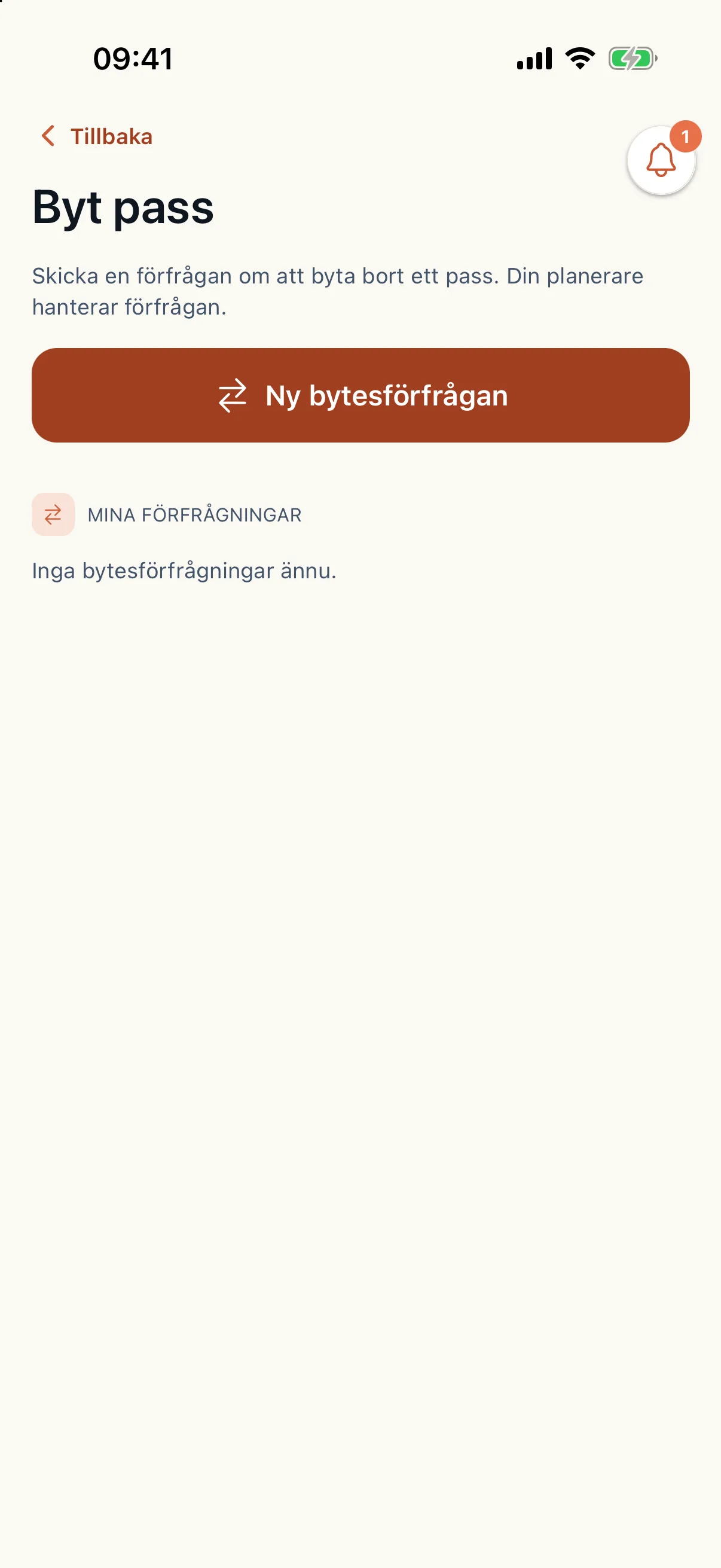
The caregiver reports in the app
Under More in the caregiver app there is Sick report. The caregiver picks the first and last day of sickness and sends it. The report goes straight to the planner. A caregiver without a connection calls their planner.
In the same menu the caregiver states their availability, offers an extra shift on a day they can work and asks to swap a shift. Caire uses the availability and the offered shifts when it looks for cover.
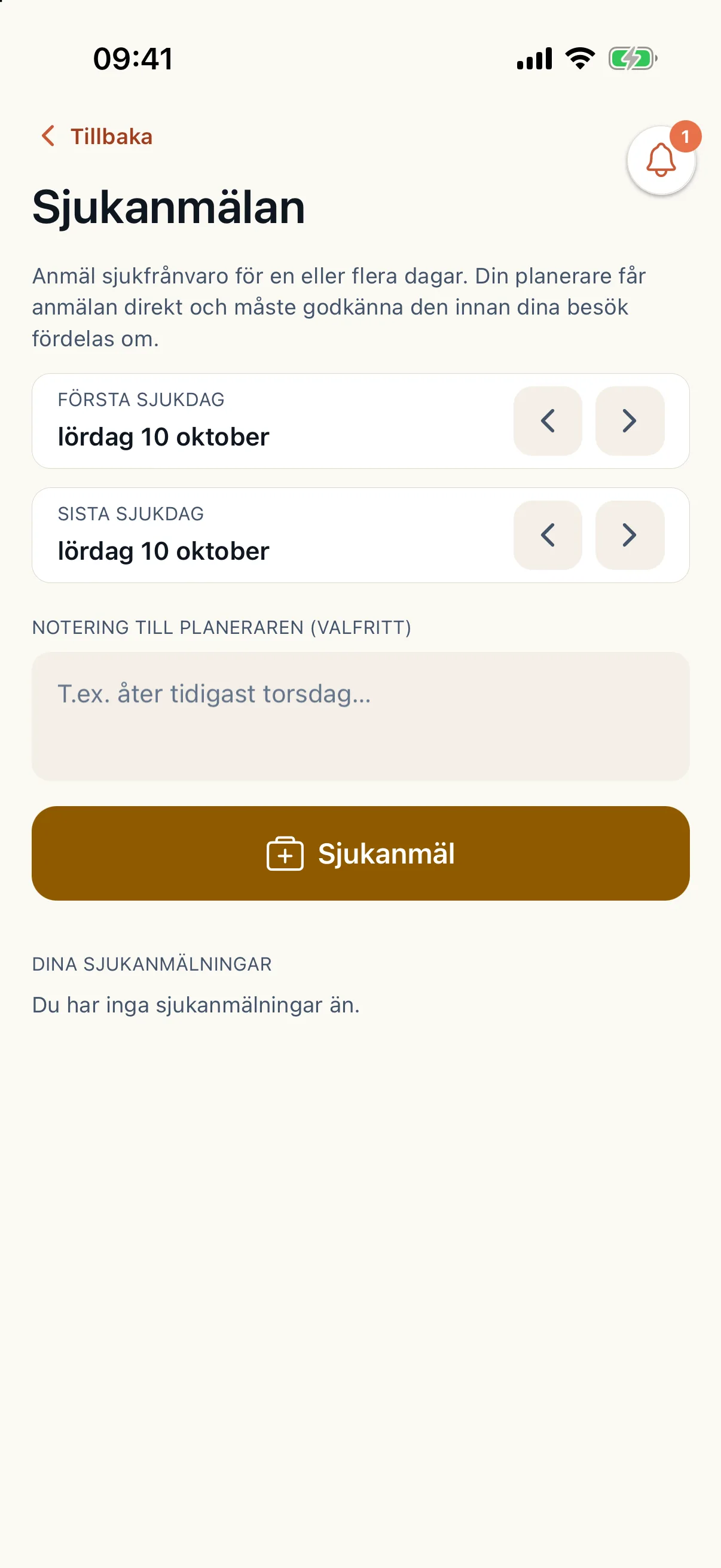
Gaps open only in the published plan
The report appears under sick reports to handle on the schedule overview, where you approve or decline it. An approval makes the absence count in coming planning.
When the report affects the published schedule, the shifts and visits without staff become gaps under Staffing (Bemanning) in the operations view. Drafts are not affected. Shift swaps, cancelled shifts and visits left unassigned after a re-plan appear there too.
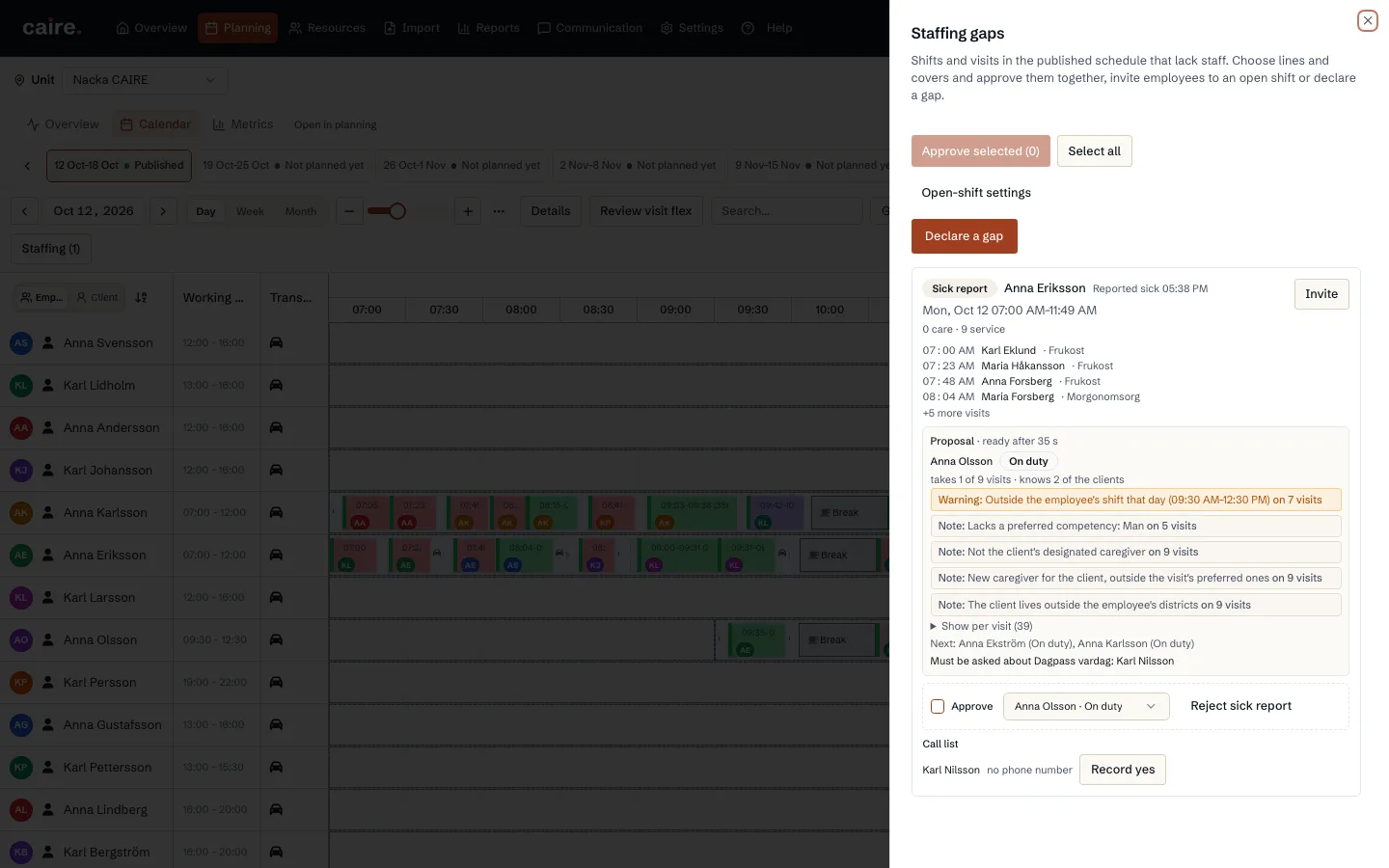
Caire proposes cover, you approve
For each line Caire searches among colleagues who are free or have offered time, and ranks them. The proposal shows how many of the visits the replacement takes and how many of the clients the replacement already knows.
Choose cover per line, or No replacement. Then select the lines and approve them: you can approve many lines at once. Caire works out the change and makes one new version of the plan that updates every affected route. Work already done does not move, and each affected caregiver gets one notification.
- If the result contains changes you have not approved, you review them before they are applied.
- Directly in the calendar you can right-click a caregiver and mark them sick with replacement. You confirm before a new solution is created.
When no one is free: open shifts
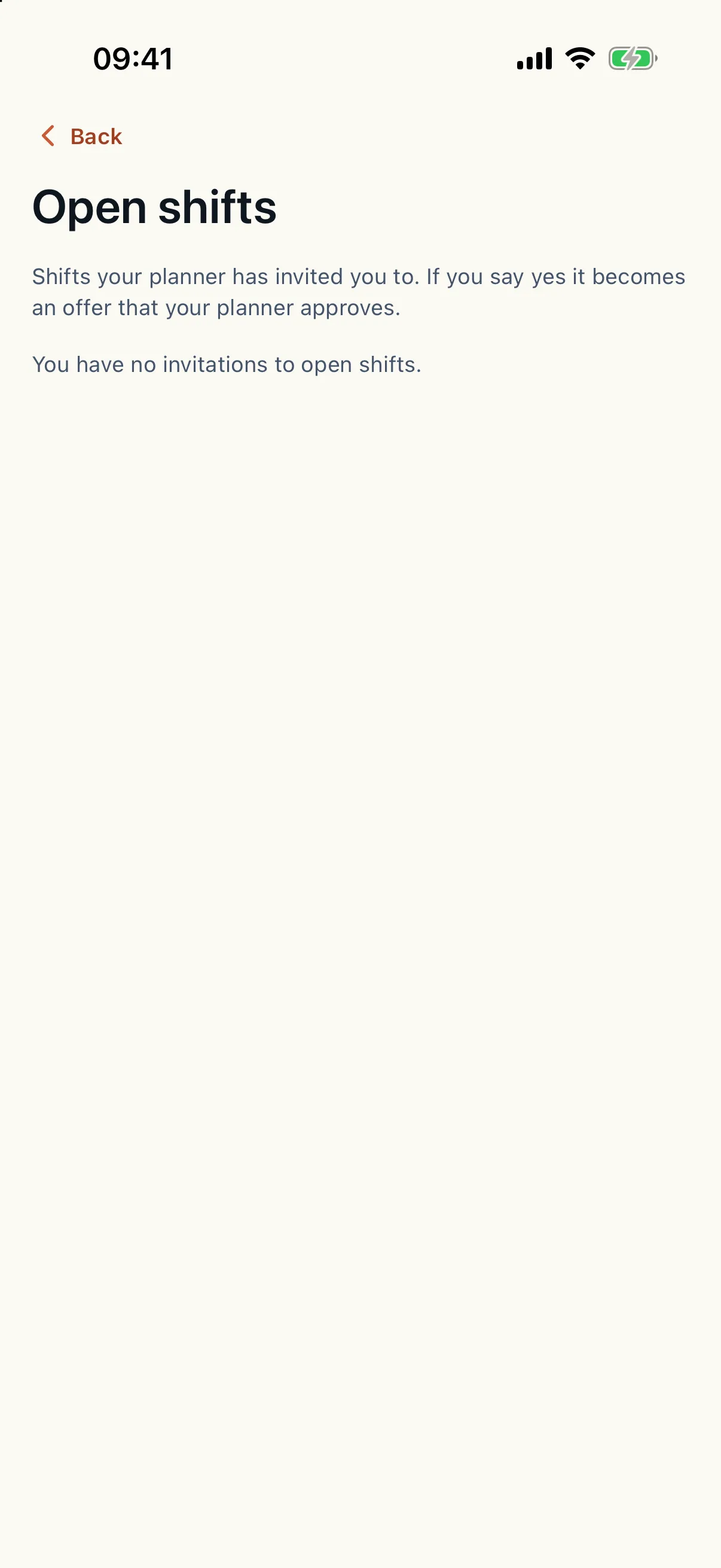
When no one can take the gap, you choose Invite. By default the five best-ranked caregivers get a push notification, and a text message if your organisation has switched that on. The invitation shows the shift and its visits, but never the client's name or address.
The caregiver answers yes or no under Open shifts. The first yes that passes the checks becomes the cover on that line, and the others are told the shift is filled. When someone says yes by phone, you record it from the call list. When a shift lacks staff for another reason, you add the gap yourself.
Shift swaps
A caregiver asks to swap a shift in the app. The request opens a gap, and Caire searches for cover the same way as for a sick call. You approve the swap and its cover as one line, or decline the swap. The schedule changes only once you have approved.