A schedule starts as a draft
A new schedule is a draft (Utkast). In the draft you compare solutions, move visits in the calendar and optimise again. Your own placements are kept when you re-optimise, and rule breaks show as warnings.
When you save the draft and then validate or optimise, it becomes a new version. Nothing is published yet, and staff see nothing of the draft.
Where automatic planning is switched on for the unit, Caire prepares drafts up to eight weeks ahead and flags a week that is still unpublished seven days before it starts. It is an option switched on per unit. The drafts never publish themselves.
How to publish
- 1. Choose the solution you want to publish. Only a completed route solution can be published.
- 2. Choose Publish (Publicera) and confirm.
- 3. When Publish cannot be chosen, the same unit and period already has a published schedule, or the period has ended. Unpublish first, confirm, and then publish.
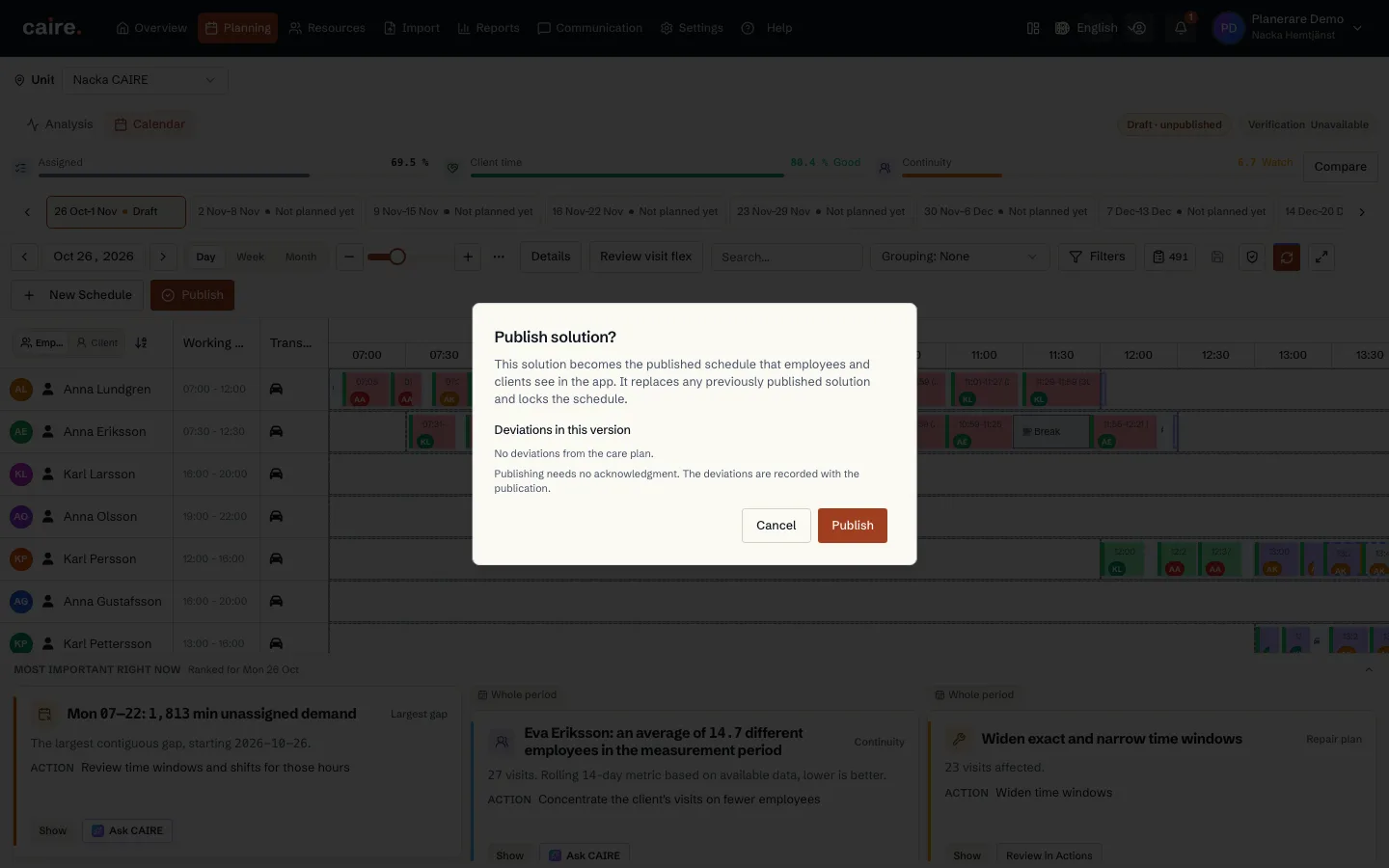
What happens when you publish
The solution becomes the schedule caregivers and clients see in the app. There is one published plan per unit and period, so the new one replaces an earlier published solution. Each caregiver gets one notification with their route.
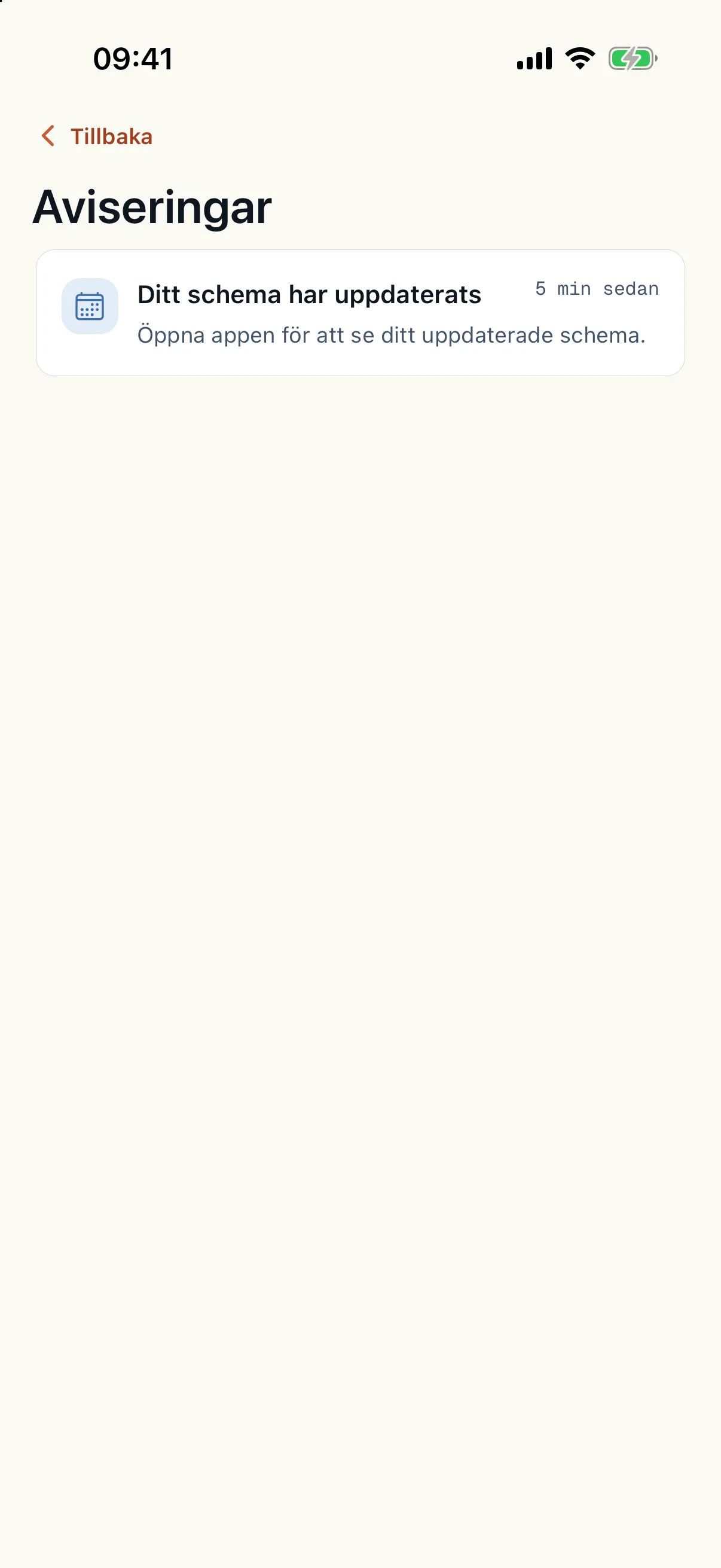
After publication
The published plan is never planned again from scratch. Each change becomes a new version of it. A sick call, a cancellation or an extra visit becomes a quick update within the rules you have set: Caire recalculates from the current plan in a few minutes, and work already done stays where it is.
Changes in the operations view are never made directly in the published schedule. Caire first works out a proposal, which you review before you approve and apply it. Every change is recorded with a receipt, and the publication history shows which version applies.
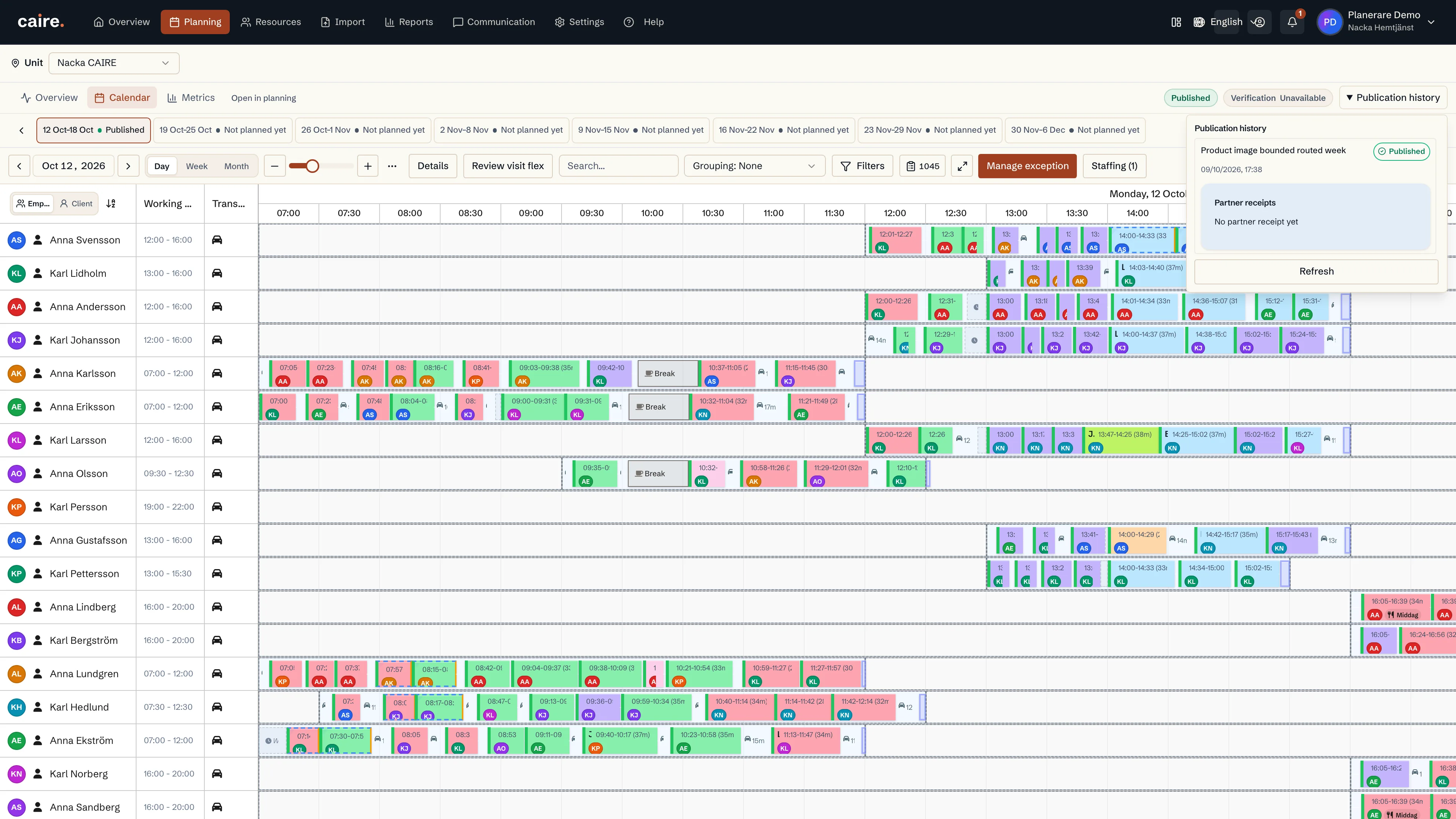
Only a planner publishes
Caire and Ask CAIRE propose and explain, but never publish a new plan. A planner always does. Updates applied without a planner inside agreed limits are an option switched on per unit.