- For
- Coordinator · Administrator
- Type
- Guide
The list shows what is needed now
Get started with Caire gathers what your first schedule needs. You can do the steps in any order, and no step locks another. Each step shows whether it is required, recommended or optional, and roughly how long it takes.
A first schedule needs three things: the organisation's details, a unit and at least one complete client with one complete visit. The unit is normally created from the office address.
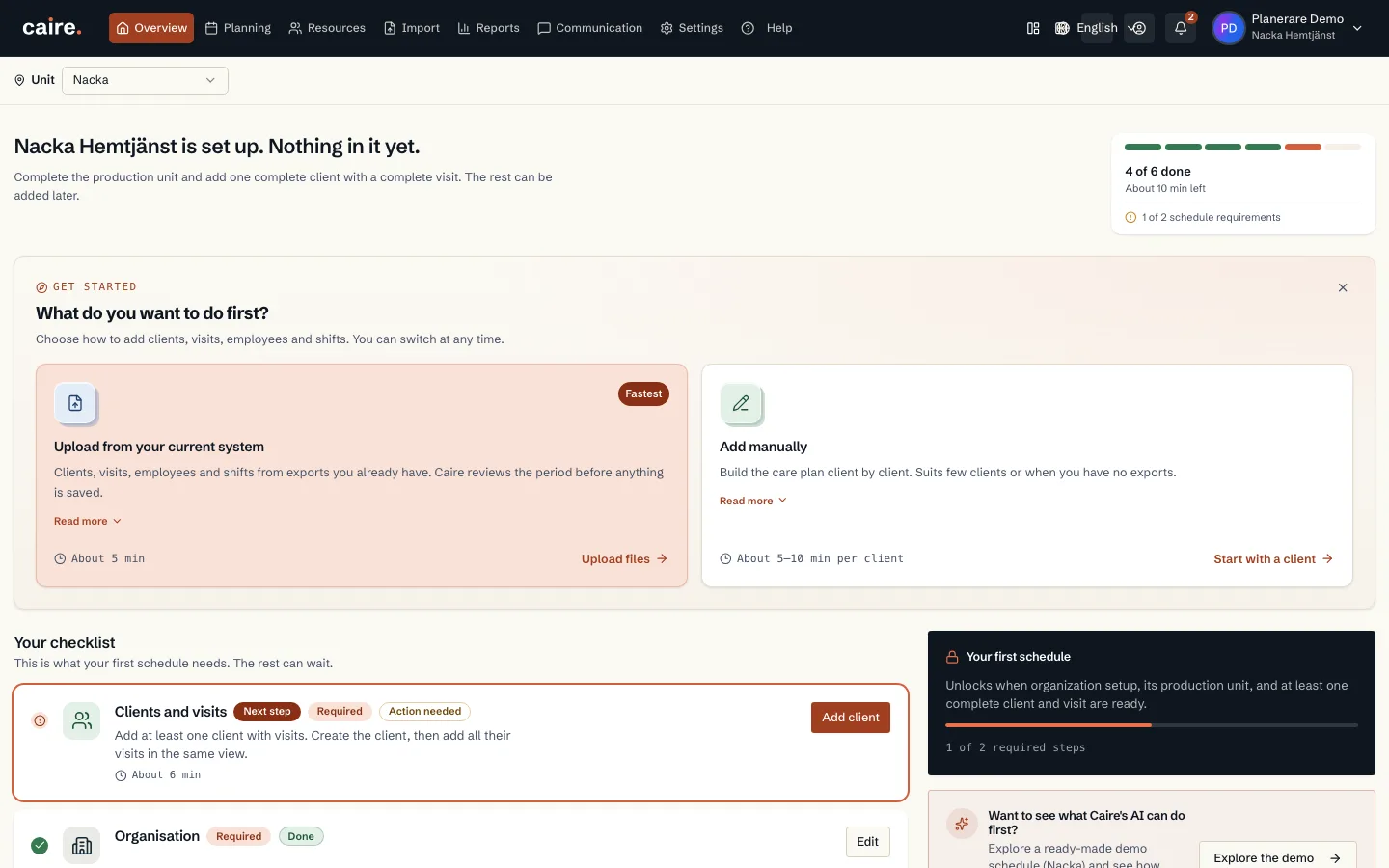
The steps in the list
- Organisation: name and office address. Start here.
- Clients and visits (required): add at least one client with visits. You create the client and then add the visits in the same view.
- Staff and shifts (recommended): without staff, Caire plans against theoretical staffing and shows what would be needed.
- Units: review the unit created from the office address, or add more if you work in several municipalities.
- Invite colleagues: coordinators plan and publish schedules. Administrators also manage the account and members.
- Operational settings (recommended): your own services, employee roles and skills. The defaults are enough for a first schedule.
Skip and come back
A step that is not required can be postponed with Skip for now. Choose Undo to bring it back. A skipped step does not count as done.
Each client gets a score and a list of what is missing, such as no visits or missing coordinates. This never stops saving. It shows what the planning still lacks.
Start with reports instead
If you have reports from your current system, you can choose the quick analysis from reports. The upload creates the clients, visits and employees you would otherwise type in by hand. It is another way in, not an extra requirement.
Your first schedule
Once the organisation, the unit and at least one complete client with one complete visit exist, Create my first schedule becomes available. Caire then builds a baseline and shows what an optimisation would change.