- For
- Coordinator · Client and family
- Type
- Guide
Change a visit in the published schedule
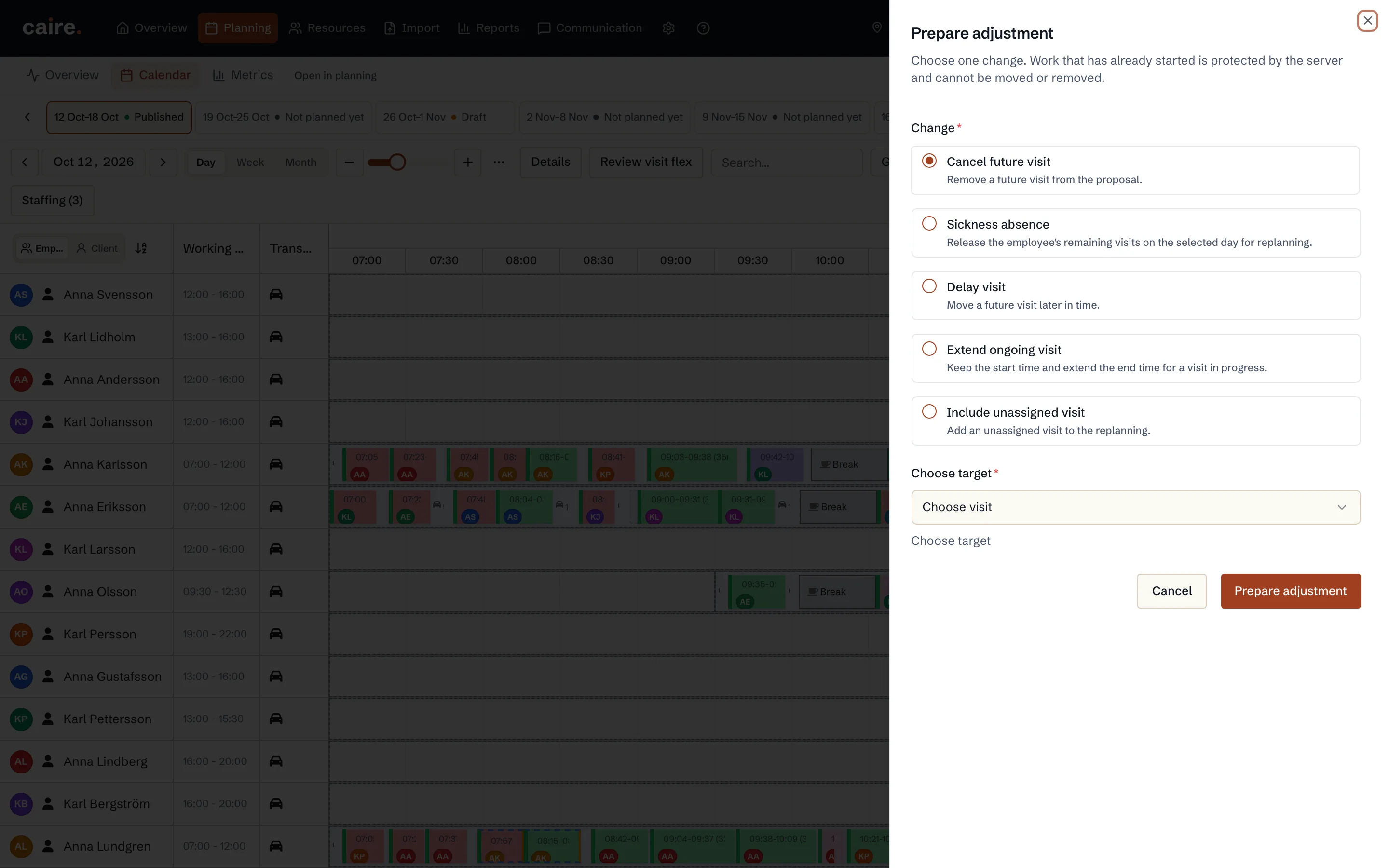
You change a published visit in the operations view. Choose Hantera avvikelse (Handle deviation), then delay a visit, extend a visit in progress or cancel a future visit. Choose Förbered justering (Prepare adjustment), review the proposal and choose Godkänn och tillämpa (Approve and apply).
Caire works out the proposal from the published schedule. Work that has already started does not move. Caregivers see the change in the app only once you have approved it.
Change a coming week or for good
When the change concerns a schedule that is not published yet, you change the visit in the calendar and the result is a new solution. When the visit should change for every coming week, you change the visit template in the client's care plan. The template applies to schedules created from then on.
Visit-time requests from another system
Another system can ask, through an integration, for another time window for a visit. The request is shown to whoever may plan the schedule.
- Godkänn önskemål (Approve request) approves the time window but does not move the visit. Choose Öppna besöksredigeraren (Open the visit editor) and move the visit yourself.
- Avvisa (Decline) turns the request down.
- The request shows the message from the integration and the sender according to the integration. Caire does not check the sender's identity or authority to decide. Judge that yourself.
When the client wants another time
When your organisation has switched on messages in the app, the client and relatives can send the message that they want to change the time of a visit. It goes to the office, which decides and changes the visit in one of the ways above.
Time changes that the client requests in the app are designed like this:
- The organisation chooses whether clients may request time changes in the app. The office can always record a request that comes by phone, text or email, with who asked and how.
- The client sees the dates and status of the request and can change or withdraw it while it is not decided.
- A request is not a decision. Planning changes only once the office approves it.
- An approved change to a coming week is included in the next night's planning as new drafts. When it concerns the published schedule, it goes through a reviewed adjustment in the operations view. Work done and the caregiver's next visit are protected.